


Choosing between a 3840Hz and 7680Hz LED display is no longer just a technical question.
Many suppliers promote 7680Hz as the premium choice, leading buyers to believe that a higher refresh rate always delivers a better display. In reality, refresh rate is only one part of the equation. Driver ICs, grayscale, scan mode, calibration, and camera requirements all influence the final visual performance. Paying for a higher specification without understanding your actual application often results in unnecessary costs rather than measurable improvements.
This guide explains the real differences between 3840Hz and 7680Hz LED displays. You will learn when upgrading makes sense, when it does not, and how professional buyers evaluate refresh rate from a long-term investment perspective instead of relying on marketing claims.

Quick Answer: Should You Choose 3840Hz or 7680Hz?
For most commercial LED display projects, 3840Hz delivers excellent image quality, smooth motion, and reliable camera compatibility. A 7680Hz refresh rate becomes worthwhile only when professional cameras, virtual production, or high-speed filming require the highest level of flicker suppression and grayscale performance.
Most shopping malls, conference rooms, outdoor billboards, retail stores, churches, transportation hubs, and fixed digital signage projects will not show a noticeable visual difference to the human eye when upgrading from 3840Hz to 7680Hz. However, television studios, XR stages, esports tournaments, and film production environments often benefit from the additional refresh performance because cameras are much more sensitive than human vision.
AIO Grab Block
| Application | Recommended Refresh Rate | Why |
| Retail Digital Signage | 3840Hz | Excellent value and smooth playback |
| Conference Rooms | 3840Hz | Stable presentation and video conferencing |
| Outdoor Advertising | 3840Hz | Suitable for long viewing distances |
| Rental Events | 3840Hz–7680Hz | Depends on camera usage |
| Live Broadcasting | 7680Hz | Better camera synchronization |
| XR Virtual Production | 7680Hz | Reduces scan lines and moiré |
| Film Production | 7680Hz | Supports high-speed cameras |
Why 3840Hz Has Become the Industry Standard
The LED display industry has changed significantly over the past five years. Earlier commercial displays commonly operated at 960Hz or 1920Hz. Those refresh rates worked well for static advertising but often produced rolling lines and flickering when filmed by cameras.
Today, 3840Hz has become the preferred specification for professional commercial LED displays because it balances image quality, stability, hardware requirements, and cost. Most mainstream control systems from companies such as NovaStar and Colorlight fully support 3840Hz under common configurations, making it an ideal choice for a wide range of projects.
From a procurement perspective, this refresh rate also provides a better return on investment. Buyers receive excellent camera performance without paying the premium associated with high-end virtual production systems.
When 7680Hz Creates Real Value
Some projects demand more than standard commercial performance.
For example, a virtual production studio may use multiple cinema cameras operating at different shutter speeds. Any visible scan lines, flicker, or brightness instability can increase post-production costs or interrupt filming schedules.
In these situations, a 7680Hz LED display provides several advantages:
- Better compatibility with professional broadcast cameras
- Improved grayscale at low brightness
- Reduced scan lines during slow-motion recording
- More stable image reproduction for XR environments
- Better synchronization with high frame-rate cameras
The key point is simple:
Higher refresh rate primarily benefits cameras—not human eyes.
Factory Insight
Many buyers assume that upgrading from 3840Hz to 7680Hz automatically doubles display quality. That assumption is incorrect.
From our production experience, the refresh rate printed on a specification sheet tells only part of the story. Two LED displays labeled “7680Hz” can produce noticeably different camera results because refresh rate depends on the complete hardware architecture rather than a single parameter.
We have tested LED modules using different driver ICs under identical cabinet configurations. Premium constant-current driver ICs maintain stable refresh output and lower heat generation during long operating periods. Budget ICs may initially reach 7680Hz in laboratory conditions but struggle to maintain consistent grayscale after several hours of continuous operation, especially in high-temperature environments.
For buyers, the real question should not be “Is it 7680Hz?” Instead, ask “Can it maintain 7680Hz consistently under actual working conditions?”

What Is LED Display Refresh Rate?
LED display refresh rate refers to the number of times the screen updates its displayed image every second. A higher refresh rate improves motion stability, minimizes flicker, and enhances camera performance, but it does not increase the display’s resolution or pixel density.
Many buyers confuse refresh rate with image quality because both appear in product specifications. However, these measurements describe completely different characteristics.
Resolution determines how many pixels form the image.
Refresh rate determines how smoothly those pixels update over time.
You can think of resolution as the number of pages in a book, while refresh rate represents how quickly you can flip through those pages without interruption.
AIO Grab Block
Quick Answer
Refresh rate measures how often an LED display redraws the image every second. Increasing refresh rate mainly improves camera recording quality, motion rendering, and flicker reduction rather than making the picture sharper.
| Parameter | What It Affects |
| Resolution | Image detail |
| Pixel Pitch | Viewing distance |
| Refresh Rate | Motion and camera performance |
| Brightness | Outdoor visibility |
| Grayscale | Color transition |
How Refresh Rate Works
Unlike LCD or OLED screens, LED displays refresh the image through rapid scanning and electronic control of thousands or millions of LEDs.
The controller continuously sends image data to receiving cards, which distribute signals to individual LED modules. Driver ICs then activate each row according to the selected scan mode.
This refresh cycle repeats thousands of times every second.
For example:
- 1920Hz refreshes the image 1,920 times per second.
- 3840Hz refreshes the image 3,840 times per second.
- 7680Hz refreshes the image 7,680 times per second.
These values indicate electronic updating frequency rather than video frame rate.
A faster refresh cycle reduces the time between updates. As a result, cameras capture more complete image information during exposure, significantly reducing visible artifacts.
Refresh Rate vs Frame Rate vs Scan Rate
These three terms often appear together in LED display specifications, but they describe different concepts.
| Term | Definition | Controlled By |
| Refresh Rate | Screen updates per second | LED hardware |
| Frame Rate | Video frames played each second | Video source |
| Scan Rate | Number of scanning rows used | Module design |
Understanding these differences helps buyers avoid one of the industry’s most common misunderstandings.
A video may play at 60fps regardless of whether the display refreshes at 3840Hz or 7680Hz. Likewise, a display with an excellent refresh rate can still produce poor results if the scan mode or driver IC limits overall performance.
Why Buyers Often Confuse These Three Specifications
Manufacturers frequently advertise refresh rate because the number is easy to compare.
However, many purchasing decisions focus on a single specification instead of evaluating the entire display system.
For example:
A display advertised as 7680Hz may still produce visible flicker if it uses an unsuitable scan mode or low-quality driver ICs.
Conversely, a well-designed 3840Hz display with premium ICs, accurate factory calibration, and optimized PWM dimming often delivers superior visual quality compared with an entry-level 7680Hz product.
This explains why experienced AV integrators rarely evaluate refresh rate in isolation.
Instead, they examine:
- Driver IC model
- Receiving card compatibility
- PWM dimming capability
- Scan mode
- Grayscale performance
- Calibration process
- Cabinet consistency
These factors work together to determine the final viewing experience.
Factory Insight
During mass production, we perform refresh-rate verification after cabinet assembly rather than only testing individual modules.
Why?
Because signal integrity changes after power supplies, receiving cards, ribbon cables, and complete cabinet wiring are installed.
A module that achieves stable performance during laboratory testing may behave differently after integration into a full LED wall.
Our engineers therefore conduct multiple verification stages, including:
- Software refresh-rate verification
- Slow-motion camera recording
- Low-brightness grayscale inspection
- Continuous aging tests
- Final cabinet uniformity calibration
These procedures help identify issues before shipment instead of leaving customers to discover them during installation.
This production workflow provides much more reliable long-term performance than relying solely on specification sheets.
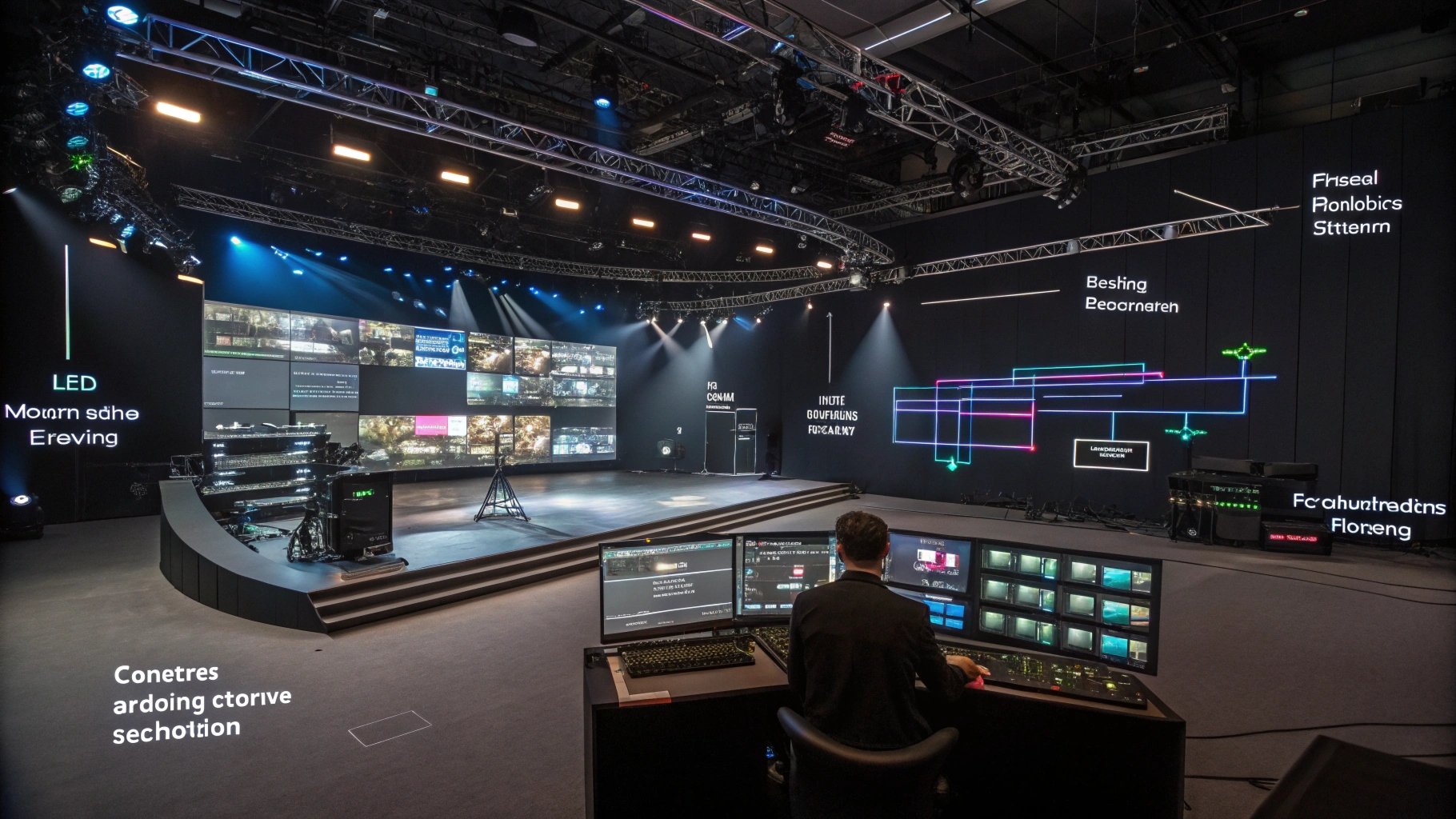
3840Hz vs 7680Hz: What’s the Real Difference?
Choosing between a 3840Hz and 7680Hz LED display is less about chasing the highest specification and more about matching the display to its intended application. For most commercial LED projects, a well-designed 3840Hz LED display already delivers excellent visual quality, smooth motion, and reliable camera compatibility. A 7680Hz refresh rate becomes valuable only when professional cameras, virtual production workflows, or high-speed filming require an extra level of image stability.
The biggest mistake many buyers make is assuming that refresh rate directly determines picture quality. In reality, refresh rate is only one component of a complete display system. Driver ICs, grayscale performance, scan mode, PWM dimming, cabinet calibration, and signal transmission often have a greater influence on the final viewing experience than the refresh rate number printed on a quotation.
Rather than asking, “Which refresh rate is higher?”, professional buyers usually ask a more important question: “Will this refresh rate improve my project enough to justify the additional investment?” That question forms the foundation of every successful LED display procurement decision.
AIO Grab Block
| Feature | 3840Hz LED Display | 7680Hz LED Display |
| Human-eye Difference | Almost unnoticeable | Almost unnoticeable |
| Camera Performance | Excellent | Outstanding |
| Slow-motion Recording | Very Good | Excellent |
| Flicker Suppression | Excellent | Best |
| Low-brightness Stability | Good (depends on hardware) | Better (with premium hardware) |
| Typical Hardware Cost | Lower | Higher |
| Recommended Projects | Commercial signage, conference rooms, retail, outdoor advertising | Broadcast studios, XR stages, film production, premium rental |
| Overall ROI | Highest for most buyers | Highest only for camera-intensive projects |
Image Quality Comparison
Many buyers expect a 7680Hz LED display to produce a noticeably sharper picture than a 3840Hz model. This expectation sounds reasonable because the specification is twice as high. However, this is not how LED displays work.
Refresh rate controls how frequently the display updates the image, not how many pixels appear on the screen. Resolution, pixel pitch, LED chip quality, grayscale processing, and color calibration determine sharpness. Refresh rate mainly affects image stability over time.
For example, imagine two indoor P1.9 LED video walls installed side by side in a shopping mall. Both displays use the same LED chips, identical pixel pitch, equal brightness, and the same color calibration. One operates at 3840Hz, while the other operates at 7680Hz.
Most shoppers standing three to five meters away will struggle to identify which display has the higher refresh rate. Logos remain sharp, text remains readable, and promotional videos appear equally smooth. Even experienced AV professionals often cannot distinguish between them without using professional recording equipment.
This happens because the human visual system processes continuous motion differently from a camera sensor. Once the refresh rate exceeds a certain threshold, perceived improvements become much smaller. In many commercial environments, factors such as ambient lighting, viewing distance, and content quality have a much greater impact on visual experience than doubling the refresh rate.
Another important consideration is viewing distance. Large outdoor billboards often use pixel pitches ranging from P6 to P10 because audiences view them from dozens of meters away. Under these conditions, increasing refresh rate from 3840Hz to 7680Hz provides almost no measurable improvement for pedestrians or passing traffic. Investing the same budget in higher brightness, better weather protection, or lower power consumption usually creates a greater return.
This does not mean 7680Hz lacks value. It simply means buyers should separate marketing language from practical performance. Higher specifications only create value when the application can actually benefit from them.
Factory Insight
During factory acceptance testing, we occasionally demonstrate two cabinets with identical specifications except for refresh rate. When customers observe the displays directly, very few can correctly identify the 7680Hz cabinet.
However, once we place a professional broadcast camera in front of the same displays, the difference becomes much more obvious. Scan lines decrease, brightness transitions become smoother, and image stability improves under specific shutter speeds.
This is why we always ask one question before recommending 7680Hz:
“Will your LED screen spend more time in front of cameras than in front of people?”
If the answer is no, we usually recommend investing the additional budget elsewhere.
Procurement Advice
If your project involves shopping malls, transportation hubs, exhibition halls, corporate lobbies, or outdoor advertising, we generally recommend choosing a premium 3840Hz LED display instead of upgrading to 7680Hz. The saved budget can often produce a greater visual improvement when invested in better LED packages, cabinet flatness, or factory calibration.
Camera Shooting Comparison
If image quality is where the differences between 3840Hz and 7680Hz remain relatively small, camera performance tells a completely different story.
Unlike the human eye, a digital camera records individual frames at fixed exposure intervals. During each exposure, the camera captures only part of the LED display’s refresh cycle. If these two cycles fail to synchronize correctly, visual artifacts begin to appear. Common examples include horizontal scan lines, rolling bands, brightness fluctuations, or visible flicker.
This explains why an LED display that looks perfect in person may appear unstable on camera.
A refresh rate of 3840Hz already performs extremely well for most commercial photography, livestreaming, and event recording. Television interviews, conference broadcasts, trade show presentations, and corporate streaming applications rarely experience noticeable issues when the display uses high-quality driver ICs and proper calibration.
However, production environments become much more demanding when cameras operate under conditions such as:
- High shutter speeds
- High frame-rate recording
- Slow-motion capture
- Cinema-grade digital cameras
- Multi-camera synchronization
- Virtual production workflows
These scenarios expose every weakness in the display system.
A 7680Hz refresh rate reduces the interval between display updates, giving camera sensors more opportunities to capture complete image information during exposure. As a result, recorded footage appears cleaner and requires less correction during post-production.
This advantage explains why many modern XR studios, LED volume stages, and television broadcasters increasingly specify 7680Hz displays, especially when productions involve expensive filming schedules. Every hour spent correcting flicker or scan artifacts increases production costs.
Nevertheless, buyers should remember another important point:
Refresh rate alone does not eliminate camera artifacts.
Camera performance also depends on:
- Driver IC quality
- PWM dimming frequency
- Camera shutter angle
- Frame rate
- Receiving card synchronization
- LED module consistency
- Color calibration
Even a 7680Hz display may produce recording issues if these elements are poorly configured.
For commercial projects that only require occasional photography or promotional videos, a professionally manufactured 3840Hz LED display normally delivers excellent results while keeping project costs under control.
Factory Insight
Before shipping camera-facing LED displays, our engineers never rely solely on software verification.
Instead, we test displays using several recording devices, including smartphones, mirrorless cameras, and professional broadcast cameras operating under different shutter speeds. These practical tests often reveal image artifacts that software alone cannot detect.
We also reduce display brightness during testing because low-brightness operation places greater demands on grayscale processing and PWM control. A display that performs well only at maximum brightness may still create problems in television studios or indoor production environments.
Real-world camera testing provides procurement teams with much greater confidence than specification sheets alone.
Common Mistake
Many buyers believe that purchasing a 7680Hz display automatically guarantees flicker-free filming.
This is not true.
Poor camera settings, incorrect shutter speeds, low-quality driver ICs, or insufficient grayscale optimization can still introduce visible artifacts. Refresh rate improves camera compatibility, but it cannot compensate for weaknesses elsewhere in the display system.

Does a Higher Refresh Rate Always Mean Better Display Performance?
A higher refresh rate can improve certain aspects of an LED display, but it does not automatically guarantee better overall image quality. Refresh rate mainly affects how the display performs when recorded by cameras. The overall viewing experience still depends on multiple hardware and software components working together.
This is one of the biggest misunderstandings in the LED display industry. Many buyers compare quotations by looking only at the refresh rate, assuming that a 7680Hz display must outperform a 3840Hz model in every situation. In reality, experienced system integrators and AV consultants evaluate the entire display system before making a recommendation.
AIO Grab Block
Quick Answer
Refresh rate is only one factor affecting LED display performance. Driver IC quality, grayscale, scan mode, PWM dimming, factory calibration, and control systems often have a greater impact on image quality and long-term stability than refresh rate alone.
| Performance Factor | Main Influence | Importance |
| Refresh Rate | Camera compatibility | High |
| Driver IC | Image stability | Very High |
| Grayscale | Color transition | Very High |
| PWM Dimming | Low-brightness performance | High |
| Factory Calibration | Uniformity | Very High |
| Scan Mode | Refresh capability | High |
The Biggest Misconception in LED Display Purchasing
The most common misconception is simple:
“A higher refresh rate always means a better LED display.”
Although this statement sounds reasonable, it ignores how LED displays actually generate images.
Refresh rate controls how frequently the screen updates its content. It does not determine resolution, color accuracy, brightness uniformity, or cabinet consistency. Those characteristics depend on the overall hardware design and manufacturing quality.
For example, imagine two P2.5 indoor LED displays with identical brightness and pixel pitch. One uses premium driver ICs, accurate factory calibration, and a stable 3840Hz refresh rate. The other advertises 7680Hz but uses lower-grade electronic components.
In daily commercial use, the first display will often produce smoother grayscale transitions, better color consistency, and fewer maintenance issues. Most viewers will not notice the higher refresh rate, but they will notice uneven colors or inconsistent brightness between cabinets.
This is why professional buyers rarely compare LED displays using refresh rate alone. Instead, they evaluate the complete display system to understand how it will perform after years of continuous operation.
Factory Insight
At NSELED, we occasionally compare two completed cabinets with different refresh rates during customer factory visits. When customers view the displays directly, they usually focus on color consistency, cabinet flatness, and image uniformity rather than refresh rate.
However, when we record the same displays using professional broadcast cameras, the difference becomes much more visible. This demonstrates an important point: higher refresh rates primarily benefit cameras, not the human eye.
Why 7680Hz Cannot Compensate for Poor Hardware
A 7680Hz specification cannot overcome limitations caused by lower-quality hardware. Every component inside an LED display contributes to its final performance, and the refresh rate depends on the stability of the entire system.
One of the most important components is the driver IC. Premium constant-current driver ICs deliver stable current, reduce brightness fluctuations, and improve grayscale performance. Budget driver ICs may reach the advertised refresh rate during laboratory testing, but they often struggle to maintain consistent performance after long operating hours or under higher temperatures.
The receiving card also influences refresh performance. Every receiving card has bandwidth limitations based on resolution, grayscale depth, and refresh rate. If the controller approaches its loading limit, image stability may decrease even though the display is technically configured for 7680Hz.
Another overlooked factor is thermal management. Higher refresh rates require faster electronic switching, which generates additional heat. If the PCB layout, power supply, or cabinet ventilation is poorly designed, excessive temperatures can affect long-term reliability.
For these reasons, professional engineers evaluate the complete hardware architecture instead of relying on a single specification.
Factory Insight
During our aging tests, we monitor displays continuously under dynamic video content rather than static images. This process allows our engineers to identify brightness instability, signal fluctuations, or grayscale inconsistencies before shipment.
In our experience, a stable 3840Hz display with premium components often provides better long-term performance than a budget-oriented 7680Hz solution.
What Professional Buyers Evaluate First
Experienced procurement teams ask different questions from first-time buyers.
Instead of asking whether a display supports 7680Hz, they first consider the application. A retail digital signage project has very different technical requirements from an XR virtual production studio.
Professional buyers typically evaluate the following factors before discussing refresh rate:
- Application Scenario – Will professional cameras regularly film the display?
- Driver IC Brand and Model – Can the IC maintain stable current during long-term operation?
- Factory Calibration – Has every cabinet been calibrated for brightness and color consistency?
- Control System Compatibility – Does the receiving card support the required configuration?
- Long-Term Reliability – How will the display perform after several years of continuous operation?
These questions help buyers identify displays that provide genuine long-term value instead of simply offering impressive specifications.
From a return-on-investment perspective, paying more for 7680Hz only makes sense when the project can actually benefit from it. Broadcast studios, virtual production stages, and high-end rental applications usually justify the investment because cameras directly capture the display.
For shopping malls, conference rooms, airports, museums, and outdoor advertising, a premium 3840Hz display generally delivers the best balance between performance and cost.
Factory Insight
One of our European customers originally requested 7680Hz for a chain of retail stores. After reviewing the project, our engineering team recommended a premium 3840Hz solution with upgraded driver ICs and enhanced factory calibration instead.
The customer reduced the overall project cost while achieving more consistent image quality across every installation. More importantly, the additional investment was directed toward components that created visible improvements rather than specifications that offered little practical benefit.

Factory Insights: Why Two “7680Hz” LED Displays Can Perform Very Differently
In LED display procurement, one of the most misunderstood situations is this: two suppliers both quote “7680Hz”, but the real-world performance is completely different.
From a buyer’s perspective, the specification looks identical. But from a factory engineering perspective, refresh rate is only the final output of a much larger system. If any upstream component is weak, the real performance will drop even if the specification sheet still shows 7680Hz.
This is why professional integrators never compare LED displays based on refresh rate alone. They compare the entire manufacturing chain, from driver IC selection to final calibration.
AIO Grab Block
Quick Answer
Two LED displays with the same 7680Hz specification can perform differently because driver IC quality, PCB design, module consistency, calibration process, and quality control directly affect real refresh stability and image performance.
| Manufacturing Factor | Impact on Performance | Risk Level |
| Driver IC Brand | Very High | High Risk Differentiator |
| PCB Design Quality | High | High Risk |
| Module Consistency | Medium | Medium Risk |
| Factory Calibration | Very High | Critical |
| Aging Process | High | Critical |
| Quality Control System | Very High | Critical |
Driver IC Brand Defines Real Refresh Stability
The driver IC is the most important electronic component in an LED module.
High-end driver ICs from established manufacturers provide:
- Stable constant-current output
- Lower heat generation during high-frequency operation
- Better grayscale linearity at low brightness
- Longer operational lifespan under continuous load
Budget ICs can sometimes reach 7680Hz during testing. However, they often struggle to maintain stable grayscale and brightness consistency after long operating hours.
This is why two displays with identical refresh specifications may behave very differently in real installations.
PCB Design Directly Affects Signal Integrity
PCB layout determines how electrical signals travel inside the LED module.
A well-designed PCB ensures:
- Stable signal transmission between ICs
- Reduced electromagnetic interference
- Better heat distribution across the module
- Consistent performance across large cabinets
Poor PCB design creates signal delay and instability. This becomes especially visible in large video walls where multiple cabinets must synchronize perfectly.
In high-refresh applications, even minor PCB inefficiencies can reduce visual stability.
Module Consistency Determines Visual Uniformity
Even if each component meets specification standards, inconsistent module production can still create visible differences on a full LED wall.
Common issues include:
- Slight brightness variation between batches
- Color temperature deviation across cabinets
- Minor pixel-level inconsistencies
- Uneven aging behavior over time
These issues are not caused by refresh rate. They are caused by manufacturing tolerance control.
This is why professional buyers often request batch-level uniformity reports before approving production.
Factory Insight
At NSELED, we control module consistency through strict binning of LED chips and multi-stage calibration.
Instead of calibrating only at cabinet level, we also perform module-level pre-calibration before final assembly.
This reduces long-term drift and ensures that large installations (especially rental and retail networks) maintain consistent appearance across multiple locations.
Factory Calibration Is the Real Performance Gatekeeper
Calibration is often the most underestimated part of LED display manufacturing.
Even a perfect hardware system will not perform well if calibration is weak.
Factory calibration affects:
- White balance consistency
- Gray scale smoothness
- Color uniformity across cabinets
- Brightness matching between modules
Without proper calibration, a 7680Hz display may still show visible inconsistencies when displaying uniform backgrounds or corporate branding content.
Professional calibration is not a one-time process. It is a multi-stage workflow that includes:
- Module-level adjustment
- Cabinet-level correction
- System-level uniformity tuning
- Final visual inspection under dynamic video
Aging Process Determines Long-Term Stability
Aging tests simulate long-term operation before the product is shipped.
During aging, displays are typically tested under:
- Continuous full-color video playback
- High and low brightness cycling
- Temperature variation stress
- Extended runtime (48–72 hours or more)
This process reveals issues that cannot be detected in short testing periods.
Without proper aging, a display may initially perform well but degrade quickly after installation.
Factory Insight
We often see a difference between short-tested displays and fully aged displays within the first 3–6 months of operation.
The most common early failure points are:
- Slight color drift in certain cabinets
- Brightness imbalance in low grayscale levels
- Heat-related signal instability
These issues are not related to refresh rate—they are directly linked to manufacturing process control.
Buying Guide: How to Choose the Right Refresh Rate
Choosing the correct refresh rate should always start from application requirements, not specification comparison.
Recommended Decision Framework
| Application Type | Recommended Refresh Rate | Reason |
| Retail & Advertising | 3840Hz | No camera requirement, best ROI |
| Conference Rooms | 3840Hz | Stable visual performance |
| Outdoor Advertising | 3840Hz | Brightness & durability matter more |
| Rental Events | 3840Hz–7680Hz | Mixed camera usage |
| Broadcast Studios | 7680Hz | Camera synchronization critical |
| XR Virtual Production | 7680Hz | High-speed filming environment |
Choose Based on Camera Usage
If your LED display is mainly viewed by people, 3840Hz is sufficient in almost all cases.
If your LED display is frequently recorded by professional cameras, especially under:
- High shutter speed
- Slow motion recording
- Multi-camera synchronization
Then 7680Hz becomes a meaningful upgrade.
Choose Based on Budget Allocation
A common mistake is overspending on refresh rate while underinvesting in core hardware.
A better allocation strategy is:
- Driver IC upgrade → High impact
- Calibration improvement → Very high impact
- Cabinet flatness → High impact
- Refresh rate upgrade → Situational impact
Choose Based on Long-Term ROI
LED displays are long-term assets. Most commercial installations operate for 5–8 years or more.
During this time, maintenance cost and stability often matter more than initial specification differences.
A stable 3840Hz system with premium components often delivers better ROI than a low-quality 7680Hz system.

Conclusion
The difference between 3840Hz and 7680Hz is not just a number comparison. It represents two different engineering priorities: commercial stability vs. camera optimization.
For most LED display projects, a well-engineered 3840Hz system provides the best balance of performance, cost, and long-term reliability. A 7680Hz system becomes necessary only when professional video production defines project success.
Understanding this distinction helps buyers avoid overspending on specifications while underinvesting in real display quality. For tailored project evaluation, please contact NSELED for a customized LED display solution.
Quick Quote Checklist
Before contacting a supplier, prepare the following technical information:
- Pixel pitch and viewing distance
- Application environment (indoor / outdoor / rental)
- Camera usage requirement (yes / no)
- Refresh rate expectation
- Control system preference (NovaStar / Colorlight)
- Installation size and structure
Providing these details helps suppliers design a more accurate and cost-efficient solution.
Three Actionable Steps You Can Take Next Week
- Compare at least two suppliers using driver IC + calibration quality, not refresh rate alone.
- Request a slow-motion camera test video under different brightness levels.
- Ask for a factory aging report (48–72 hours minimum) before final approval.