


Introduction
An LED wall for virtual production can replace many green-screen workflows with a live, camera-ready digital environment.
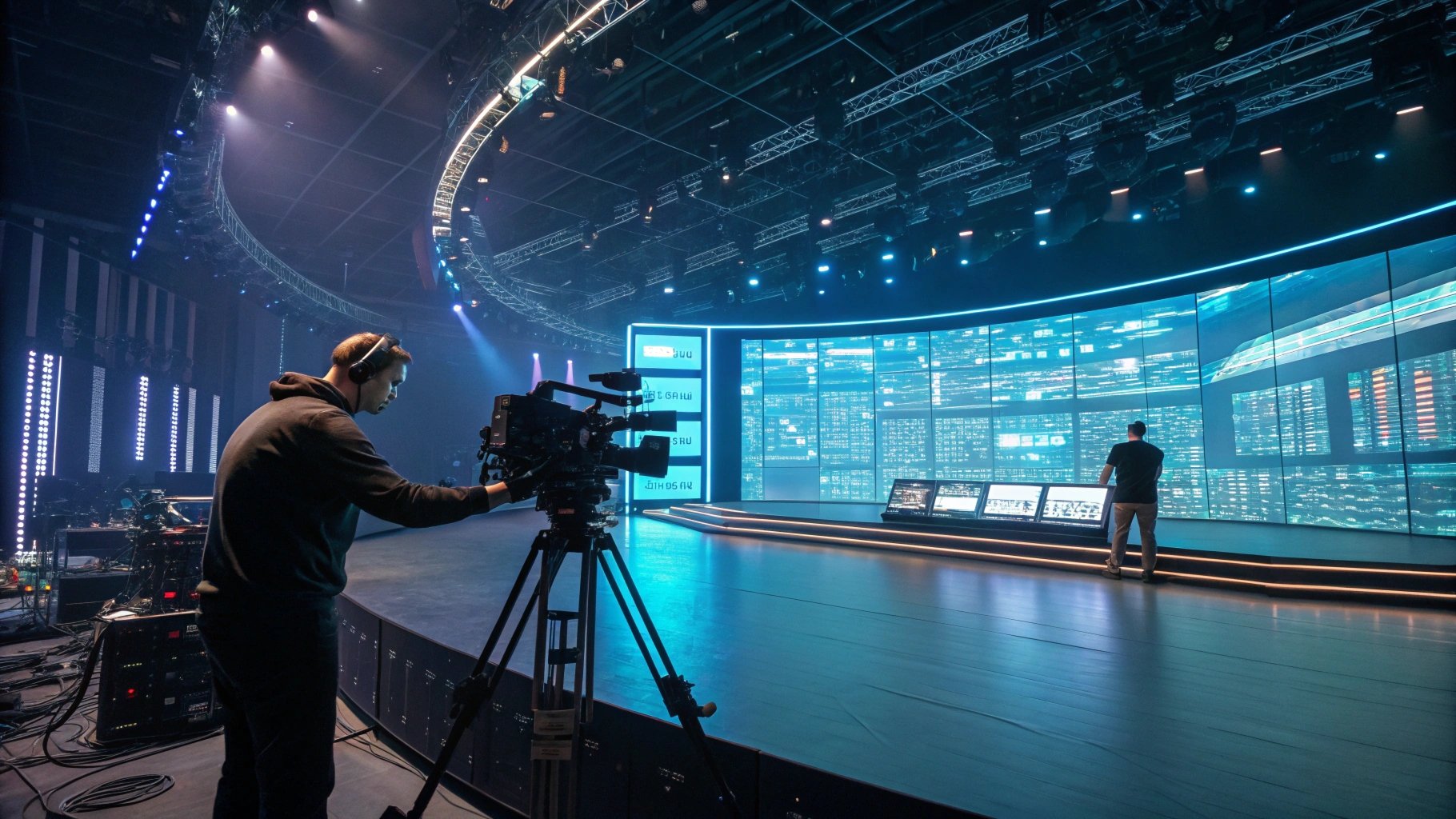
Traditional green screens still work well, but they create a gap between what actors see and what cameras capture. Producers must solve reflections, lighting, perspective, and compositing later. An LED wall brings the virtual environment onto the stage, which can reduce that gap and give the crew immediate visual feedback.
This guide explains how interactive LED walls work, which specifications matter, where the technology creates real value, and what B2B buyers should verify before purchasing.
What Is an LED Green Screen and How Does It Work?
An LED green screen uses an LED wall to display a real-time virtual environment behind or around performers, allowing the camera to capture the subject and digital background together during production. The workflow combines LED displays, a real-time rendering engine, camera tracking, image processing, and a production camera.
The term “green screen” can therefore become misleading. The LED wall does not simply display a green background. Instead, it displays the actual digital environment that the camera should see from its current position.
| Component | Function in Virtual Production |
|---|---|
| LED wall | Displays the real-time virtual environment |
| Real-time engine | Generates and updates the digital scene |
| Camera tracking | Sends camera position and movement data |
| LED processor | Processes and distributes display signals |
| Production camera | Captures actors and the LED environment |
| Lighting system | Supplements or shapes scene illumination |
The critical difference appears when the camera moves. A conventional flat background cannot automatically reproduce the correct perspective of a three-dimensional environment. An LED volume can update the displayed image according to the tracked camera position, creating a parallax effect that makes the background appear spatially connected to the physical set. Epic Games describes this workflow through its inner-frustum rendering, where the LED wall displays the virtual view corresponding to the production camera.
LED Wall vs. Traditional Green Screen
A green screen separates the foreground subject from the background through chroma keying. The production team then composites the desired environment around the subject.
An LED wall takes a different approach. The display becomes part of the physical shooting environment, so the camera can capture background imagery, colored illumination, and reflections directly.
| Factor | LED Wall | Green Screen |
|---|---|---|
| Background | Real-time digital environment | Chroma-key background |
| Reflections | Captured directly | Usually recreated digitally |
| Ambient light | LED wall contributes scene light | Separate lighting required |
| Camera movement | Works with camera tracking | Depends more heavily on compositing |
| On-set preview | Immediate | Often requires later compositing |
| Initial investment | Higher | Lower |
| Post-production | Can be reduced | Usually more extensive |
This difference matters most when the scene contains glass, polished metal, vehicles, reflective floors, or other surfaces that reveal the surrounding environment. A green screen cannot provide those reflections by itself. The production team must recreate them in post-production or through additional on-set techniques.
However, buyers should not treat an LED wall as an automatic replacement for every green-screen project. A short commercial with limited camera movement may not justify the capital cost of a complete LED volume. A production that repeatedly changes locations, needs real-time interaction, or depends heavily on natural reflections can make a stronger business case.
How Real-Time Rendering Creates an Interactive Background
A virtual production system normally connects the physical LED stage with a real-time rendering engine. The engine receives camera information and renders the appropriate perspective for the LED wall.
Epic Games’ current Unreal Engine documentation identifies camera tracking, nDisplay, Live Link, and synchronization as important parts of an in-camera VFX workflow. The system must coordinate the virtual scene, tracked camera data, and multiple display outputs rather than treating the LED wall as an ordinary video monitor.
This point changes how a buyer should evaluate an LED wall. A display specification alone cannot define virtual-production performance. The LED wall must work correctly with the camera, processor, tracking system, rendering hardware, and synchronization workflow.
From a factory perspective, we would also check the physical geometry of the cabinets before discussing software integration. Small cabinet alignment errors can create visible seams or geometry inconsistencies when the camera shoots across a large LED surface. That issue becomes more important on curved volumes because the display surface must match the digital stage geometry accurately.
Factory Insight: During production planning, we would evaluate cabinet flatness, module tolerance, calibration consistency, receiving-card behavior, and signal stability as one system. A buyer who only compares pixel pitch and price can miss the mechanical and electronic factors that later affect camera performance.
The Role of Camera Tracking and In-Camera VFX
Camera tracking connects the physical camera to the virtual environment. The tracking system measures the camera’s position and orientation, while the rendering system uses that information to update the digital scene.
Epic Games supports several tracking approaches, including optical, feature-based, and inertial tracking. Its documentation also recommends combining tracking sources where appropriate to improve camera-position data.
The workflow becomes especially important when the camera moves laterally, changes height, or uses a longer lens. The virtual background must respond to those movements with the correct perspective.
A buyer should therefore ask for an end-to-end tracking demonstration, not only an LED panel demonstration. The supplier should show how the LED wall responds when the production camera moves through a real shooting setup.
For example, a supplier demonstration can use a tracked camera to move from left to right while the virtual environment changes perspective. The buyer can then inspect whether the background shifts naturally or shows noticeable lag, tearing, geometric mismatch, or synchronization problems.
Why Use an LED Wall Instead of a Traditional Green Screen?
An LED wall becomes more valuable than a green screen when the production depends on realistic reflections, interactive backgrounds, real-time lighting, and immediate camera-ready visualization. The technology does not eliminate every post-production task, but it can move important visual decisions from post-production onto the physical stage.
The strongest advantage comes from controlling several variables at once. The LED wall displays the environment, contributes colored light, and gives actors and cinematographers an actual visual reference. Epic Games describes the outer-frustum area of an LED volume as a dynamic source for lighting and reflections around the physical set.
Realistic Reflections on Glass, Metal, and Glossy Surfaces
Reflective materials expose the weakness of a basic green-screen workflow. A vehicle body, glass panel, chrome component, or polished floor can reflect the surrounding environment.
An LED wall gives those surfaces something physical to reflect. The camera can capture part of that visual information directly instead of asking the post-production team to reconstruct every reflection.
This does not mean the LED wall automatically produces perfect reflections. The wall still has limited physical size, viewing angles, brightness, color characteristics, and pixel structure. Production teams may also combine LED illumination with dedicated lighting to achieve the desired exposure and contrast.
From the manufacturing side, uniformity matters here. If one cabinet appears slightly brighter or shifts color relative to neighboring cabinets, a reflective surface can make the inconsistency easier to notice. For virtual production, calibration uniformity is therefore not just a display-quality issue; it can become a camera-quality issue.
Real-Time Background Changes
An LED wall allows the production team to change the digital environment without rebuilding the physical location.
A studio can move from a city street to a desert, spacecraft interior, hotel lobby, or product environment through the real-time content system. The crew can also adjust environmental colors and lighting during a take when the production workflow supports those changes.
That flexibility creates a practical advantage for commercial production. The value comes from reducing physical location changes and maintaining greater control over the shooting environment, not simply from displaying attractive 3D graphics.
Reduced Dependency on Chroma Keying
Green-screen production remains powerful because it gives editors significant freedom after filming. However, chroma keying can require careful control of spill, hair edges, translucent objects, shadows, and reflections.
An LED wall can reduce some of those problems because the background appears in-camera. The production team can evaluate the interaction between the subject and environment while filming rather than waiting for the final composite.
Still, buyers should avoid the claim that LED virtual production makes post-production unnecessary. It changes the balance between on-set preparation and post-production; it does not remove the entire post-production pipeline.
Faster On-Set Visual Feedback
A cinematographer can see the relationship between the actor, lighting, camera framing, and virtual environment during the shoot. That feedback can help the crew identify problems before they become expensive editing issues.
The benefit becomes particularly strong when the production requires repeated shots or complex camera movement. A production team can make adjustments while the physical setup remains active instead of discovering mismatches after the crew leaves the stage.
More Flexible Camera and Production Workflows
A well-designed LED stage can support tracked camera movement, multiple camera configurations, and different virtual environments. Unreal Engine’s official in-camera VFX workflow also includes tools for camera tracking, display synchronization, color management, calibration, and real-time scene control.
However, workflow compatibility should come before display specification when you build the purchasing list. A 4K-capable LED wall does not solve a tracking or synchronization problem.
For a B2B buyer, the better evaluation sequence is:
- Define the camera and lens system.
- Define the expected camera distance and movement.
- Define the required virtual stage geometry.
- Select LED specifications around those conditions.
- Test the complete system before final procurement.
This approach prevents the common mistake of buying the smallest pixel pitch available and assuming that finer pixels automatically produce better virtual production results.
What Makes an LED Wall Suitable for Virtual Production?
An LED wall designed for virtual production needs more than a fine pixel pitch. Pixel structure, refresh rate, scan mode, grayscale, color accuracy, brightness stability, calibration, cabinet flatness, and synchronization must work together under camera conditions. A specification that looks excellent to the human eye can still produce flicker, moiré, color shifts, or scan-line artifacts on a professional camera.
| Specification | Why It Matters in Virtual Production |
|---|---|
| Pixel pitch | Determines visible pixel structure and shooting distance |
| Refresh rate | Reduces flicker and camera artifacts |
| Scan mode | Influences image stability during filming |
| Brightness | Affects exposure and the LED wall’s lighting contribution |
| Color accuracy | Supports realistic virtual environments |
| Grayscale | Preserves shadows and gradients |
| Calibration | Maintains cabinet-to-cabinet consistency |
| Cabinet flatness | Reduces seams and geometric distortion |
| Genlock / synchronization | Coordinates LED output and camera timing |
The correct configuration should start with the camera system and shooting conditions, not with a product specification sheet. A studio shooting close-ups with large-format cinema cameras has different requirements from a stage mainly used for wide shots or broadcast backgrounds.
How to Choose Pixel Pitch for Camera Distance
Pixel pitch describes the distance between neighboring LED pixels. A smaller pitch creates a denser pixel structure, which can help when the camera operates close to the LED surface.
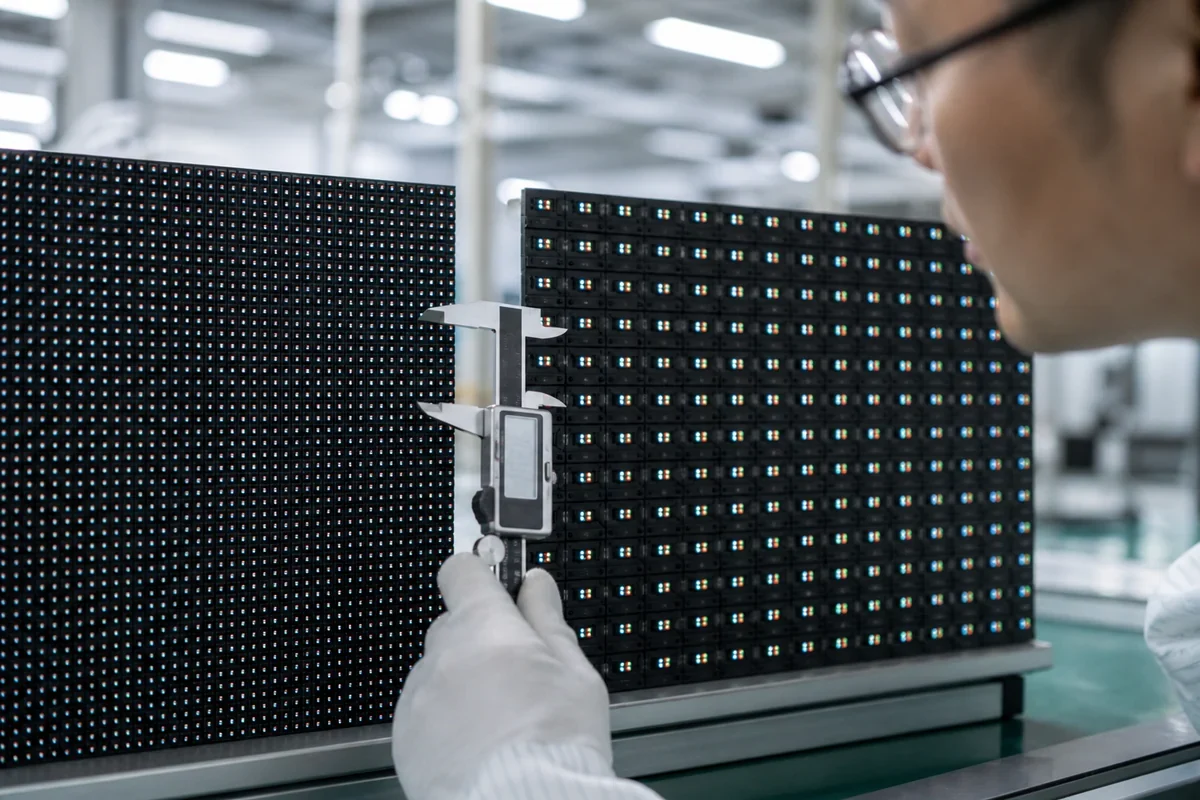
However, smaller pixel pitch is not automatically the best purchase decision. If the camera remains several meters away, moving from one fine pitch to an extremely fine pitch may provide little practical benefit while significantly increasing the display budget.
A better approach is to evaluate the complete relationship between:
- Camera-to-wall distance
- Lens focal length
- Shooting resolution
- Camera sensor
- Desired depth of field
- LED pixel pitch
- Expected camera framing
For close-up virtual production, fine-pitch LED can reduce the chance that individual pixels become visible. For wider shots, the required pixel density may be less demanding.
For buyers, the rule is simple: never select pixel pitch from the wall size alone. Ask the LED manufacturer to conduct a camera test at the actual distance and with the intended camera and lens combination.
Why Refresh Rate Is More Important for Cameras Than Human Eyes
The human eye may perceive a stable LED image even when a camera records unwanted temporal artifacts. Cameras expose the LED wall according to shutter speed, frame rate, sensor behavior, and LED driving characteristics.
A high refresh rate can reduce visible flicker and improve camera compatibility, but refresh rate alone does not guarantee clean footage. The driving IC, scan architecture, receiving-card behavior, processor configuration, and camera synchronization can also influence the final image.
This is why a buyer should avoid comparing products using only a single “Hz” number.
For virtual production, the useful question is:
Can the complete LED system maintain stable images across the camera’s actual frame rates and shutter settings?
That is a much stronger purchasing criterion than simply asking whether the display has a high refresh rate.
Factory Insight: During production and final inspection, driver IC selection should be evaluated together with module design and receiving-card configuration. High-refresh performance that looks acceptable on a static test screen can behave differently under professional camera exposure.
Scan Mode and Rolling-Shutter Artifacts
LED modules use different scanning architectures to control multiple rows of LEDs. Scan mode affects how the LEDs are driven over time and can influence camera-visible artifacts.
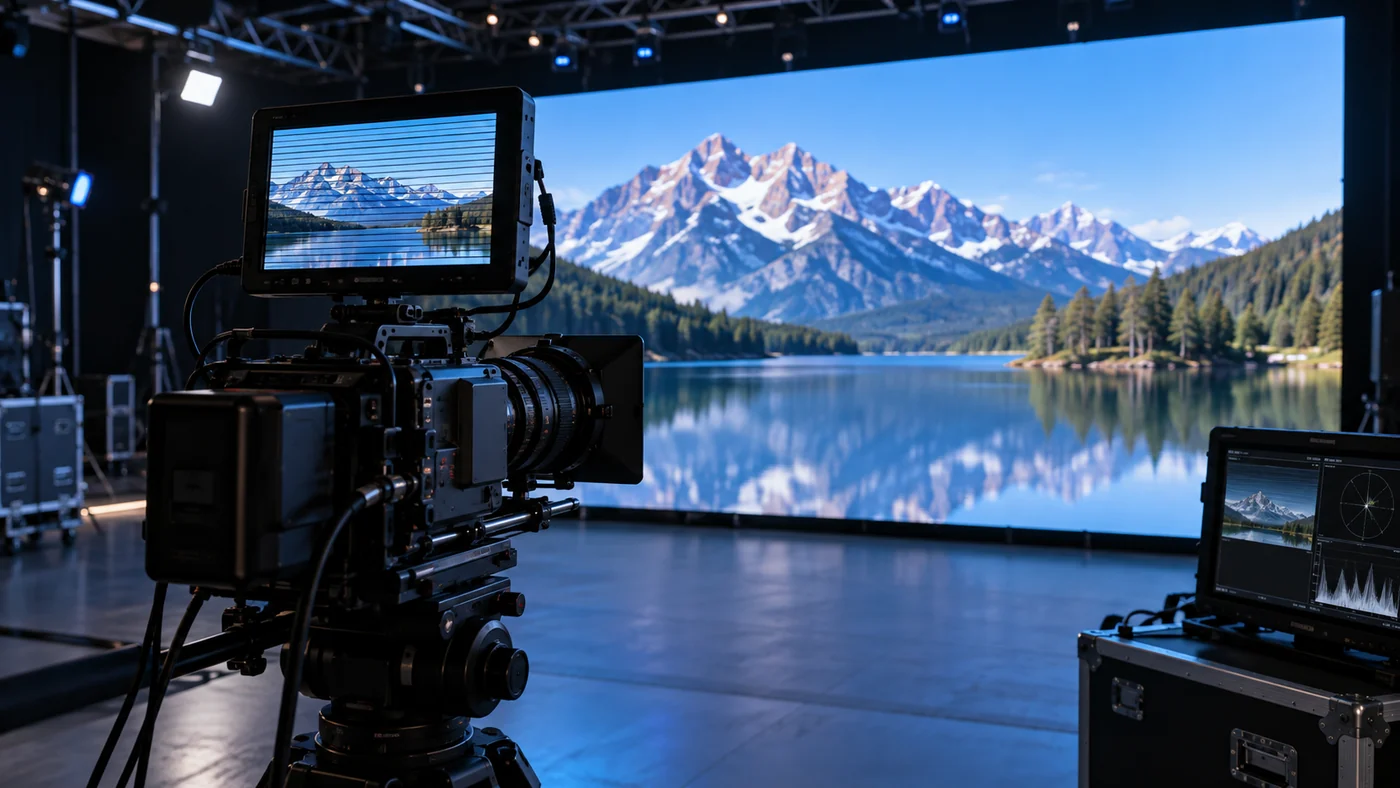
Rolling-shutter cameras are particularly sensitive to timing relationships. If the LED refresh behavior and camera exposure do not interact well, the recorded image can show horizontal bands, uneven brightness, or other artifacts.
The solution is not simply to choose the highest advertised specification. The LED wall, processor, receiving system, camera settings, and synchronization method should be tested as one chain.
For a virtual production buyer, request a live camera test rather than relying on a datasheet photograph. Test different shutter speeds and frame rates, then inspect the camera output at the resolution used for actual production.
Brightness and Exposure Matching
An LED wall must be bright enough to display the virtual environment clearly, but maximum brightness is not necessarily desirable inside a studio.
Excessive brightness can complicate exposure management and increase power consumption and thermal load. The production team may need the LED wall to act as a visual background while separate key, fill, rim, or practical lighting controls the subject.
The better target is stable, controllable brightness that matches the camera exposure and the intended lighting design.
This is particularly important for scenes containing faces. Skin tones can shift if the LED wall contributes excessive colored light, while an underpowered wall may fail to provide convincing environmental illumination.
Color Accuracy and Grayscale Performance
Virtual environments often contain subtle gradients, dark areas, atmospheric effects, and changing color temperatures. Poor grayscale performance can make these transitions look harsh or introduce visible steps.
Color consistency is equally important across a large LED volume. A virtual environment should not appear warmer on one section of the wall and cooler on another.
For buyers, this means evaluating:
- Low-gray performance
- White balance consistency
- Cabinet-to-cabinet brightness
- Color calibration
- Stability at different brightness levels
- Performance after thermal operation
Factory Insight: Calibration should not be treated as a one-time visual adjustment. LED modules can behave differently as temperature changes, so production testing and aging procedures are important for identifying instability before shipment.
How to Reduce Moiré When Shooting an LED Wall?
Moiré occurs when the LED pixel structure interacts with the camera sensor, creating unwanted interference patterns. It can appear as waves, bands, or changing patterns across the LED surface. Pixel pitch affects the risk, but it is only one variable.
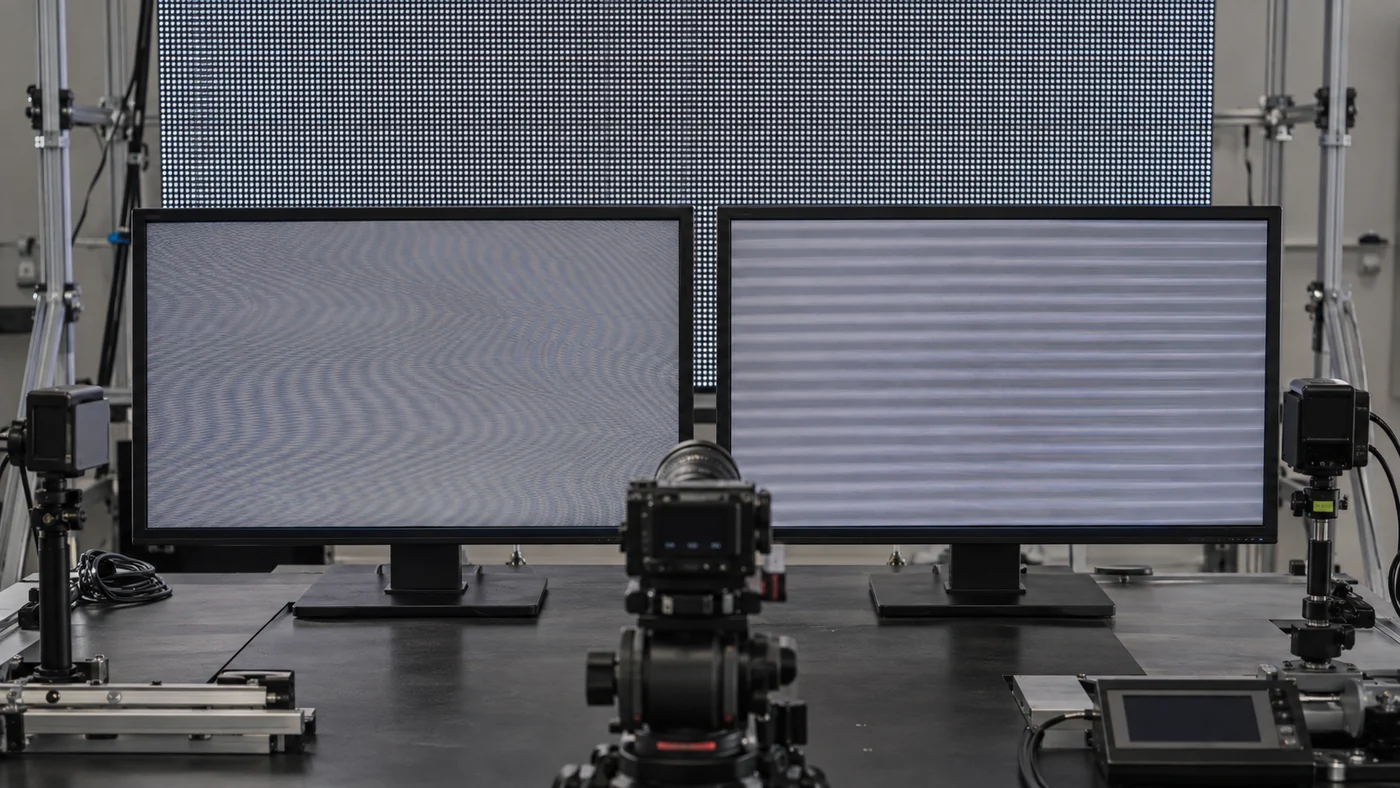
| Variable | Effect on Moiré |
|---|---|
| Smaller pixel pitch | Reduces visible pixel structure |
| Greater camera distance | Reduces pixel visibility |
| Camera angle | Changes the interference pattern |
| Lens selection | Changes pixel sampling |
| Focus | Influences pixel-structure visibility |
| LED package | Affects pixel geometry |
| Shooting resolution | Changes sensor-to-pixel interaction |
Why Pixel Pitch Alone Does Not Eliminate Moiré
A smaller pixel pitch generally gives the camera a denser visual structure, but moiré can still occur when the LED pixel arrangement interacts with the sensor’s sampling pattern.
The same LED wall can therefore look clean from one camera position and show moiré from another.
This is why virtual-production LED procurement should include real camera testing before mass production. A factory test using the buyer’s camera system can reveal problems that a standard human-eye inspection cannot.
Camera Distance and Lens Selection
Camera distance changes how the LED pixel structure is sampled by the lens. Lens focal length and focus position also affect how clearly the LED surface is resolved.
A practical test should include several camera positions rather than only one fixed shot:
- Wide shot
- Medium shot
- Close-up
- Slight camera angle
- Different focal lengths
- Different focus distances
If moiré appears only under one combination, the production team can determine whether changing the camera position, lens, focus, or LED configuration is more economical than purchasing an unnecessarily finer pitch.
LED Package and Pixel Structure
The physical structure of the LED package can influence how the camera sees the pixel grid. Factors such as pixel geometry, surface treatment, LED package design, and module construction can affect the appearance of the LED wall on camera.

This is an area where manufacturer-level experience becomes valuable.
Factory Insight: When evaluating an LED product for virtual production, the question should not stop at “What is the pixel pitch?” The factory should also explain how the selected LED package and module structure behave under camera capture and how the finished panels are calibrated for consistency.
Practical Pre-Shooting Moiré Testing
Before a large LED wall is purchased, conduct a camera test using representative production conditions. Do not evaluate only a showroom image viewed by the naked eye.
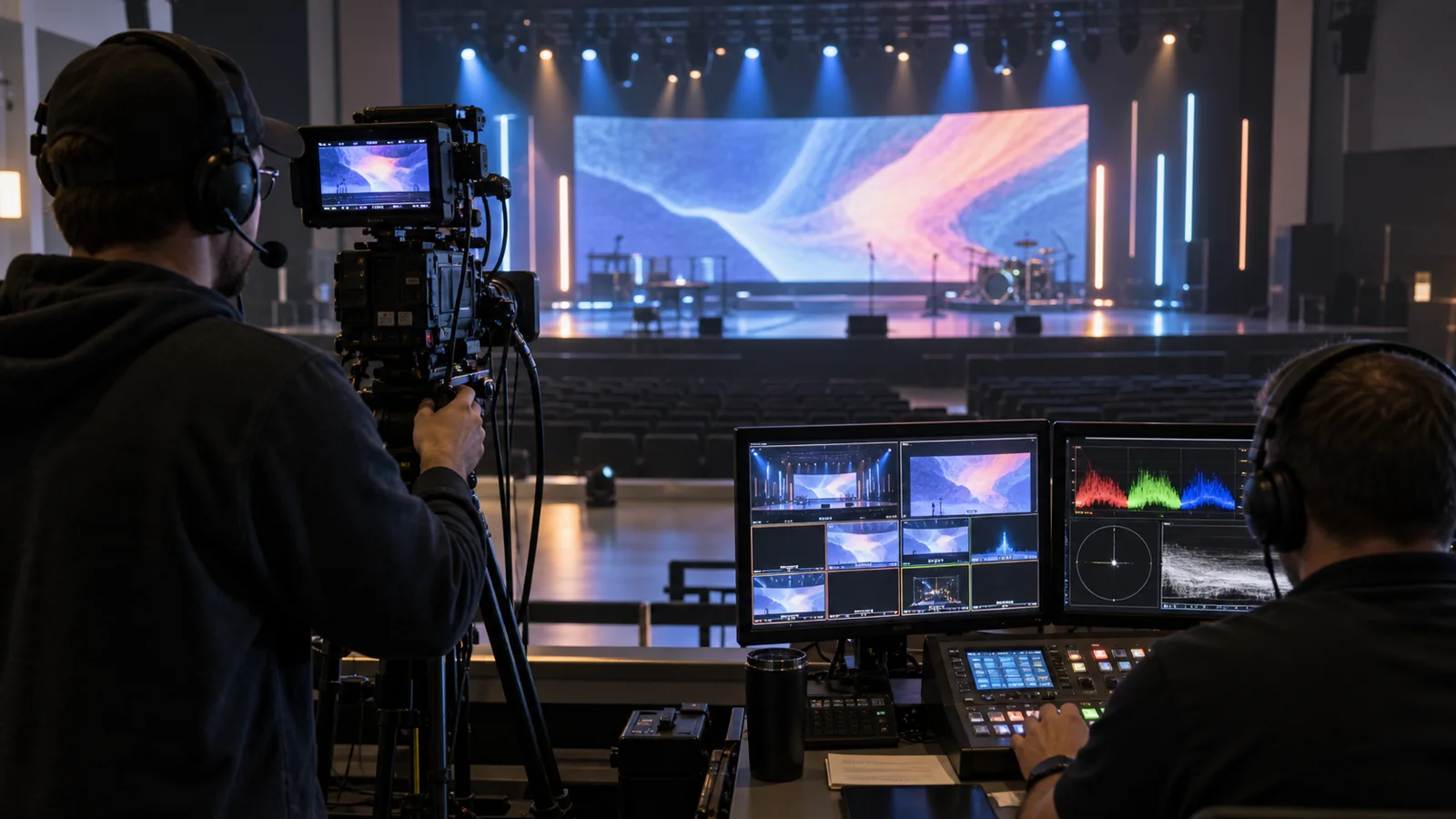
Record the LED wall at the intended resolution and inspect the footage for:
- Moiré
- Flicker
- Scan lines
- Color shifts
- Uneven brightness
- Cabinet seams
- Pixel visibility
- Changes during camera movement
How Does an Interactive LED Wall Create Realistic Lighting and Reflections?
An LED wall contributes both visible background imagery and environmental light, allowing subjects and reflective surfaces to interact with the virtual scene in real time. This is one of the major differences between an LED-based virtual production workflow and a conventional chroma-key setup.
Virtual Environment as a Light Source
The LED wall can emit the colors represented in the virtual environment. A sunset scene, blue nighttime environment, or warm interior can therefore influence the appearance of nearby physical objects.
However, the LED wall should not automatically replace every lighting fixture. Its contribution depends on wall brightness, scene content, distance, camera exposure, and the material being illuminated.
Professional productions often combine the LED wall with dedicated lighting to achieve greater control over the subject.
Reflections on Vehicles, Glass, and Metal
Reflective objects reveal environmental information that a green screen cannot naturally provide.
Consider a vehicle commercial. The car body may reflect the colors and shapes of the surrounding virtual environment. With a green screen, those reflections must be recreated later or controlled through specialized techniques. With an LED wall, part of that environment physically exists around the vehicle.
This can make the shooting process more predictable because the cinematographer can see the interaction while composing the shot.
Matching LED Wall Brightness With Key and Fill Lighting
The objective is not to make the LED wall as bright as possible. The objective is to create the correct relationship between the LED wall and the lighting on the subject.
A well-designed lighting plan may use the LED wall for environmental illumination while dedicated fixtures establish the subject’s key exposure and contrast.
For B2B buyers, this means the LED quotation should be evaluated alongside the studio’s lighting plan rather than independently.
Why Color Consistency Matters Across the Entire LED Volume
A large virtual stage may contain hundreds or thousands of modules. Small differences between modules can become more visible when the camera captures a broad area of the wall.
Consistent calibration therefore affects more than visual appearance. It affects the credibility of the virtual environment, especially in scenes with large areas of uniform color or gradual gradients.
Factory Insight: A strong production process should control LED binning, module tolerance, cabinet assembly, calibration, aging, and final inspection as connected stages. The objective is not simply to make one cabinet look good; it is to make the complete LED volume behave consistently on camera.
What Are the Limitations of LED Wall Green Screen Technology?
LED walls can transform virtual production, but they are not a universal replacement for green screens. The main limitations include higher initial investment, moiré, camera artifacts, limited physical depth, power demand, heat management, and the need for specialized real-time production infrastructure. Buyers should evaluate these limitations before choosing an LED volume, especially when the project has a limited shooting schedule or a low utilization rate.
| Challenge | Potential Impact | Mitigation |
|---|---|---|
| High initial cost | Larger project investment | Evaluate total cost of ownership |
| Moiré | Visible patterns on camera | Test pixel pitch and camera combinations |
| Flicker | Camera artifacts | Optimize refresh and synchronization |
| Limited physical environment | Constraints on set design | Combine physical and virtual elements |
| Heat | Higher studio thermal load | Plan ventilation and thermal management |
| Power demand | Higher operating costs | Optimize brightness and display area |
| Content rendering | More complex workflow | Plan real-time engine integration |
Moiré and Camera Artifacts
Moiré remains one of the most important technical concerns when an LED wall is used as a camera background. The camera sensor samples the LED pixel structure, and certain combinations of pixel pitch, lens, focus, distance, and camera settings can produce interference patterns.
Flicker and scan-line artifacts create another challenge. A wall may look perfectly stable to people standing in the studio but produce visible artifacts in recorded footage.
The solution is system-level testing rather than specification chasing. Buyers should test the actual LED wall with representative cameras, lenses, frame rates, shutter speeds, and shooting distances before approving a large production order.
A useful factory acceptance test can include a camera moving toward and away from the wall, different focal lengths, several shutter settings, and both bright and dark virtual scenes. This provides more useful information than a static showroom demonstration.
LED Wall Size and Physical Set Limitations
An LED wall creates a virtual environment, but it does not physically create unlimited depth.
A camera can see the digital environment on the wall, but the actor still stands on a physical stage. Objects outside the LED surface may require physical set extensions, additional LED panels, or post-production.
This limitation is particularly important for wide-angle shots. A camera may capture the edge of the LED volume or reveal the physical studio beyond the display.
The practical solution is often a hybrid set. Physical props, flooring, furniture, vehicles, and architectural elements can be combined with LED backgrounds to create greater physical depth while keeping the virtual environment flexible.
Buyers should therefore determine the intended camera coverage before deciding the LED wall dimensions. Increasing wall size can improve shooting flexibility, but it also increases structural, electrical, cooling, processing, and maintenance requirements.
Power Consumption and Heat Management
A large LED wall can represent a substantial electrical and thermal load. Actual power consumption varies with LED technology, brightness, content, operating conditions, and display configuration.
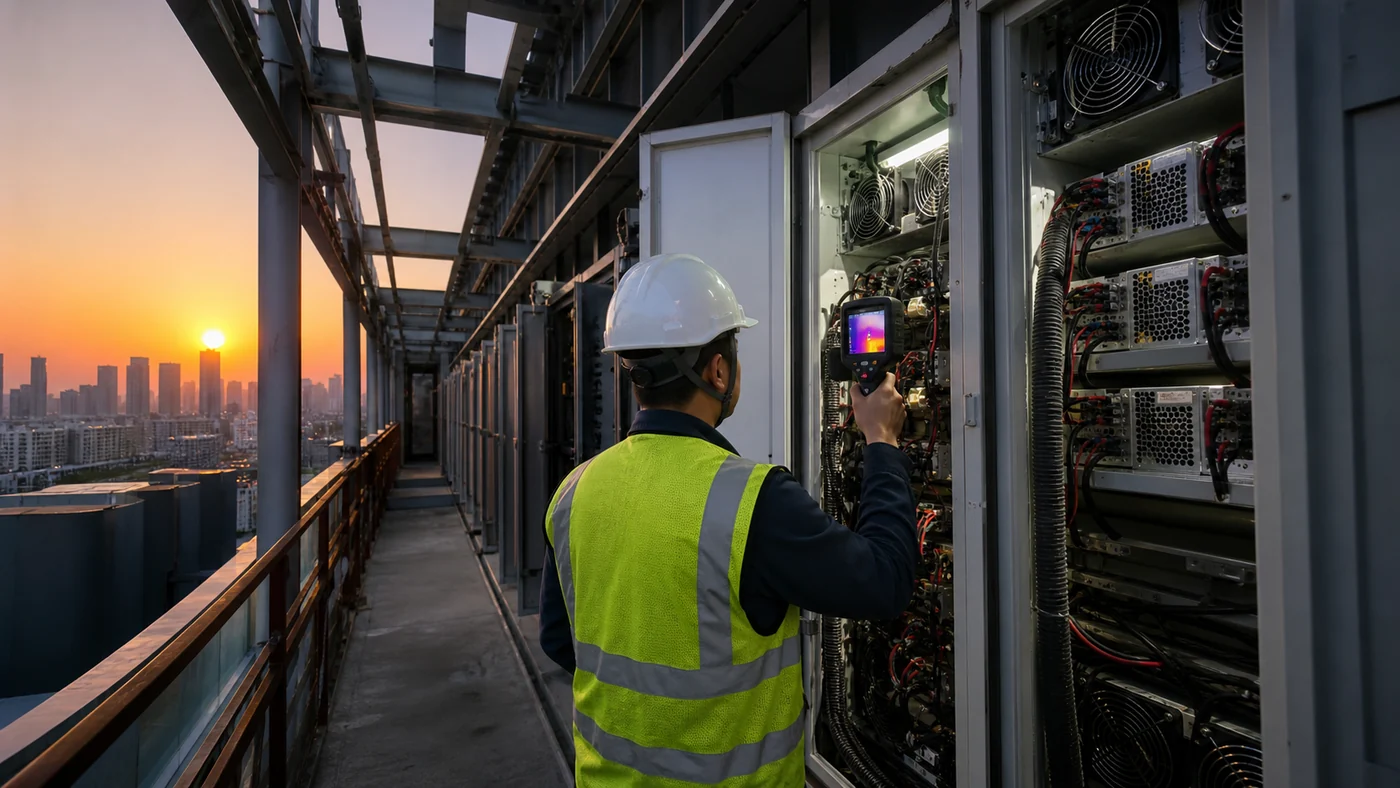
One common purchasing mistake is to evaluate power only from the maximum rating. Maximum power is a design limit, not necessarily the actual average operating consumption. Virtual production often uses different brightness levels depending on the scene and camera exposure.
Heat management still requires careful planning because LED modules, driver ICs, power supplies, processors, and other equipment generate heat during continuous operation.
A studio should consider:
- Maximum and typical power demand
- Electrical distribution
- Air-conditioning capacity
- Equipment-room ventilation
- LED wall airflow
- Operating hours
- Maintenance access
Factory Insight: Thermal design should be considered during cabinet and module selection rather than after installation. PCB layout, driver IC behavior, power-supply arrangement, cabinet ventilation, and operating brightness can collectively affect long-term stability.
Real-Time Content Production Requirements
An LED wall is only one part of a virtual production system. The studio also needs digital environments and a workflow for rendering and controlling them.
That creates additional requirements for content creation, real-time rendering hardware, camera tracking, display processing, synchronization, and technical personnel.
This means an LED wall can become an expensive underused asset if the production team has no practical workflow for operating it.
One practical caution matters here: if a buyer only needs occasional simple backgrounds and has no requirement for real-time camera interaction, an LED volume may be excessive. A conventional green screen or a smaller LED display system can be more economical.
How Much Does an LED Wall for Virtual Production Cost?
The total cost of a virtual production LED wall depends on display area, pixel pitch, LED package, processing, tracking, structure, installation, calibration, content production, and supporting equipment—not simply the LED display price per square meter.
| Cost Component | Typical Cost Impact |
|---|---|
| LED panels | Core display investment |
| LED processor | Image processing and control |
| Receiving cards | Cabinet-level signal control |
| Camera tracking | Enables perspective-matched rendering |
| Real-time rendering | Generates virtual environments |
| Steel structure | Supports LED installation |
| Installation | Labor and commissioning |
| Calibration | Ensures display uniformity |
| Lighting | Complements LED illumination |
| Content creation | Produces virtual environments |
| Maintenance | Long-term operating cost |
Why LED Price per Square Meter Is Not the Full Project Cost
Two LED walls with the same area can have very different project costs.
A fine-pitch LED wall designed for close-up filming may require more LED modules and higher display density than a wall intended primarily for wide shots. A curved LED volume may also require different mechanical structures and installation methods from a flat wall.
The processor, receiving system, tracking hardware, real-time rendering equipment, and synchronization architecture can further change the budget.
For procurement teams, the better question is not:
“What is the LED wall price per square meter?”
It is:
“What is the complete cost of a camera-ready virtual production system?”
That distinction helps prevent a low initial panel quotation from becoming an expensive project after missing system components are added.
Hardware Cost vs. Total Cost of Ownership
The purchase price is only one part of the business case.
A studio should also estimate electricity, cooling, calibration, replacement modules, spare parts, technical support, content creation, and future upgrades.
If the LED wall operates for several years, maintenance accessibility can have a meaningful effect on operating costs. A cabinet that is difficult to service can increase downtime and labor costs even if its initial purchase price is attractive.
Factory Insight: When comparing suppliers, ask for the expected spare-module strategy, receiving-card replacement process, calibration workflow, cabinet maintenance method, and warranty response procedure. These details reveal more about long-term ownership than the initial square-meter quotation.
How Pixel Pitch Changes the Project Budget
Pixel pitch has a direct effect on LED density and therefore can influence the display cost.
However, choosing an extremely fine pitch without a camera-based requirement can create unnecessary capital expenditure. For many projects, the optimal pitch is the one that satisfies the camera distance and image-quality requirements rather than the smallest number available.
A professional supplier should be able to explain why a specific pixel pitch is appropriate for the intended camera system.
If the supplier cannot connect pixel pitch to camera distance, lens selection, shooting resolution, and actual application, the quotation is incomplete from an engineering perspective.
How to Build an Accurate Virtual Production LED Wall Quote
A useful RFQ should include more than wall dimensions.
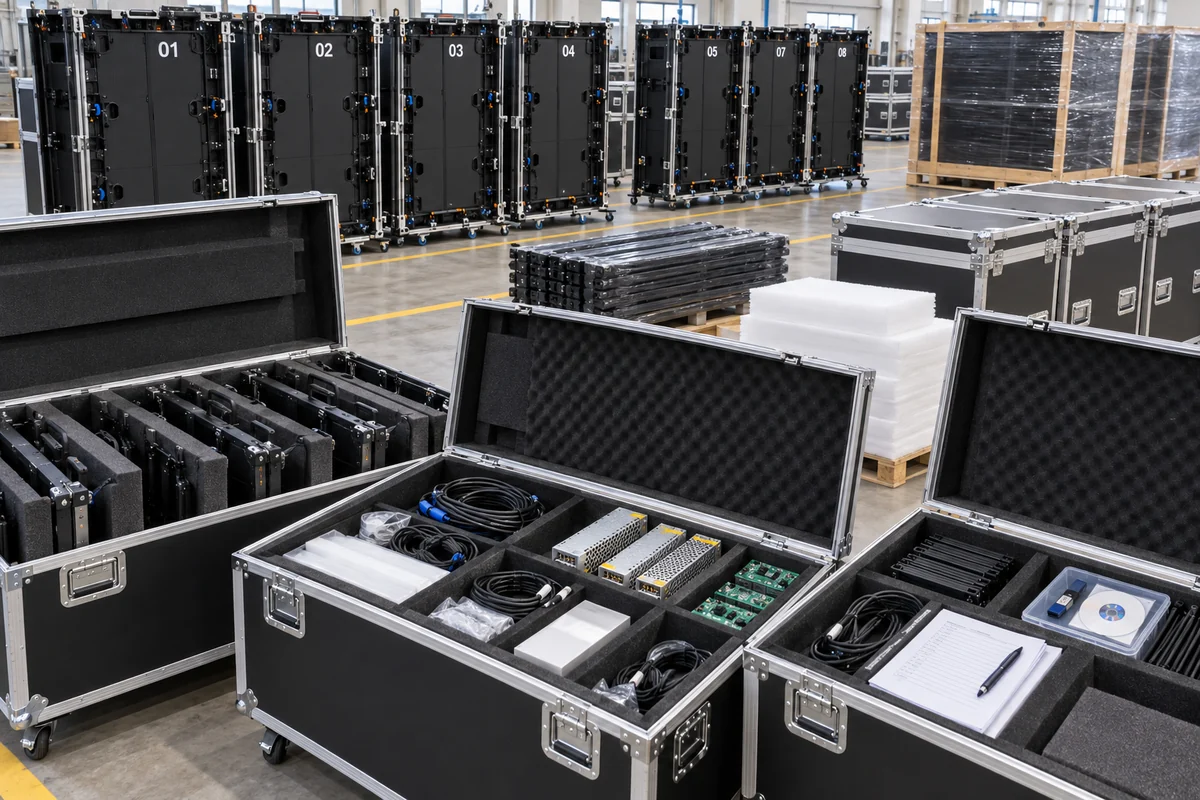
At minimum, provide:
- LED wall width and height
- Flat or curved configuration
- Pixel pitch target
- Camera model
- Lens range
- Typical camera distance
- Frame rate
- Shutter requirements
- Target brightness
- Indoor studio conditions
- Required processing system
- Synchronization requirements
- Installation location
- Expected operating hours
This information allows the manufacturer to recommend a configuration rather than simply sell a standard LED cabinet.
Before requesting a quotation, prepare these five parameters first: wall dimensions, camera distance, camera/lens system, shooting requirements, and intended virtual-production workflow. These five inputs can eliminate many unsuitable configurations before price comparison begins.
How to Choose the Right LED Wall Configuration for Virtual Production?
The right LED wall configuration should be selected according to camera distance, shooting resolution, content requirements, wall dimensions, studio space, and production workflow—not simply by choosing the smallest pixel pitch or highest specification.
| Project Requirement | Recommended Evaluation |
|---|---|
| Close-up shooting | Fine pixel pitch and camera testing |
| Wide shots | Larger pixel pitch may be sufficient |
| High-speed camera | High refresh and synchronization |
| HDR production | High grayscale and color performance |
| Large LED volume | Cabinet flatness and calibration |
| Frequent scene changes | Processing and content workflow |
| Long-term studio use | Thermal and structural design |
Flat LED Wall vs. Curved LED Volume
A flat LED wall can be appropriate for studio backgrounds, broadcast environments, product shoots, and productions where the camera operates within a relatively limited angle.
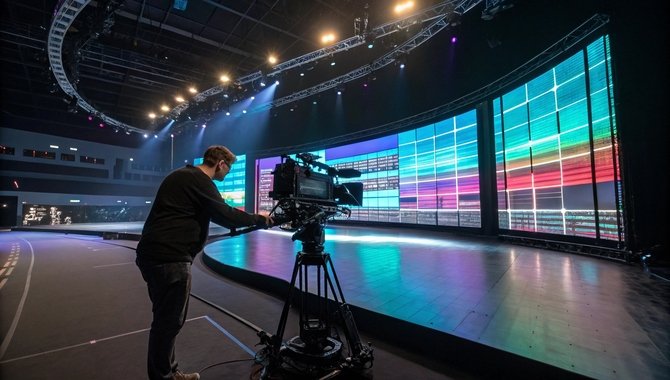
A curved LED volume provides a wider surrounding environment and can reduce visible edges during camera movement. However, the mechanical structure becomes more demanding.
The curve radius must correspond with the physical installation and the virtual environment. Cabinet alignment and calibration also become increasingly important as the LED surface becomes larger and more complex.
For buyers, the choice between flat and curved should follow camera coverage requirements rather than visual preference alone.
Main Wall, Ceiling, and Floor LED Applications
Virtual production does not have to rely only on a rear wall. LED technology can also be integrated into ceilings or floors when the production requires more environmental interaction.
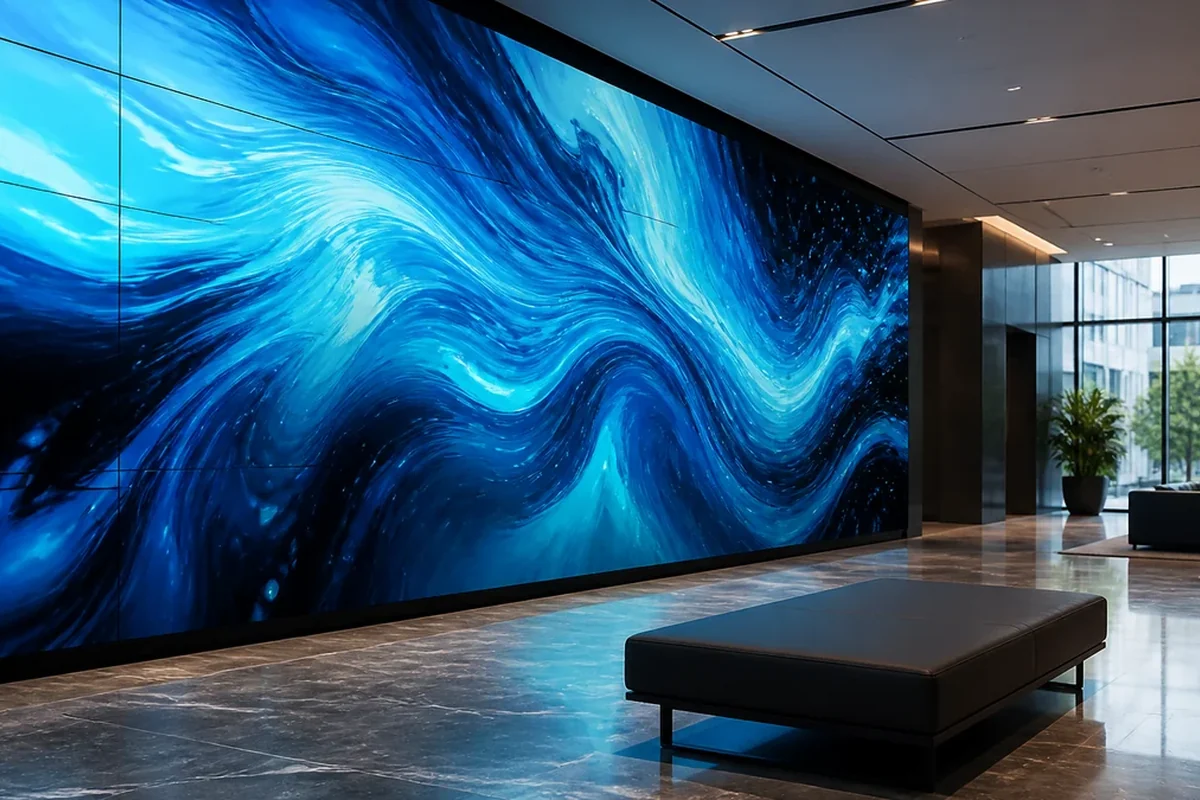
A ceiling display can help create overhead environments and reflections. LED flooring can support scenes involving reflective surfaces or camera angles directed toward the ground.
However, floor and ceiling installations introduce additional structural, maintenance, weight, and protection requirements.
A practical caution: do not add LED ceilings or floors simply to make the studio appear more advanced. If the production camera rarely captures those surfaces, the additional investment may have limited return.
Choosing Between SMD, COB, and Other LED Technologies
SMD, COB, and other LED packaging technologies can all serve professional display applications, but the selection should consider pixel pitch, camera performance, viewing distance, durability, maintenance, and budget.
For virtual production, the critical question is not which technology sounds most advanced. It is which package and module design produce the required camera image under the studio’s actual shooting conditions.
A controlled camera test should therefore accompany technology selection.
Matching Display Specifications to the Camera System
The LED wall and camera should be treated as one imaging system.
Camera resolution, frame rate, shutter, sensor characteristics, lens, shooting distance, and color workflow can all influence LED-wall requirements.
The strongest procurement process starts with the camera specification and works backward to the LED configuration.
LED Wall Green Screen Applications Beyond Film Production
Interactive LED walls are no longer limited to large film sets. The same combination of real-time backgrounds, camera-ready visuals, dynamic lighting, and tracked perspectives can support broadcasting, advertising, automotive visualization, live events, product launches, education, and immersive brand experiences.
For B2B buyers, this wider application range can improve the business case for an LED wall. A studio that uses the display for several production categories may achieve higher utilization than a facility dedicated to one type of project.
| Application | Typical Use |
|---|---|
| Film production | Virtual environments and locations |
| Television | Dynamic studio backgrounds |
| Advertising | Product and commercial shoots |
| Broadcasting | Flexible studio environments |
| Live events | Immersive stage environments |
| Automotive | Virtual vehicle environments |
| Product launches | Interactive brand experiences |
| Education | Immersive teaching environments |
Film and Television
Film and television remain major applications for virtual production because LED environments can provide controllable digital locations without physically transporting the entire production team.

A production can reproduce environments that would otherwise require extensive location work, while the actors and crew retain a physical reference for the scene.
The greatest value appears when the environment needs to interact with the subject. Vehicles, reflective costumes, glass, metallic props, and polished surfaces can benefit from having the virtual environment physically present around them.
However, the LED wall should be designed according to the production’s actual camera requirements. A studio primarily shooting medium shots does not necessarily need the same LED configuration as a facility producing frequent extreme close-ups.
Commercial Advertising
Advertising production often requires visual variety within a short shooting schedule. A single LED stage can potentially support multiple environments without rebuilding the entire physical set.
For example, a product commercial could move between architectural interiors, outdoor landscapes, futuristic environments, and branded digital scenes while maintaining the physical product and camera setup.
This creates a useful B2B advantage: the value of an LED wall is partly determined by how many production workflows it can support, not only by its technical specifications.
For advertising studios, the quotation should therefore consider utilization. A slightly more flexible configuration may generate greater long-term value if it allows the studio to accept a wider range of commercial projects.
Broadcasting and Live Production
Broadcast studios can use LED walls as dynamic backgrounds for news, interviews, sports programming, weather presentations, and branded content.
Compared with static scenic backgrounds, LED displays can change content rapidly without physically rebuilding the studio.
The requirements can differ from cinematic virtual production. Some broadcast applications may prioritize image consistency, wide viewing angles, low latency, and reliable long-duration operation rather than extremely fine pixel pitch for close-up cinema shots.
One caution for broadcast buyers: do not automatically specify a cinema-oriented fine-pitch LED wall for a broadcast studio. If the camera remains farther from the wall and the production does not require extreme close-ups, a more economical configuration may provide sufficient visual quality.
Automotive and Product Visualization
Automotive applications are particularly well suited to LED virtual production because vehicle surfaces are highly reflective.
A physical vehicle can remain on stage while the LED environment changes from a highway to an urban street, showroom, desert, or other digital location.
The LED environment can also provide visual reflections that help connect the vehicle to the scene. This can reduce the need to reproduce every environmental reflection digitally later.
For product visualization, the same principle applies to watches, electronics, appliances, packaging, and other objects with reflective or semi-reflective surfaces.
Immersive Events and Brand Experiences
LED walls can also function as interactive environments rather than simple camera backgrounds.
At product launches and branded events, content can respond to audience movement, stage activity, or real-time data. This turns the LED wall into part of the experience instead of treating it as a passive display.
The same hardware can potentially support both production and event applications, which may improve asset utilization for studios, rental companies, and event production businesses.
Education and Immersive Environments
Universities, training centers, museums, and educational institutions can use interactive LED environments to create simulated locations.
A medical training facility, for example, could display different environments without physically constructing each location. Training scenarios can be changed through digital content while the physical space remains the same.
The important purchasing consideration is long-term flexibility. When an LED wall serves multiple educational or commercial purposes, serviceability and content-management flexibility can become more important than pursuing the highest possible display specification.
Why LED Manufacturing Quality Matters in Virtual Production
Virtual production places unusually high demands on LED consistency because differences in brightness, color, pixel geometry, refresh behavior, or cabinet alignment can become visible through professional cameras.
A supplier should therefore be evaluated not only as a panel manufacturer but also as a production partner capable of controlling the display throughout manufacturing, calibration, testing, and shipment.
| Factory-Controlled Factor | Production Impact |
|---|---|
| LED binning | Improves color consistency |
| Driver IC selection | Supports refresh and image stability |
| PCB design | Influences signal and thermal performance |
| Module tolerance | Affects pixel alignment |
| Cabinet tolerance | Influences wall flatness |
| Calibration | Maintains brightness and color uniformity |
| Aging test | Helps detect early failures |
| Final camera test | Validates real-world filming performance |
LED Binning and Batch Consistency
LED chips can vary in optical characteristics. Proper binning helps manufacturers group components with similar color and brightness behavior.
This becomes particularly important when hundreds of modules are assembled into one large camera-facing surface.
A wall may look acceptable when individual cabinets are inspected separately but reveal differences after they are installed together. Batch consistency should therefore be controlled before final assembly, not corrected only after the wall reaches the studio.
Driver IC and High-Refresh Performance
Driver IC selection affects how LEDs are controlled and can influence refresh behavior, grayscale performance, image stability, and other display characteristics.
For virtual production, the driver system needs to perform consistently under camera exposure rather than only under normal visual inspection.
A manufacturer should be able to explain the relationship between the selected driver IC, module design, receiving card, processor, and refresh performance.
This is particularly important when the production uses high frame rates or demanding shutter settings.
Cabinet Flatness and Pixel Alignment
Large LED walls expose mechanical errors quickly. If cabinets are not aligned accurately, seams or geometric irregularities can become visible when a camera moves across the display.
Curved LED volumes require even more attention because the cabinets must follow the intended radius while maintaining consistent pixel alignment.
Factory Insight: Cabinet tolerance should be checked as a manufacturing parameter rather than treated as an installation-only issue. Better mechanical consistency reduces the amount of adjustment required when assembling a large LED volume.
Calibration Before Shipment
Calibration helps match brightness and color across modules and cabinets.
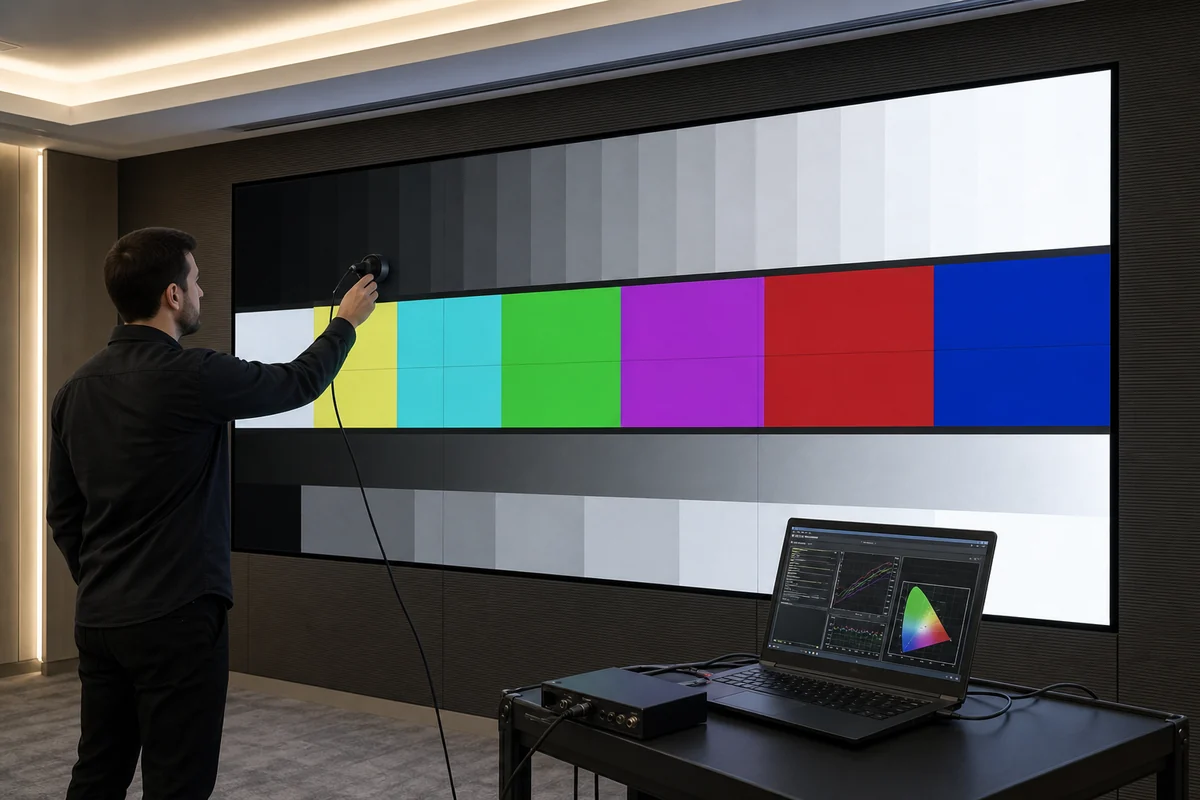
For a virtual production project, calibration should be completed under conditions relevant to the final application. The objective is not merely to make the wall visually uniform from a normal viewing position, but to establish a consistent imaging surface for the production camera.
A supplier should provide a clear calibration procedure and explain how recalibration is handled after module replacement.
Camera-Based Quality Inspection
A final camera inspection can provide information that ordinary LED quality-control procedures may miss.
A factory can record representative footage and inspect for:
- Flicker
- Scan-line artifacts
- Moiré
- Color inconsistency
- Brightness variation
- Visible seams
- Pixel abnormalities
- Image instability
This creates an important difference between “the LED wall works” and “the LED wall works for the customer’s camera.”
For B2B procurement, the second standard is more meaningful.
Conclusion
Before purchasing an LED wall for virtual production, take three actions next week: define your camera, lens, shooting distance, and frame-rate requirements; request a real camera test covering moiré, flicker, color consistency, and cabinet alignment; and compare suppliers using total system cost rather than LED price per square meter alone. These steps will help you avoid overspecification and identify the configuration that fits your actual production workflow.
NSELED combines LED manufacturing control with application-focused customization for professional display projects. From pixel pitch and driver IC selection to cabinet tolerance, calibration, aging, and camera-based inspection, the objective is to deliver an LED wall that performs as part of a complete virtual production system. Contact NSELED to discuss your LED wall dimensions, camera requirements, and virtual production application.