


Introduction
An interactive LED wall connects digital content with real-time human movement and input.

Many projects fail because buyers focus on LED resolution while overlooking latency, tracking accuracy, processing, and content integration. A sharp display cannot create a responsive experience if the sensing and signal chain introduces visible delays.
This guide explains how to specify an interactive LED wall as a complete system, with practical engineering checks that help B2B buyers control performance, integration risk, and long-term cost.
What Is an Interactive LED Wall and How Does It Work?
An interactive LED wall combines an LED display with sensing, processing, software, and interactive content to detect user input and produce a visual response. The LED wall provides the visual output, but the interaction system determines how accurately and quickly the display reacts.
A traditional LED wall mainly receives a video signal and displays it. An interactive system adds another signal path. A camera, infrared sensor, touch system, or computer-vision device detects movement or input. Software interprets that information, and the processor sends the resulting visual command to the LED display.
This distinction matters during procurement. A supplier may quote an LED wall with a 7,680 Hz refresh rate, but that specification does not prove that the complete interactive system will respond quickly. The camera frame rate, tracking algorithm, computer processing, network transmission, rendering engine, and display controller all contribute to the final response.
Interactive LED Wall vs. Traditional LED Wall
| Feature | Traditional LED Wall | Interactive LED Wall |
|---|---|---|
| Primary input | Video source | Video + user input |
| Main function | Display content | Display and respond |
| Sensors | Usually unnecessary | Often required |
| Processing | Video processing | Video + interaction processing |
| Latency requirement | Mainly visual | End-to-end response |
| Content | Pre-produced or live | Real-time interactive |
| Testing | Image quality | Image + interaction performance |
A buyer should therefore evaluate an interactive LED wall as a complete system rather than as a collection of LED cabinets.
From a manufacturing perspective, this changes how we review a project. For a normal display, we can focus heavily on module uniformity, cabinet flatness, receiving-card stability, and calibration. For an interactive project, we also need to understand where cameras or sensors will sit, how close users will stand, and how the interaction software will communicate with the display controller.
A close-range installation creates another practical issue. Users can see cabinet joints, module edges, brightness differences, or slight mechanical misalignment much more easily than a distant audience can. For interactive applications, mechanical precision becomes part of the user experience, not simply a cabinet-quality metric.
How Interaction Is Detected and Translated Into Visual Response
The interaction process normally follows a chain: user action → detection → data processing → content response → rendering → LED output. Every stage can add delay or reduce accuracy.
For example, a visitor may move a hand across a screen. A camera captures the movement, computer-vision software identifies the position, an interactive engine maps that position to a digital object, and the rendering computer generates the next frame. The processor then sends the image to the LED display.
The system needs to maintain synchronization across these stages. A fast LED panel cannot compensate for slow tracking software. Similarly, an accurate camera cannot solve a bottleneck caused by an overloaded rendering computer.
For B2B buyers, the useful question is not simply “What is the refresh rate?” A better question is “What is the measured input-to-display latency of the complete system under the intended operating conditions?”
Factory testing can also reveal problems that a product datasheet cannot show. We recommend checking the complete signal chain with the actual cabinet configuration, receiving cards, controller, and intended content resolution. This approach helps separate an LED hardware problem from a processing or software problem before installation.
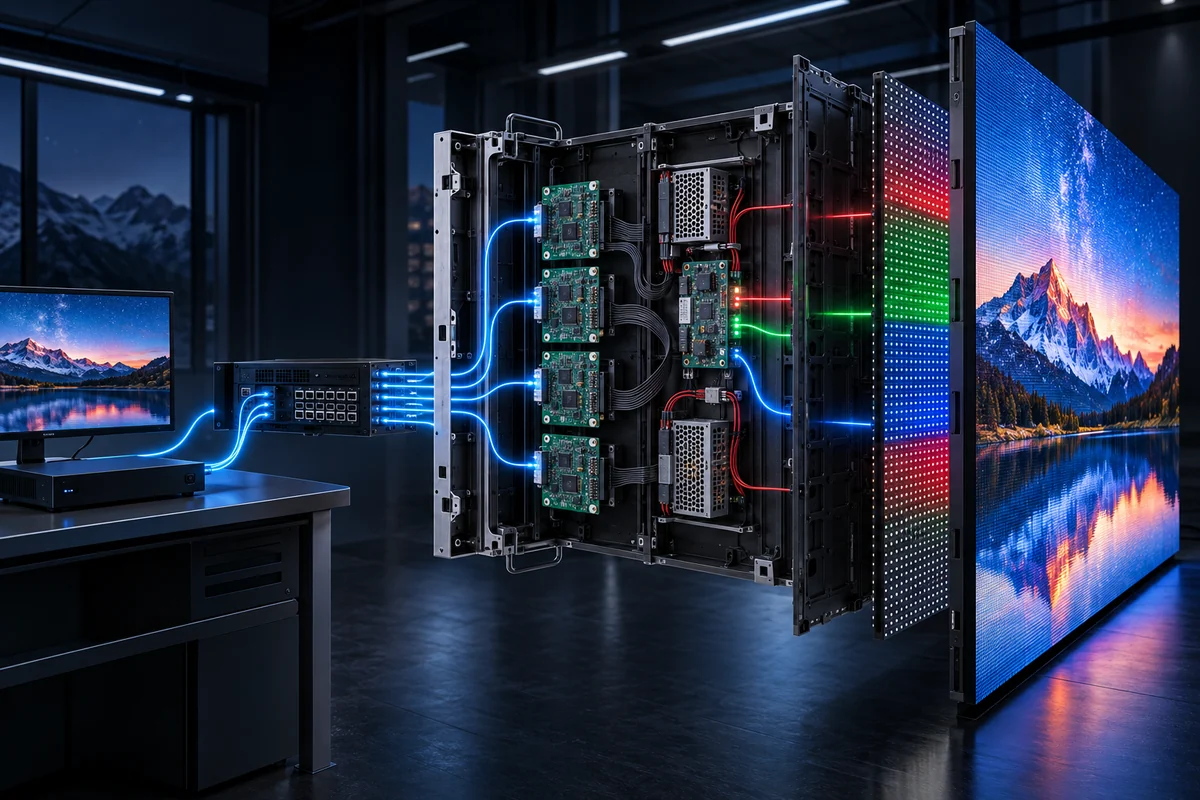
The Complete Interactive LED Wall System
The following framework shows the main layers that buyers should evaluate together:
| System Layer | Main Function | Key Requirement |
|---|---|---|
| LED Display | Visual output | Pixel pitch, brightness, refresh rate |
| Sensors/Cameras | Detect interaction | Tracking accuracy |
| Processor | Process signals | Low latency, signal compatibility |
| Software | Interpret input | Real-time response |
| Content Engine | Generate visuals | Interactive content |
| Control System | Coordinate components | Stable synchronization |
The strongest interactive LED projects treat these six layers as one engineered system.
For example, a museum installation may prioritize precise visitor tracking and content synchronization, while a retail installation may require fast product interaction and stable operation during long opening hours. The LED specification should follow these requirements instead of defining the entire project by pixel pitch alone.
From the factory side, we also look at the physical relationship between the display and the interaction equipment. A camera that sits too close to the screen may create an unsuitable field of view. A poorly aligned cabinet structure can make visual tracking feel less precise because digital objects no longer appear correctly positioned relative to the physical wall.
The practical takeaway is simple: successful interaction starts with system architecture, not with the LED cabinet alone. Buyers should define the interaction method, user distance, content requirements, and expected response before locking the LED display specification.
What Are the Key Factors That Make an Interactive LED Wall Successful?
A successful interactive LED wall needs accurate input detection, low end-to-end latency, consistent visual output, compatible processing hardware, stable software integration, and content designed for real-time interaction.
These factors work together. If one layer becomes a bottleneck, the user may notice the problem immediately. A screen can have excellent image quality but still feel slow if the tracking system or rendering engine introduces excessive delay.
| Success Factor | What It Affects | Buyer Check |
|---|---|---|
| Latency | Response speed | Measure input-to-display delay |
| Tracking | Interaction accuracy | Test camera/sensor performance |
| Refresh Rate | Motion and camera capture | Confirm application requirements |
| Pixel Pitch | Image detail | Match viewing distance |
| Processing | Signal performance | Verify processor compatibility |
| Content | User engagement | Test real-time rendering |
| Calibration | Visual consistency | Check module/cabinet uniformity |
Responsive Interaction With Low System Latency
Low latency allows the visual response to follow the user’s action closely. Buyers should evaluate total system latency instead of treating LED refresh rate as a direct measurement of interactive responsiveness.
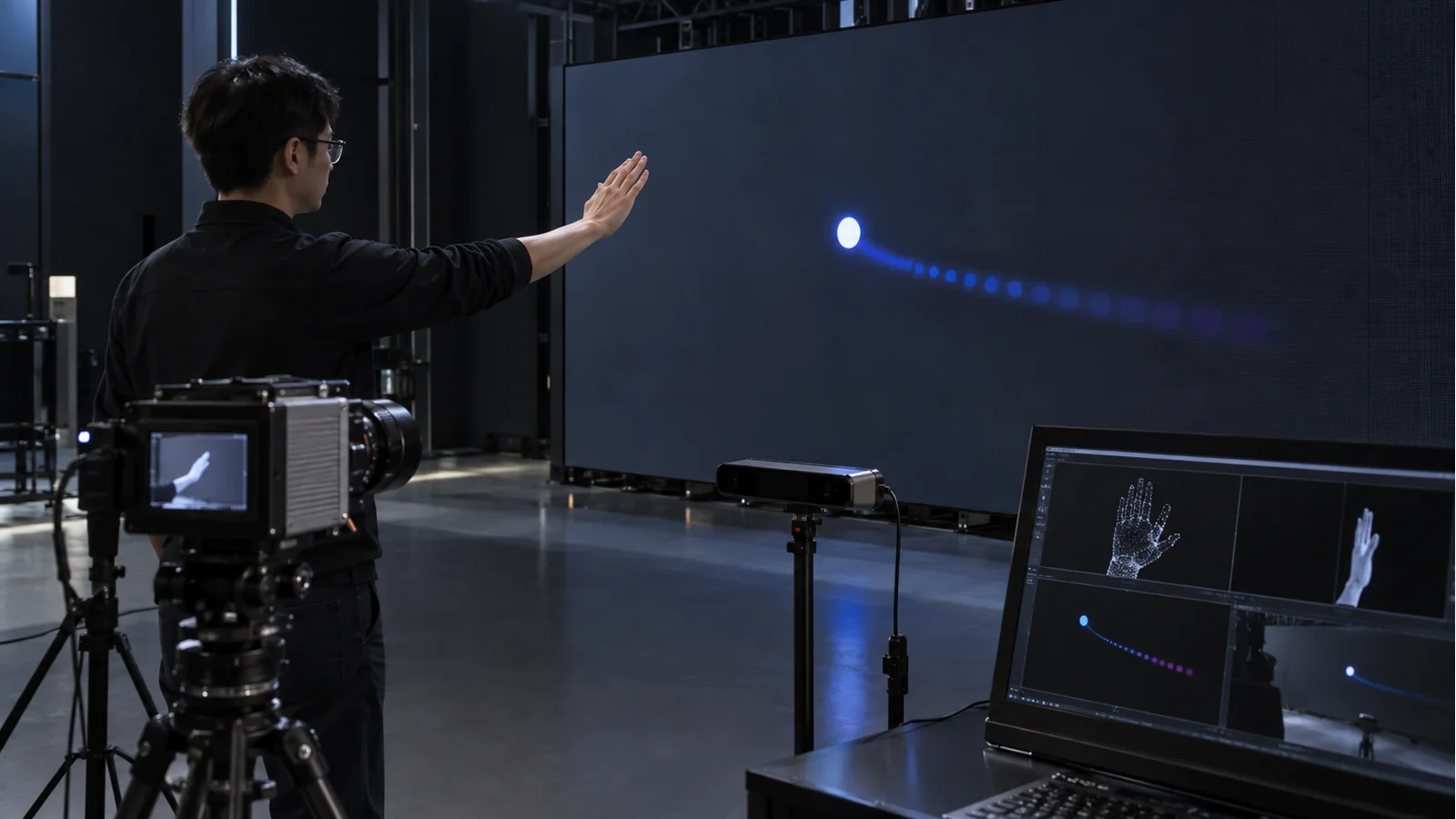
A useful test should include the sensor, computer, software, controller, transmission path, receiving card, and LED display. Testing only the panel removes several potential sources of delay and can create a misleading result.
For close-range interactive installations, even a small timing mismatch can become noticeable because users expect the digital response to follow their physical movement. Therefore, project teams should establish a measurable latency target during system testing rather than accepting vague terms such as “real-time.”
Accurate Motion, Gesture, or Touch Detection
Tracking accuracy determines whether the system understands what the user actually did. A highly detailed LED wall cannot compensate for inaccurate interaction data.
Different applications need different tracking methods. A simple touch interface may require direct position detection, while an immersive installation may need body tracking or multi-person recognition. Buyers should define the number of simultaneous users, interaction area, expected movement speed, and environmental conditions before selecting sensors.
Manufacturing experience also matters here. The sensor position should align with the final cabinet geometry. During installation, small changes in camera angle or screen position can alter the effective tracking area. A factory or integrator that checks these relationships before shipment can reduce site-level adjustment work.
High-Quality Visual Performance
Visual quality still matters because users interact with what they see. Pixel pitch, brightness, grayscale performance, color uniformity, viewing angle, and calibration all influence the experience.
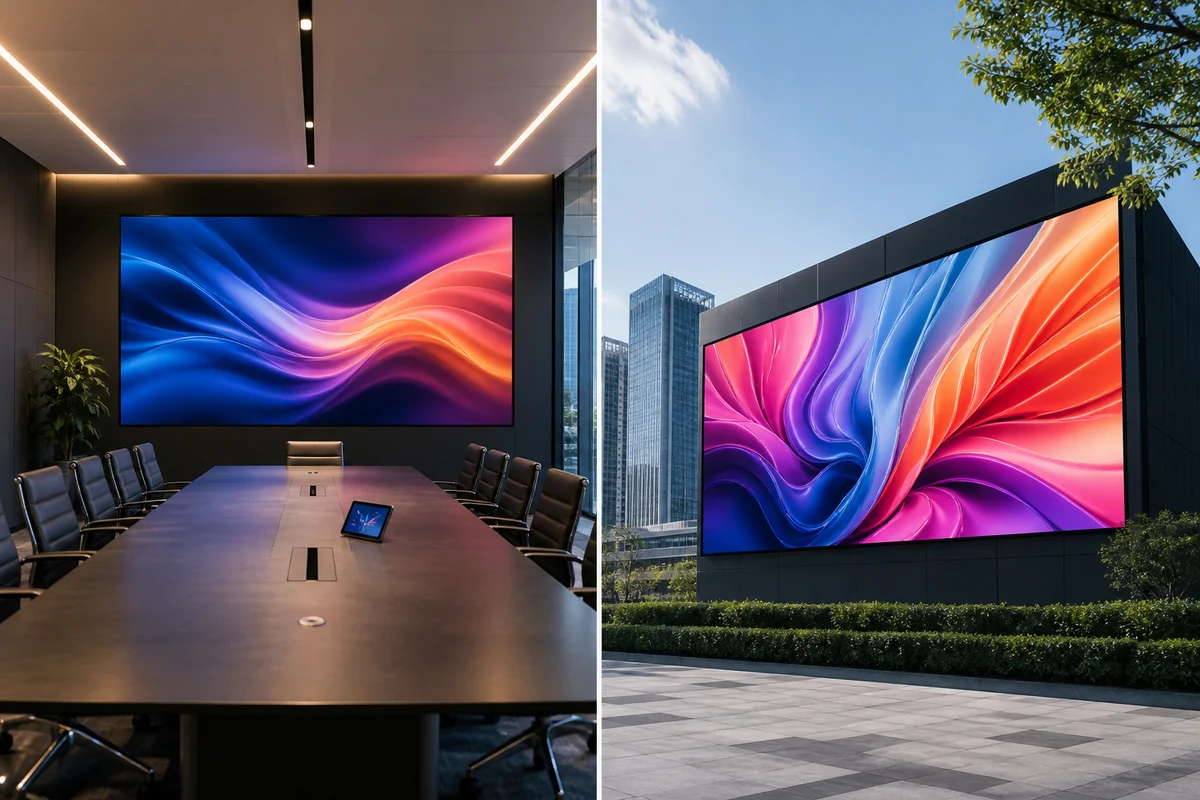
However, higher specifications do not automatically create better project value. For example, a buyer should not select an extremely fine pixel pitch simply because it appears more advanced. The correct pitch depends on interaction distance, screen size, content detail, and budget.
At the factory level, we also examine consistency between modules and cabinets. Interactive users often stand much closer to the display than a stadium audience. That distance makes small brightness or color differences easier to notice.
Seamless Hardware and Software Integration
Hardware and software must exchange information reliably. The display controller, rendering computer, sensors, network, interactive engine, and LED receiving system should support the required signal formats and resolutions.
A common procurement mistake is to purchase the LED display first and solve integration later. The buyer should validate the complete signal architecture before mass production, especially when the project uses unusual resolutions, multiple processors, or synchronized displays.
Interactive Content That Supports the User Experience
Interactive content should react quickly and give users a clear reason to interact. A technically advanced sensing system has limited value if the content responds slowly or provides no meaningful feedback.
The content engine also needs enough processing capacity for the LED wall’s actual output resolution and frame requirements. A large fine-pitch display can demand substantial rendering resources, especially when multiple users interact with complex 3D content.
From the manufacturing side, we recommend confirming the final content resolution and processor output before freezing cabinet dimensions. The display, processor, and content engine should form one specification chain rather than three separate purchasing decisions.
How Does LED Display Hardware Affect Interactive Performance?
LED display hardware affects interactive performance through image detail, camera compatibility, brightness, color consistency, mechanical accuracy, and signal stability. Buyers should select pixel pitch and refresh rate according to viewing distance and interaction method rather than choosing the highest specification available.
Pixel Pitch and Viewing Distance
Pixel pitch determines the distance between LED pixels and directly affects the image detail that users can see. A smaller pixel pitch usually makes sense when users stand close to the wall, but it does not automatically improve every interactive project.

For example, a retail display that users approach within a few meters may benefit from a fine pixel pitch because product details and text remain visible at close range. A large immersive wall viewed from several meters may achieve the required visual clarity with a larger pitch and a lower display cost.
The important point is that interactive projects have two distances: viewing distance and interaction distance. A visitor may normally watch the screen from five meters away but move to one meter when interacting with it. The specification needs to account for both situations.
We do not recommend selecting an extremely fine pixel pitch simply because the project is interactive. If the audience rarely approaches the wall, the additional pixel density may add cost without producing a noticeable improvement. Buyers should first map user positions and content detail, then select the pitch.
Refresh Rate and Camera-Based Interaction
A high refresh rate helps cameras capture moving LED content with fewer scanning artifacts. It also supports smoother motion reproduction when the display works with professional cameras or video production systems.
However, refresh rate alone does not guarantee camera-friendly performance. The receiving system, scan method, driving IC, camera shutter settings, processor, and display configuration can all influence what a camera actually records.
This issue becomes more important when an interactive wall appears on camera. A display can look stable to the human eye while showing horizontal bands or flicker under a camera. Buyers should therefore test the actual LED cabinet with the cameras and shutter settings used in the project.
At the manufacturing stage, component selection also matters. Different driver IC designs can produce different thermal behavior and signal characteristics under sustained high-refresh operation. We therefore recommend evaluating the complete cabinet configuration rather than comparing refresh-rate numbers from isolated datasheets.
Brightness and Ambient Light
Brightness should match the installation environment. An interactive LED wall needs enough luminance to remain visible under ambient light, but excessive brightness can reduce visual comfort at close interaction distances.
Indoor installations usually face a different brightness requirement from outdoor screens. A retail wall near large windows may need more output than a screen inside a controlled exhibition room. The content itself also matters because large white areas can increase perceived brightness and power demand.
Buyers should evaluate brightness together with viewing distance, ambient light, content type, and automatic brightness control. A screen specification that looks impressive on paper may become uncomfortable if users stand close to it for extended periods.
Color Consistency and Calibration
Color consistency matters more when people interact at close range. A visible difference between adjacent cabinets can break the visual continuity of an interactive experience even when every cabinet technically produces an acceptable image.
Factory calibration should therefore cover brightness and color uniformity across modules and cabinets. The production team should also retain calibration information so replacement modules can match the original display as closely as possible.
Long-term consistency creates another procurement issue. LED packages, PCB quality, optical design, operating temperature, and aging behavior can influence how calibration changes over time. A buyer should ask how the manufacturer manages calibration data and replacement matching instead of evaluating only the initial factory image.
Cabinet Flatness and Mechanical Stability
Cabinet flatness directly affects image alignment. Small mechanical errors become easier to notice when users stand close to a large interactive surface.
A cabinet can meet its nominal dimensions while still creating visible discontinuities if assembly tolerances accumulate across a large wall. Locking mechanisms, module positioning, frame rigidity, and installation accuracy all contribute to the final surface.
For this reason, factory quality control should include cabinet dimensional checks and module alignment checks. The supplier should also provide clear installation tolerances so the site team knows what accuracy the structure must maintain.
| LED Specification | Interactive Impact | What to Evaluate |
|---|---|---|
| Pixel Pitch | Image detail | Viewing and interaction distance |
| Refresh Rate | Camera capture and motion | Actual application requirements |
| Brightness | Visibility and comfort | Ambient lighting |
| Color Uniformity | Visual continuity | Calibration process |
| Cabinet Flatness | Image alignment | Mechanical tolerance |
| Viewing Angle | User visibility | Audience position |
Factory-level insight: Interactive projects require more than resolution specifications. Module flatness, cabinet tolerances, batch-to-batch color consistency, calibration data, and receiving-card stability can directly affect a close-range interactive experience.
Why Does Low Latency Matter in an Interactive LED Wall?
Interactive LED wall latency represents the total delay between a user’s action and the corresponding visual response. The delay can occur during detection, processing, transmission, rendering, or display output, so buyers should measure the complete system rather than one component.
Input-to-Display Latency
Consider a visitor moving a hand across a digital object. The camera first captures the movement. Software then calculates the user’s position. The rendering engine updates the visual scene, and the processor sends the new frame to the LED wall.
Each stage consumes time. The user experiences the combined delay, not the individual specification of the LED panel.
This distinction matters because suppliers sometimes discuss refresh rate as though it represents total responsiveness. Refresh rate describes how frequently the display can refresh its image. It does not measure the time required for a camera to detect movement or software to generate a response.
Processing and Signal Transmission Delay
The processing computer needs enough capacity to handle the required content resolution and interaction workload. If the rendering system approaches its processing limit, frame delivery can become inconsistent even when the LED wall itself operates correctly.
Signal transmission creates another potential bottleneck. Long signal paths, network equipment, conversion devices, and poorly planned interfaces can introduce instability or additional processing stages.
A B2B buyer should therefore request a signal-flow diagram before finalizing the equipment list. The diagram should show the sensor, computer, network, processor, controller, receiving card, and LED cabinet.
Network and Software Latency
Software can introduce latency when it processes complex tracking data or communicates with several systems. Network architecture also matters when interactive content runs across multiple computers or distributed displays.
A project team should define where interaction data originates, where it gets processed, and where the final video signal gets generated. This simple mapping makes potential bottlenecks easier to identify.
How Latency Changes the User Experience
Different applications tolerate different levels of delay. A museum exhibit that triggers an animation after a visitor steps into a zone may tolerate more delay than a gesture-controlled game that requires continuous movement tracking.
| Latency Stage | Potential Delay Source | Buyer Consideration |
|---|---|---|
| Detection | Camera or sensor | Tracking speed |
| Processing | Computer/controller | Processing capacity |
| Transmission | Network/signal chain | Signal stability |
| Rendering | Interactive engine | Real-time frame output |
| Display | Controller/receiving system | Refresh and response |
Factory-level insight: Buyers should distinguish system latency from LED display response time. Improving only the LED panel specification cannot eliminate delays caused by cameras, processors, networks, rendering engines, or software.
A useful acceptance test should reproduce the final installation conditions. The team should use the intended content, sensor configuration, processor, controller, and LED cabinets. This test gives the buyer a meaningful end-to-end result instead of a collection of unrelated component specifications.
Which Interactive Technologies Can Be Used With an LED Wall?
Interactive LED walls can use touch, motion tracking, cameras, infrared sensors, computer vision, AR/MR, or AI-based systems, depending on the interaction method, environment, number of users, and content requirements.
Touch-Based Interaction
Touch systems allow users to interact directly with digital content. They work well when the application requires deliberate selection, navigation, annotation, or information lookup.

However, large LED walls create practical challenges. Buyers need to consider touch-area size, durability, calibration, surface protection, and the number of simultaneous touch points.
Motion and Gesture Tracking
Motion tracking detects body movement rather than requiring physical contact. This approach suits immersive installations where users need to move freely in front of the display.
The tracking system needs a clear field of view. Designers should also account for lighting conditions, user density, background movement, and the distance between the sensor and the interaction area.
Camera-Based Computer Vision
Computer vision can detect people, objects, gestures, or positions without requiring users to touch the screen. It can support interactive retail displays, exhibitions, and immersive experiences.
The buyer should test the camera and software together. A camera’s resolution does not directly indicate tracking accuracy. The algorithm, lighting, lens selection, processing power, and installation angle all influence the final result.
Infrared and Sensor-Based Interaction
Infrared systems can detect position, movement, or presence. They can provide a defined interaction zone and may work well for installations with predictable user movement.
The system designer should check whether surrounding lighting or physical obstructions could affect sensor performance. The sensor’s effective range also needs to match the actual installation geometry.
AR, Mixed Reality, and AI-Powered Interaction
AR, mixed reality, and AI-based systems can connect physical movement with digital content. These systems can create more complex experiences, but they also increase processing and integration requirements.
A buyer should avoid adding advanced interaction technology simply because it sounds impressive. The technology should solve a defined user-experience problem and justify its additional integration cost.
| Technology | Interaction Method | Suitable Applications |
|---|---|---|
| Touch | Direct contact | Education, retail |
| Motion Tracking | Body movement | Immersive experiences |
| Camera Vision | Object/person detection | Retail, exhibitions |
| Infrared | Position detection | Interactive installations |
| AR/MR | Digital-physical interaction | Entertainment |
| AI Vision | Recognition and personalization | Smart experiences |
For procurement, the best technology depends on the interaction objective rather than the novelty of the technology. A simple touch interface may outperform a complex computer-vision system when users only need to browse information.
How Does Interactive Content Determine the Success of an LED Wall?
Interactive content determines how effectively an LED wall turns user input into a meaningful visual response. The content engine must respond in real time, match the LED wall’s resolution and geometry, support the expected number of users, and maintain stable frame output.
A technically advanced LED wall can still deliver a poor experience if the content reacts slowly or does not fit the physical screen. Buyers should therefore evaluate content requirements before they finalize the LED hardware, processor, and signal architecture.
Real-Time Content Rendering
Real-time rendering allows the display to change according to user actions. The rendering computer needs enough processing capacity to generate frames at the required resolution and frame rate.
Large fine-pitch LED walls can create substantial rendering workloads. For example, a wide-format wall may require several output channels or a powerful rendering system when it displays high-resolution 3D content.
Buyers should calculate the actual output resolution before selecting the rendering hardware. A supplier should not simply recommend a processor based on the physical screen size.
Content Response Speed
Content needs to react quickly enough for users to understand the relationship between their action and the visual result. If a visitor moves a hand but the graphic responds noticeably later, the interaction can feel disconnected.
The content developer should therefore test actual interaction events rather than testing only video playback. A pre-rendered video may look smooth while an interactive application struggles under real-time rendering.
The factory perspective also matters here. The LED display should not become the last component considered after content development. The cabinet resolution, processor output, receiving-card configuration, and content engine should form one technical chain from the beginning.
Multi-User Interaction
Some interactive LED walls serve one person at a time. Others need to support several users simultaneously. The difference can significantly affect sensor selection, tracking software, processing requirements, and content logic.
A buyer should define:
- Expected number of simultaneous users
- Interaction area per user
- User movement speed
- Tracking accuracy requirements
- Priority when users interact simultaneously
A system designed for one user may not perform correctly when several people enter the interaction zone. Multi-user capability should therefore appear in the technical specification when the project requires it, rather than being treated as an optional software feature.
Designing Content Around the Physical Space
Content should reflect the physical geometry of the LED wall. Designers need to consider aspect ratio, screen shape, viewing zones, interaction zones, and the position of cameras or sensors.
A curved or irregular installation creates additional challenges because the content mapping must match the actual display geometry. Even a small mismatch can make interactive objects appear to move incorrectly.
For close-range applications, designers should also consider where users stand. Content that works from five meters away may become difficult to navigate when users stand one meter from the display.
Content Management and Updating
Commercial installations often need regular content updates. Retail campaigns change frequently, museums add exhibits, and corporate environments may reuse the same LED wall for different presentations.
The content management system should therefore match the customer’s operational workflow. A technically impressive interactive system has limited business value if the client cannot update or manage content efficiently.
| Content Factor | Requirement |
|---|---|
| Response | Real-time interaction |
| Resolution | Match LED wall |
| Rendering | Stable frame output |
| Multi-user | Support required users |
| Spatial Design | Match screen geometry |
| Updates | Flexible content management |
Factory-level insight: LED specifications should be selected together with the content engine and interaction system. Buyers should verify resolution, frame output, processor capacity, signal format, and software compatibility before finalizing the LED display.
How Should You Choose the Right Pixel Pitch for an Interactive LED Wall?
The right pixel pitch depends on viewing distance, interaction distance, screen size, content detail, and budget. Buyers should avoid selecting pixel pitch from a simple “smaller is always better” rule.
Viewing Distance
Viewing distance determines how easily users can distinguish individual pixels. As users move farther away, pixel structure becomes less noticeable, so a larger pitch can often deliver sufficient visual quality.
However, an interactive wall needs a more detailed assessment because users may move between several viewing positions. The closest practical interaction position often matters more than the average audience position.
Interaction Distance
Interaction distance measures how close users will stand when they actively engage with the content. This distance can differ significantly from the normal viewing distance.
For example, a visitor may initially observe a retail wall from four meters away but approach it to one meter when exploring a product. The buyer should evaluate image quality at the closest realistic interaction distance, not only from the main audience zone.
Close-range applications also need attention to moiré, scan behavior, surface uniformity, and visible module transitions. These issues may not appear during a conventional viewing-distance assessment.
Screen Size and Resolution
A larger screen does not automatically require the finest available pixel pitch. The buyer needs to consider the total pixel resolution required by the content and the viewing geometry.
A very fine pitch across a large wall can significantly increase LED quantity, processing requirements, power demand, and project cost. If users stand several meters away, the additional density may produce limited visible benefit.
Content Detail
Detailed product visuals, fine text, data visualization, and close-up graphics can justify a finer pitch. Large animated shapes or immersive backgrounds may not need the same density.
Pixel pitch should follow the visual information the user actually needs to perceive. This approach gives buyers a more rational basis for balancing image quality and project cost.
Pixel Pitch vs. Project Budget
Pixel pitch affects more than the LED cabinet price. It can influence total pixel count, receiving-card requirements, processing capacity, spare-part inventory, and power consumption.
| Viewing Situation | Pixel Pitch Consideration |
|---|---|
| Very close interaction | Fine pixel pitch |
| Medium viewing distance | Medium pixel pitch |
| Long viewing distance | Larger pixel pitch |
| High-detail content | Finer pitch |
| Large-format installation | Balance pitch and resolution |
Factory-level insight: Interactive projects should consider interaction distance in addition to conventional viewing distance. Close-range applications may require additional evaluation of pixel visibility, scan behavior, moiré effects, and near-field image uniformity.
A useful procurement test involves placing sample cabinets at the actual interaction distance and displaying the customer’s real content. This test gives a more reliable result than choosing a pitch from a specification sheet alone.
What Should You Check Before Installing an Interactive LED Wall?
Before installation, buyers should verify screen geometry, structural support, power, thermal conditions, signal infrastructure, sensor positioning, cabinet alignment, and maintenance access.
Interactive installations require tighter coordination than conventional video walls because the display and sensing equipment must occupy the same physical environment.
Physical Space and Viewing Geometry
The project team should measure the available wall area, ceiling height, user movement zone, viewing angles, and equipment locations before production.
Sensor placement deserves particular attention. A camera may need a specific distance and angle to capture the complete interaction area. Structural elements, lighting equipment, or decorative objects can obstruct the sensing field.
Power and Thermal Requirements
LED walls consume different amounts of power depending on brightness, content, LED technology, and operating conditions. Buyers should distinguish between maximum power and typical operating power.
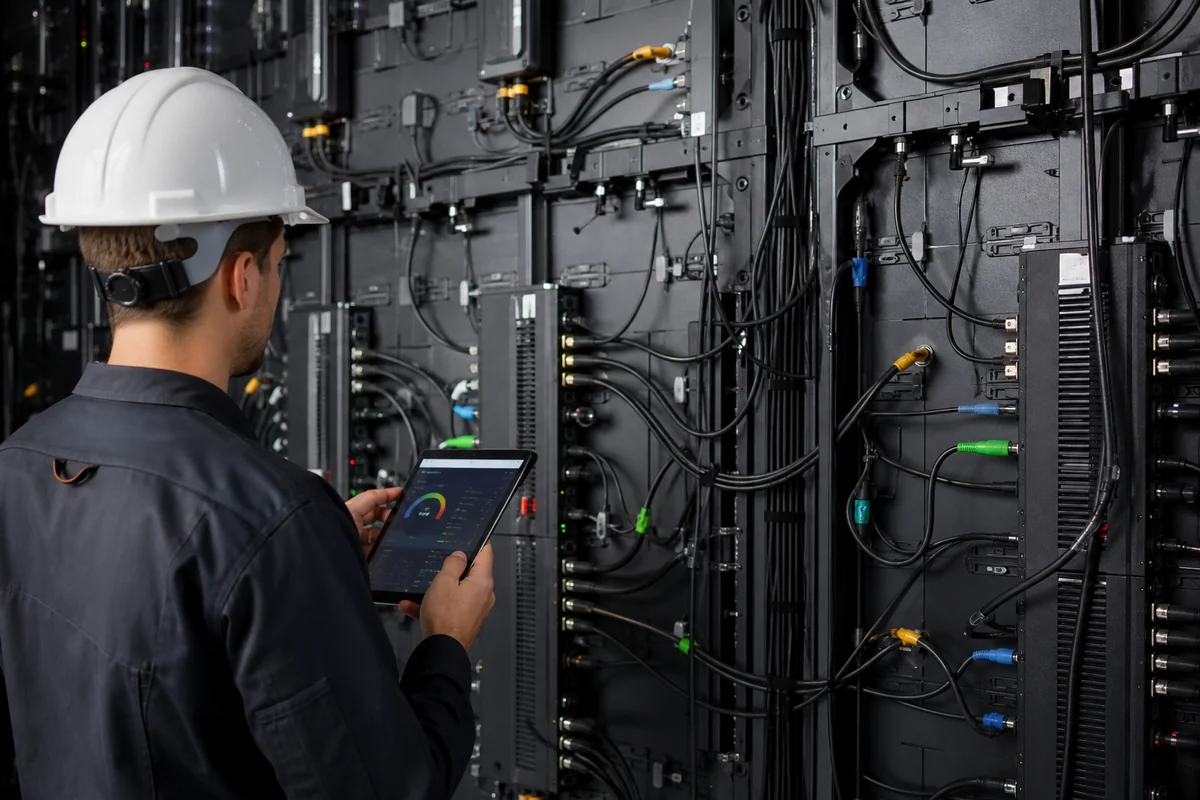
Do not size the site’s electrical system from a vague “average consumption” number. The project should use the manufacturer’s maximum electrical requirement for infrastructure planning while using realistic operating consumption for energy-cost estimates.
Thermal management also matters. Poor airflow can raise component temperatures and accelerate aging. The site team should confirm ventilation and heat-dissipation conditions before installation.
Signal and Network Infrastructure
The signal architecture should support the required resolution, frame rate, synchronization, and control method. Buyers should map every conversion and transmission stage before equipment arrives.
A signal cable or connector can become a practical failure point even when the LED module itself works correctly. Factory testing can verify cabinet-level connections, but site teams still need to maintain correct cable routing and connector protection.
Sensor and Camera Positioning
Sensors need a clear field of view and stable mounting. Their position should remain fixed after calibration.
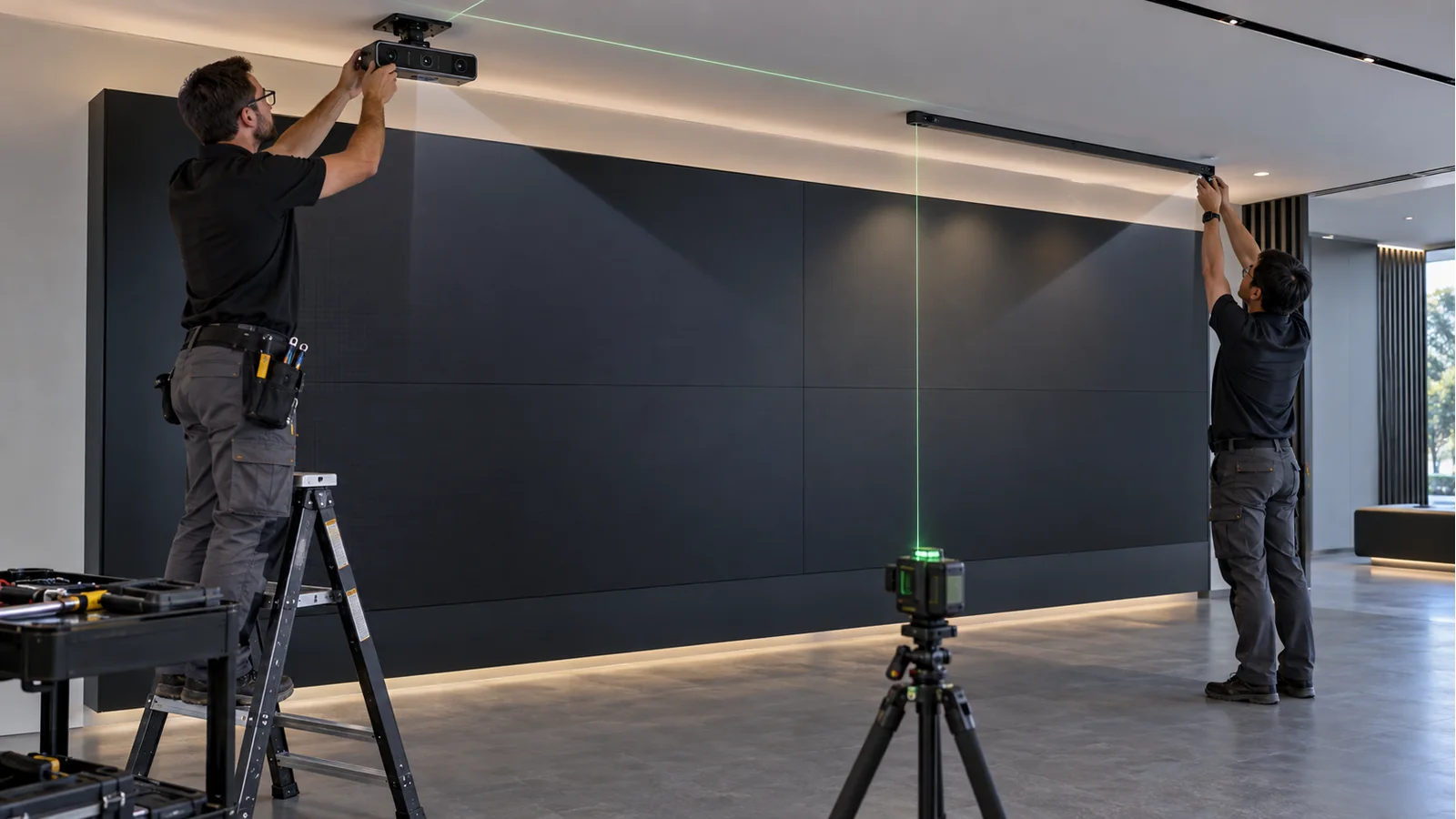
A camera should be positioned according to the interaction zone, not simply wherever the installation team finds an available mounting point.
The team should also test the system under actual lighting conditions. Strong reflections, changing daylight, or moving shadows can affect some vision-based systems.
Structural and Cabinet Requirements
The support structure needs enough rigidity to maintain cabinet alignment. Large interactive walls can expose mechanical inconsistencies because users stand close to the surface.
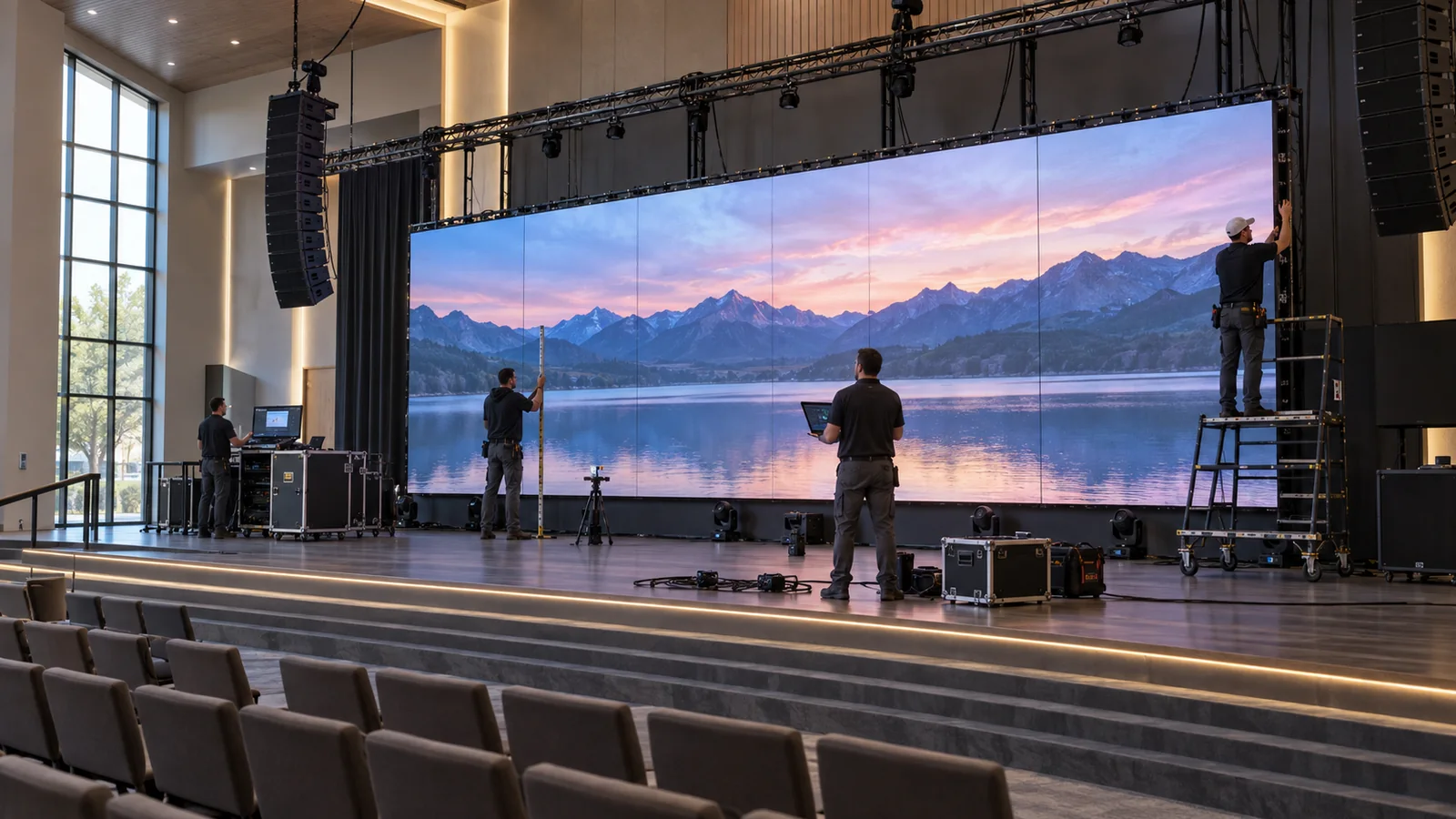
Cabinet locks, frame tolerances, module positioning, and installation sequence all influence final flatness. Buyers should request structural drawings and installation tolerances before production.
Front or Rear Maintenance Access
Maintenance access affects the long-term operating cost. Front-maintenance cabinets can help projects where rear access is restricted, while rear access may simplify certain service operations.
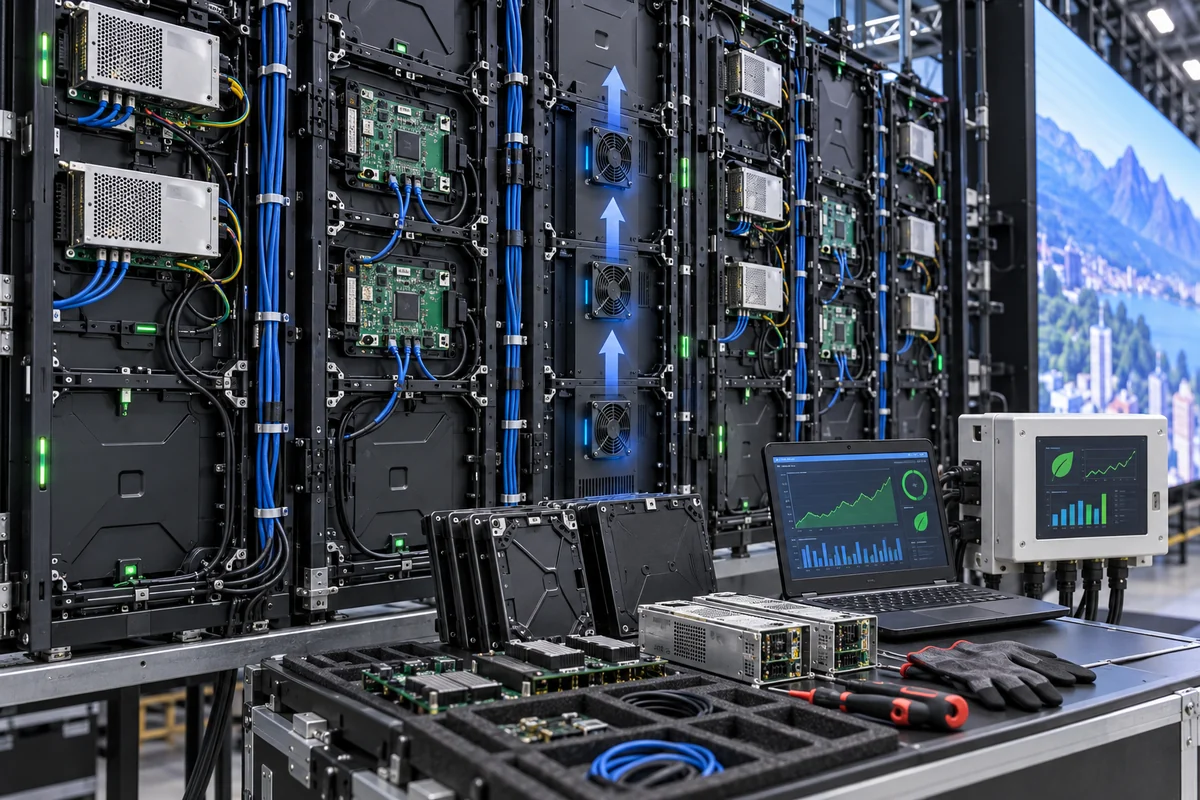
The decision should follow the actual site conditions. Maintenance access should be designed before installation, not solved after a module fails.
| Installation Factor | Why It Matters |
|---|---|
| Structure | Screen stability |
| Power | System reliability |
| Cooling | Long-term operation |
| Signal | Interaction stability |
| Sensor Position | Tracking accuracy |
| Maintenance Access | Service efficiency |
| Cabinet Alignment | Visual consistency |
How Much Does an Interactive LED Wall Cost?
The total cost of an interactive LED wall includes the LED display, sensors or cameras, processing hardware, software, content development, installation, integration, and ongoing maintenance.
A simple price-per-square-meter figure cannot accurately describe the cost of a complete interactive system because two projects with identical screen areas can require very different interaction technologies and processing architectures.
| Cost Component | Main Cost Driver |
|---|---|
| LED Display | Size, pixel pitch, technology |
| Sensors | Tracking method and quantity |
| Processor | Resolution and processing requirements |
| Software | Interaction complexity |
| Content | Development complexity |
| Installation | Structure and site conditions |
| Maintenance | Access, spare parts, service |
LED Display Cost
Pixel pitch, cabinet construction, LED package, brightness, refresh rate, maintenance method, and customization can affect the display cost.
Buyers should compare equivalent specifications rather than comparing headline prices. A lower cabinet price may exclude required processing equipment, spare modules, structural components, or integration work.
Interactive Hardware Cost
Touch frames, cameras, infrared sensors, depth cameras, and other tracking devices have different costs and installation requirements.
The number of sensors can also change the system architecture. A multi-user installation may need more coverage and processing than a single-user application.
Processing and Control System Cost
Processing costs increase when the project requires higher output resolution, multiple displays, real-time 3D rendering, or complex interaction logic.
The processor should match the content workload, not simply the LED wall size.
Software and Content Development Cost
Interactive software can range from a simple touch interface to a custom real-time 3D experience. Content updates can also become an ongoing operational expense.
Buyers should separate one-time development costs from recurring content-management costs when calculating the project budget.
Installation and Integration Cost
Structural work, electrical infrastructure, network setup, sensor calibration, software integration, commissioning, and local labor can all affect installation cost.
Maintenance and Total Cost of Ownership
A lower initial purchase price does not always create a lower project cost. Spare modules, replacement power supplies, receiving cards, calibration, service access, and software support can affect long-term expenditure.
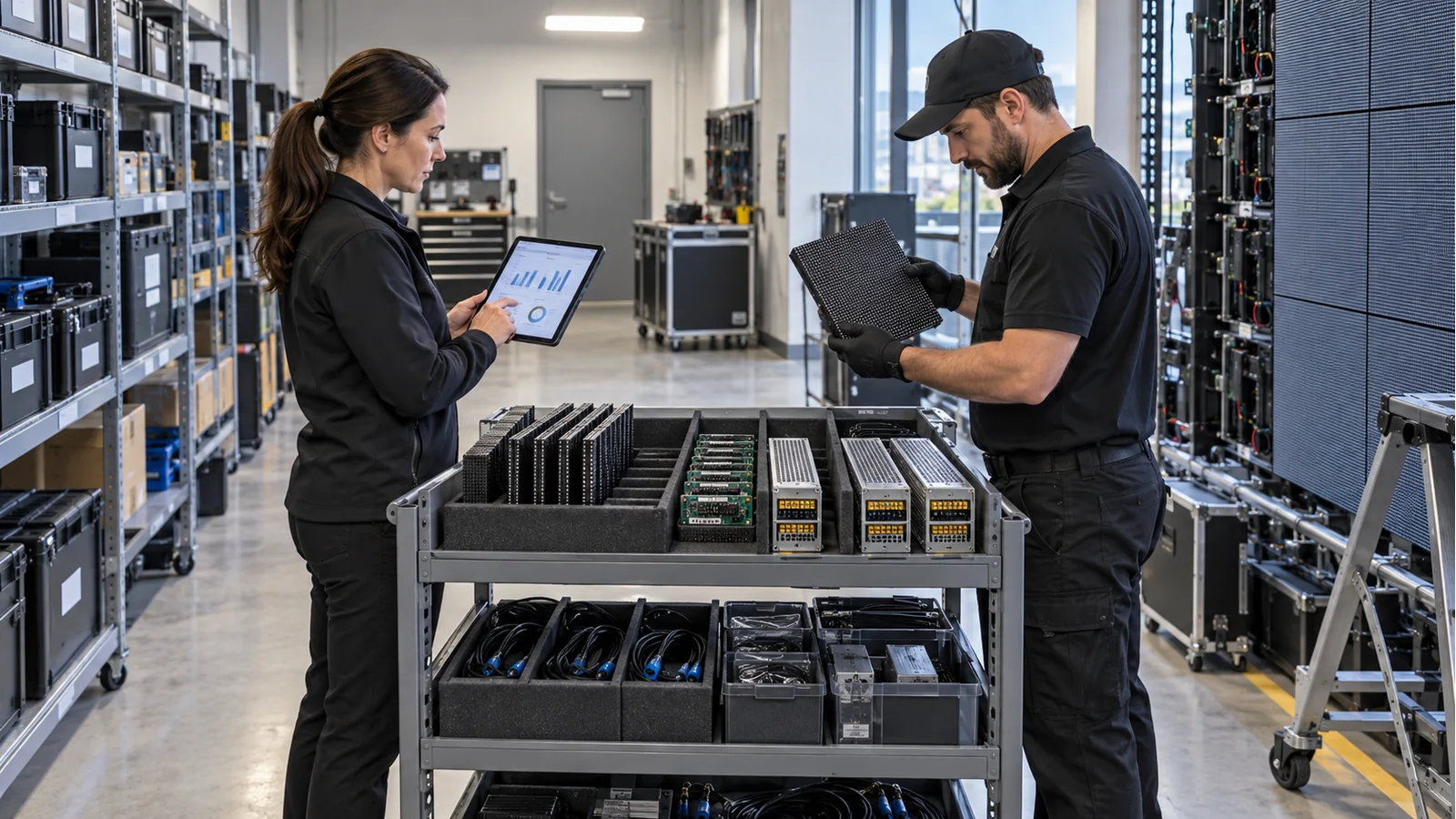
Factory-level insight: Buyers should compare CAPEX and TCO rather than relying on a generic price per square meter. A lower-cost cabinet can create higher integration, maintenance, replacement, or content costs if the system architecture does not match the project.
The better purchasing approach is to request a complete bill of materials and define what each quotation includes. This method allows buyers to compare suppliers on the same technical basis and reduces unexpected integration costs later.
Where Are Interactive LED Walls Used?
Interactive LED walls work best where the display needs to respond to people rather than simply show scheduled content. Common applications include retail, museums, education, corporate spaces, entertainment venues, exhibitions, and experiential marketing.
Retail and Brand Experiences
Retail brands can use interactive LED walls to let visitors explore products, compare options, access product information, or trigger visual effects. The display can become part of the customer journey instead of acting as a passive advertising surface.
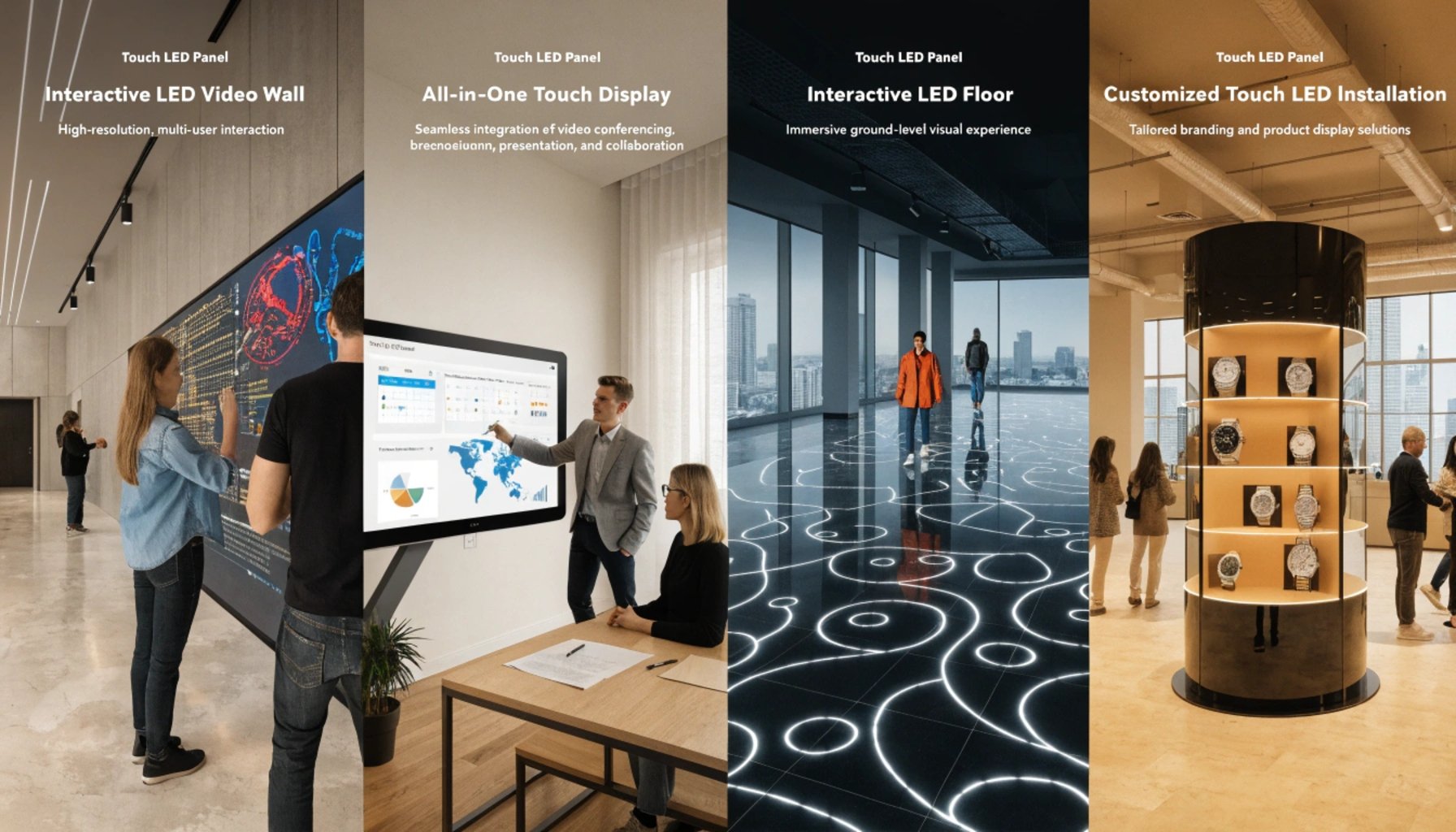
However, retailers should define the business purpose before selecting the interaction technology. If users only need to browse product categories, a simple touch interface may provide enough functionality. A complex computer-vision system may add cost without improving the actual customer experience.
Museums and Exhibitions
Museums can use interactive LED walls for digital exhibits, historical visualization, educational content, and visitor participation. These installations often require accurate tracking because visitors may approach the display from different directions.
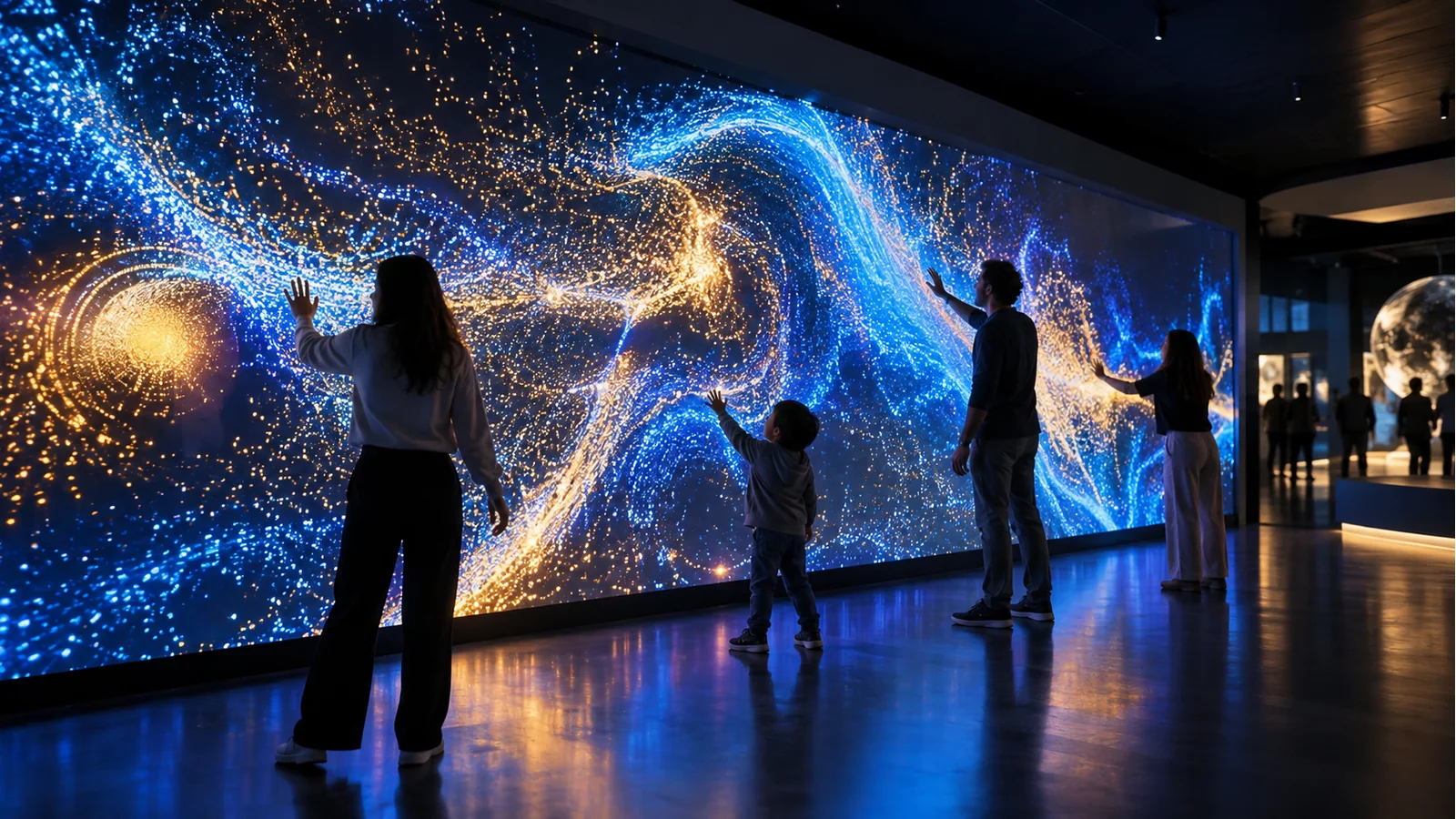
The content also needs to remain stable during long operating hours. For public installations, durability and maintenance planning deserve the same attention as visual performance.
Education and Training
Educational environments can use interactive LED walls to display simulations, maps, scientific models, and collaborative learning content.
The buyer should consider viewing distance and user height because students may interact with the same screen from different positions. A system designed around one adult standing position may not provide the same experience for children or wheelchair users.
Corporate and Commercial Spaces
Corporate environments can use interactive walls for presentations, collaborative meetings, product demonstrations, and visitor experiences.
These projects often require integration with existing computers, cameras, networks, and conferencing equipment. Buyers should therefore confirm signal compatibility before installation rather than assuming that the LED controller will connect directly to every existing system.
Entertainment and Immersive Experiences
Entertainment projects can use motion tracking, real-time rendering, and large LED surfaces to create immersive environments. These applications typically place greater demands on latency, synchronization, rendering performance, and sensor coverage.
The more continuous the interaction becomes, the more important end-to-end system testing becomes.
Events and Experiential Marketing
Events often need flexible installation, rapid setup, and reliable operation under changing conditions. The interaction system may need to support large crowds and unpredictable user movement.
Portable structures also introduce mechanical considerations. Repeated assembly can affect cabinet alignment and connector reliability if the equipment does not use a suitable design.
| Application | Typical Interaction |
|---|---|
| Retail | Product exploration |
| Museums | Interactive exhibits |
| Education | Touch and visual learning |
| Corporate | Interactive presentations |
| Entertainment | Motion-based experiences |
| Events | Audience participation |
The application should therefore determine the system architecture. Buyers should specify the user action first and select the LED technology second.
How Should You Plan an Interactive LED Wall Project?
An interactive LED wall project should follow a defined sequence: interaction objective → space analysis → viewing distance → interaction distance → LED specifications → sensing method → processing → content → system test → mass production → installation → maintenance.
This sequence prevents a common procurement problem: selecting the LED cabinets before the project team understands what the interaction system actually needs.
Define the Interaction Objective
Start with the user action. Decide whether users will touch the wall, move their bodies, make gestures, trigger content by entering a zone, or interact with digital objects.
The objective determines the sensing method, tracking area, processing requirements, and content logic.
Determine Viewing and Interaction Distance
Measure both the normal viewing position and the closest practical interaction position.
The closest user position often provides the more important pixel-pitch test for an interactive installation. Buyers should evaluate a sample at that distance with actual project content.
Select the LED Display Specifications
After defining the user environment, select pixel pitch, brightness, refresh rate, viewing angle, cabinet structure, maintenance method, and other display parameters.
Do not automatically select the finest pitch or highest brightness. Each specification should have a clear reason connected to the application.
Choose the Interaction Technology
Select touch, camera vision, motion tracking, infrared, AR/MR, or another technology according to the interaction objective.
The supplier should explain the system’s operating range, environmental limitations, expected number of users, and calibration requirements.
Test the Complete System Before Mass Production
This step deserves particular attention. A prototype test should reproduce the actual signal chain and intended interaction method before the buyer commits to mass production.
The test should cover:
- Actual LED cabinet configuration
- Final pixel pitch
- Intended content resolution
- Camera or sensor position
- Processing hardware
- Controller and receiving cards
- Signal transmission
- Interactive software
- Expected user movement
A factory-level acceptance test can also identify dead pixels, color inconsistencies, module alignment issues, receiving-card instability, and cabinet flatness problems before shipment.
Plan Maintenance and Spare Parts
The project should include spare modules, power supplies, receiving cards, cables, and other critical components according to the installation scale and service strategy.
Replacement parts should match the original display configuration whenever possible. A spare module with a different optical or calibration characteristic can create visible differences after replacement.
Conclusion
A successful interactive LED wall depends on more than pixel pitch or display resolution. The final experience comes from the coordination of LED hardware, sensing accuracy, system latency, processing power, interactive content, mechanical precision, calibration, and long-term maintenance. Buyers should define the interaction objective first, test the complete system at the real interaction distance, and evaluate CAPEX together with total ownership requirements.
For your next project, NSELED can add value beyond supplying LED cabinets by helping review the screen size, pixel pitch, refresh rate, viewing distance, interaction method, cabinet configuration, signal architecture, and maintenance requirements as one solution. Share your project requirements with us, and Contact NSELED for a customized interactive LED wall solution and technical quotation.