


Introduction
An LED Wall Calculator helps you estimate screen size, resolution, cabinet quantity, power demand, and project cost before ordering an LED display.
Many buyers start with a simple question: “I need a 6 × 3 meter wall, but what pixel pitch, cabinet quantity, resolution, and power load should I specify?” A calculator can answer part of that question, but a raw number can also create an expensive mistake if cabinet dimensions, viewing distance, or installation conditions do not match.
This guide connects the calculation with practical procurement decisions, so you can turn project dimensions into a configuration that a manufacturer can actually build, quote, install, and maintain.
LED Wall Calculator: What Can You Calculate?
An LED wall calculator can estimate screen area, resolution, pixel count, cabinet quantity, aspect ratio, power consumption, and preliminary project cost from a defined set of project inputs.
For B2B projects, the useful result is not one number. You need a chain of calculations that connects the physical wall to the electrical system and the visual performance.
| Calculation | Main Input | Typical Output |
|---|---|---|
| Screen Area | Width × Height | m² / ft² |
| Resolution | Dimensions + Pixel Pitch | Horizontal × Vertical Pixels |
| Pixel Count | Resolution | Total Pixels |
| Cabinet Quantity | Wall + Cabinet Size | Total Cabinets |
| Aspect Ratio | Width ÷ Height | 16:9 / Custom |
| Power | Area + Power Rating | Maximum / Average Power |
| Cost | Area + Specification | Preliminary Budget |
Why an LED Wall Calculator Is Useful for B2B Projects
A calculator gives procurement teams a common technical baseline before they request quotations. Instead of sending a supplier only “6 × 3 meters,” you can provide the physical dimensions, target pixel pitch, viewing distance, estimated resolution, cabinet quantity, and electrical requirements.
That information reduces unnecessary quotation revisions. It also makes supplier comparisons more meaningful because two suppliers may quote the same screen area while using different cabinet dimensions, LED packages, brightness levels, or power specifications.
Factory Perspective: At the manufacturing stage, the first quotation often exposes a hidden issue: the customer’s requested dimensions do not always align with the cabinet structure. A 6 × 3 meter target, for example, may require a cabinet arrangement that creates a slightly different finished dimension unless the manufacturer develops a custom cabinet or accepts dimensional deviation.
For this reason, use the calculator to establish a design target, not to treat every calculated value as a final production specification.
What an LED Wall Calculator Does Not Determine
An LED wall calculator cannot independently verify the physical and electrical quality of the components behind the calculated numbers.
It can estimate:
- Screen dimensions
- Pixel resolution
- Cabinet quantity
- Power requirements
- Preliminary cost
It cannot determine:
- LED package consistency
- Driver IC performance
- Calibration uniformity
- Thermal design
- Cabinet structural strength
- Power-supply quality
- Receiving-card configuration
- Maintenance accessibility
- Installation safety
This distinction matters when comparing suppliers. A calculator may show that two LED walls have identical P2.5 pixel pitch and identical dimensions. That does not mean they will deliver identical brightness uniformity, grayscale performance, thermal behavior, or long-term calibration stability.
From a factory perspective, production quality depends on how components behave together. Driver IC selection, LED package consistency, PCB design, calibration processes, and burn-in testing all affect the finished display. A spreadsheet cannot measure those factors.
How to Calculate LED Wall Size
LED wall area equals screen width multiplied by screen height. For example, a 6 m × 3 m display has an area of 18 m², or approximately 193.75 ft².
The basic calculation looks simple:
Screen Area = Width × Height
| Measurement | Formula |
|---|---|
| Area in m² | Width (m) × Height (m) |
| Area in ft² | Width (ft) × Height (ft) |
| Width | Horizontal Cabinet Count × Cabinet Width |
| Height | Vertical Cabinet Count × Cabinet Height |
The important procurement question comes next: Does the calculated size match the physical cabinet configuration?
How to Calculate LED Wall Area
Suppose your project requires a 6 m × 3 m LED wall.
The calculation is:
6 × 3 = 18 m²
If a supplier quotes the project by square meter, the 18 m² figure gives you a starting point for comparing quotations.
However, area alone does not define the display. You still need to determine pixel pitch, cabinet dimensions, brightness, refresh rate, power consumption, and installation requirements.
For example, an 18 m² P2.5 display and an 18 m² P4.8 display occupy the same physical area, but they contain very different numbers of pixels and serve different viewing conditions.
Factory Perspective: Production teams normally calculate the cabinet layout before confirming the final quotation. If a cabinet has a fixed width and height, the manufacturer cannot always cut the display to any arbitrary dimension. A buyer who understands this relationship can avoid requesting a theoretically precise size that later requires costly custom engineering.
Screen Dimensions vs Cabinet Dimensions
The screen dimensions describe the finished display. Cabinet dimensions describe the building blocks used to create it.
A manufacturer normally calculates:
Horizontal Cabinets = Screen Width ÷ Cabinet Width
Vertical Cabinets = Screen Height ÷ Cabinet Height
Then:
Total Cabinets = Horizontal Cabinets × Vertical Cabinets
This distinction becomes critical when the project requires a fixed wall opening.
If the available architectural space measures exactly 6,000 mm wide, the manufacturer needs to check whether the selected cabinet configuration can fill that opening without excessive gaps or overhang.
How Cabinet Dimensions Affect Final Screen Size

Cabinet dimensions directly influence the final width, height, weight, transportation requirements, and maintenance layout of an LED wall.
Consider a cabinet that measures 500 × 500 mm. A 12 × 6 arrangement produces:
6,000 mm × 3,000 mm = 18 m²
The cabinet structure therefore fits the example project exactly.
But if the project uses a different cabinet dimension, the same 6 × 3 meter target may require a different cabinet count or custom sizing.
Factory Perspective: A good manufacturer does not simply maximize cabinet count. The production team also considers module arrangement, cable routing, power distribution, receiving-card placement, service access, and transportation. A slightly different cabinet layout can sometimes reduce installation time and maintenance complexity even when the total screen area remains similar.
Why Calculated Dimensions May Differ From Manufactured Dimensions
A calculator works with mathematical dimensions. Manufacturing works with physical components.
That difference can create three common outcomes:
- Exact standard configuration — the requested dimensions match the cabinet system
- Nearest standard configuration — the manufacturer recommends a small dimensional adjustment
- Custom configuration — the project requires custom cabinet engineering
For B2B buyers, the second option can sometimes provide a better commercial result than insisting on an exact dimension.
The lowest-cost configuration is not always the mathematically closest configuration. A standard cabinet layout may simplify production, spare-part management, transportation, and future maintenance.
How to Calculate LED Wall Resolution and Pixel Count
LED wall resolution depends on physical screen dimensions and pixel pitch. Smaller pixel pitch creates more pixels within the same physical area, which increases potential image detail.
For a simplified calculation:
Horizontal Pixels = Screen Width ÷ Pixel Pitch
Vertical Pixels = Screen Height ÷ Pixel Pitch
Total Pixel Count = Horizontal Pixels × Vertical Pixels
| Parameter | Calculation | Purpose |
|---|---|---|
| Pixel Pitch | Distance between pixels | Determines pixel density |
| Horizontal Resolution | Width ÷ Pitch | Horizontal pixels |
| Vertical Resolution | Height ÷ Pitch | Vertical pixels |
| Total Pixels | H × V | Total display pixels |
What Is LED Wall Pixel Pitch?
Pixel pitch represents the center-to-center distance between adjacent LED pixels, usually measured in millimeters.
A smaller pitch places pixels closer together. That configuration can provide higher pixel density at the same screen size.
For example, P2.5 means the nominal pixel pitch is approximately 2.5 mm. P4.0 uses a larger spacing.
However, pixel pitch should not be selected by resolution alone.
A close-viewing indoor display may benefit from fine pixel pitch because viewers can see individual pixels more easily. A large outdoor advertising screen viewed from a long distance may not justify the cost of an ultra-fine pitch.
How to Calculate Horizontal and Vertical Resolution
Suppose a display measures 5 m wide × 3 m high and uses P2.5.
Convert the dimensions into millimeters:
- Width = 5,000 mm
- Height = 3,000 mm
- Pixel pitch = 2.5 mm
Then:
Horizontal Resolution = 5,000 ÷ 2.5 = 2,000 pixels
Vertical Resolution = 3,000 ÷ 2.5 = 1,200 pixels
Therefore, the theoretical resolution is approximately:
2,000 × 1,200 pixels
This calculation gives you a useful planning reference. The actual signal-processing configuration must still match the receiving-card and controller architecture.
How to Calculate Total Pixel Count
Using the same example:
2,000 × 1,200 = 2,400,000 pixels
The display therefore contains approximately 2.4 million pixels.
This number matters for controller capacity, signal processing, data transmission, and content workflow.
For large LED walls, buyers should not look only at screen area. The total pixel load can affect the required video processor and signal architecture.
How Pixel Pitch Affects Resolution

For the same 5 m × 3 m screen:
| Pixel Pitch | Approx. Horizontal Pixels | Approx. Vertical Pixels | Approx. Total Pixels |
|---|---|---|---|
| P1.5 | 3,333 | 2,000 | 6.67M |
| P2.5 | 2,000 | 1,200 | 2.40M |
| P3.9 | 1,282 | 769 | 0.99M |
| P4.8 | 1,042 | 625 | 0.65M |
These values illustrate why pixel pitch affects more than image sharpness. A smaller pitch increases pixel count and can increase hardware, processing, and purchasing costs.
Why the Same Pixel Pitch Can Produce Different Image Quality
Two manufacturers can use the same nominal P2.5 specification and still produce different visual results.
LED package consistency, driver IC behavior, calibration accuracy, grayscale performance, brightness uniformity, and optical design all contribute to the final image.
Factory Perspective: During production, calibration does more than make one cabinet look good. The manufacturer must maintain consistency across cabinets and batches. If LED characteristics vary significantly, calibration data has to compensate for larger differences. That can affect uniformity and the stability of the display after component replacement.
For buyers, this means pixel pitch is a specification, not a complete quality measurement.
How to Calculate LED Cabinet Quantity
LED cabinet quantity equals the horizontal cabinet count multiplied by the vertical cabinet count, but the final quantity depends on cabinet dimensions, module layout, and the required screen configuration.
The basic formulas are:
Horizontal Cabinets = Screen Width ÷ Cabinet Width
Vertical Cabinets = Screen Height ÷ Cabinet Height
Total Cabinets = Horizontal Cabinets × Vertical Cabinets
For example, if a project uses 500 × 500 mm cabinets and requires a 6,000 × 3,000 mm display, the layout needs 12 cabinets horizontally and 6 vertically. The total is 72 cabinets.
How to Calculate Horizontal Cabinet Quantity
First, convert the required screen width and cabinet width into the same unit.
For a 6,000 mm screen width with 500 mm cabinets:
6,000 ÷ 500 = 12 cabinets
The horizontal cabinet count therefore equals 12.
However, buyers should not automatically round every calculation upward without checking the installation space. A rounded-up cabinet configuration can increase the final screen size beyond the available wall opening.
Factory Perspective: During project engineering, we check the cabinet grid against the customer’s physical installation area. If the customer has a strict architectural boundary, we may recommend a different cabinet size or a custom cabinet rather than simply adding another standard cabinet. This decision can prevent unnecessary material and installation costs.
How to Calculate Vertical Cabinet Quantity
The same calculation applies vertically.
For a 3,000 mm screen height with 500 mm cabinets:
3,000 ÷ 500 = 6 cabinets
The project therefore requires 6 cabinets vertically.
The horizontal and vertical counts also determine the final aspect ratio. A buyer who focuses only on the total number of cabinets may overlook how those cabinets form the actual display shape.
How to Calculate Total Cabinet Quantity
Once both dimensions are known:
Total Cabinets = Horizontal Cabinets × Vertical Cabinets
Using the previous example:
12 × 6 = 72 cabinets
This number helps the buyer estimate several downstream requirements:
- LED modules
- Receiving cards
- Power supplies
- Power cables
- Data cables
- Spare modules
- Spare power supplies
- Transportation volume
- Installation labor
The cabinet count also affects maintenance planning. A larger cabinet count creates more physical connection points, even when the total display area stays unchanged.
A practical procurement rule: calculate cabinet quantity before comparing quotations because two suppliers can quote the same square-meter area with different cabinet architectures.
Standard Cabinet Size vs Custom Cabinet Size
Standard cabinets usually simplify production, transportation, spare-part management, and replacement.
Custom cabinets become useful when the installation requires unusual dimensions, curved structures, special corners, or architectural integration.
| Configuration | Main Advantage | Main Trade-Off |
|---|---|---|
| Standard Cabinet | Easier production and maintenance | Less dimensional flexibility |
| Custom Cabinet | Better fit for unusual spaces | Higher engineering complexity |
| Small Cabinet | Easier handling | More cabinet connections |
| Large Cabinet | Faster assembly | Higher handling requirements |
Factory Perspective: Customization should solve a real installation problem rather than exist simply for appearance. A custom cabinet can improve dimensional accuracy, but it can also increase tooling, production, packaging, and spare-part complexity.
How Cabinet Quantity Affects Project Cost
Cabinet quantity influences more than the LED modules themselves.
More cabinets can mean more mechanical connections, more connectors, more assembly time, and potentially more packaging volume. However, a larger cabinet does not automatically produce a cheaper project because weight, handling, structural requirements, and maintenance access also change.
Buyers should compare total system cost rather than cabinet price alone.
How to Choose LED Pixel Pitch Based on Viewing Distance
Choose LED pixel pitch according to the minimum viewing distance, content detail, application, camera requirements, and budget rather than selecting the smallest available pitch.
A simplified planning relationship is:
Closer viewing distance → Smaller pixel pitch
Longer viewing distance → Larger pixel pitch
| Viewing Condition | Typical Pixel Pitch Direction | Typical Application |
|---|---|---|
| Very Close | P0.9–P1.5 | Control Rooms / Premium Indoor |
| Close | P1.5–P2.5 | Conference / Retail |
| Medium | P2.5–P3.9 | Commercial / Stage |
| Long | P3.9–P6+ | Outdoor Advertising |
| Very Long | P6–P10+ | Stadium / Large Outdoor |
These ranges provide planning guidance rather than a universal purchasing rule. The actual choice should also consider ambient light, content type, camera usage, and viewing geometry.
Pixel Pitch vs Viewing Distance
Pixel pitch determines the physical spacing between pixels. When the viewer moves farther away, individual pixels become harder to distinguish.
That means a buyer does not always benefit from choosing P1.5 instead of P2.5.
For example, if most viewers stand 15–20 meters away, the additional pixel density of a very fine pitch may offer little visible benefit compared with its additional cost.
We do not recommend automatically buying the smallest pixel pitch. If the audience cannot resolve the additional detail at the intended viewing distance, the buyer may spend money without receiving a proportional visual benefit.
Pixel Pitch vs Resolution
A smaller pitch increases pixel density.
For the same physical screen, a P1.5 display contains substantially more pixels than a P3.9 display. That difference affects image detail, signal processing requirements, and potentially system cost.
However, resolution should match the content source.
A display with extremely high native pixel density does not automatically improve low-resolution content. The video processor and source material still determine how much detail the audience can actually see.
Pixel Pitch vs LED Wall Cost
Pixel pitch strongly influences LED wall pricing because smaller pitch generally requires a higher density of LED components within the same area.
| Pixel Pitch | Pixel Density | Relative Hardware Demand | Typical Use |
|---|---|---|---|
| P1.2 | Very High | High | Premium Indoor |
| P1.5 | High | High | Fine-Pitch Indoor |
| P2.5 | Medium-High | Medium-High | Retail / Conference |
| P3.9 | Medium | Medium | Stage / Commercial |
| P4.8 | Lower | Lower | Larger Viewing Distance |
The exact price still depends on LED package, driver IC, brightness, cabinet structure, refresh rate, control system, and project quantity.
Factory Perspective: When a buyer requests a fine-pitch display, we evaluate whether the entire system benefits from that density. A smaller pitch can increase LED component count, calibration workload, processing requirements, and cost. If the viewing distance does not justify those changes, a slightly larger pitch can produce a better cost-to-performance ratio.
Pixel Pitch vs Camera Performance
Camera applications introduce another consideration.
Broadcast studios, virtual production environments, rental stages, and corporate filming spaces may require tighter control of refresh behavior, scan architecture, grayscale, and camera interaction.
A buyer should therefore specify whether the LED wall will appear on camera.
If the screen will remain visible to a camera at close range, do not select pixel pitch based only on human viewing distance.
Why the Smallest Pixel Pitch Is Not Always the Best Choice
A smaller pitch makes sense when viewers stand close to the screen and need fine visual detail.
It makes less sense when the screen sits far away.
For example, an outdoor billboard viewed primarily from tens of meters away may not justify a premium fine-pitch specification designed for close indoor viewing.
The correct question is not “What is the smallest pixel pitch available?” but “What pixel pitch delivers the required visual result at the actual viewing distance?”
How to Calculate LED Wall Power Consumption
LED wall power planning should separate maximum power from average operating power because actual electrical demand changes with brightness, content, LED efficiency, and power-supply performance.
A basic estimate starts with:
Maximum Power = Power per m² × Screen Area
For example, if a manufacturer’s specification states 800 W/m² maximum power and the screen measures 20 m²:
800 × 20 = 16,000 W
The estimated maximum load would be 16 kW.
That figure should not automatically become the expected everyday consumption.
| Power Metric | Meaning | Procurement Use |
|---|---|---|
| Maximum Power | Peak electrical demand | Circuit and PSU planning |
| Average Power | Typical operating demand | Operating-cost planning |
| Power per m² | Manufacturer rating | Product comparison |
| PSU Capacity | Available electrical capacity | System design |
Maximum Power vs Average Power
Maximum power represents the electrical demand under a defined high-load condition.
Average power represents typical operating consumption under actual content and brightness settings.
The difference matters because LED displays rarely operate continuously at maximum white output.
A buyer who uses maximum power as the daily consumption figure can significantly overestimate operating costs. A buyer who ignores maximum power can undersize the electrical infrastructure.
Use maximum power for electrical capacity planning and realistic average power for operating-cost estimation.
How to Calculate LED Wall Maximum Power
The simplest formula is:
Maximum Power = Screen Area × Maximum Power per m²
Suppose:
- Screen area = 30 m²
- Maximum power = 700 W/m²
Then:
30 × 700 = 21,000 W
The theoretical maximum load is 21 kW.
The final electrical design should also account for system components, power distribution, environmental conditions, and applicable local electrical requirements.
For projects in overseas markets, the buyer should confirm the local voltage, frequency, circuit arrangement, protection requirements, and installation regulations with the responsible electrical professional.
How to Estimate Average Operating Power
Average consumption requires more caution.
The actual load depends on:
- Content brightness
- Brightness setting
- White-area percentage
- LED efficiency
- Driver architecture
- Power-supply efficiency
- Environmental temperature
A screen showing predominantly dark content can draw significantly less power than one displaying large areas of bright white content.
Do not treat a single “average watts per square meter” figure as universal. Ask the manufacturer how the value was measured and under what display conditions.
How Brightness Affects Power Consumption
Brightness directly affects LED drive requirements.
If a display operates at a lower brightness setting, the LED components generally require less electrical power than when the display operates near its maximum brightness.
Outdoor screens often need higher brightness because sunlight can wash out the image.
Indoor screens usually operate at lower brightness because ambient illumination is lower.
The right strategy is to specify enough brightness for the environment rather than purchasing maximum brightness without a clear need.
How LED Efficiency Affects Energy Consumption
LED efficiency influences how much optical output the display can produce for a given electrical input.
The efficiency depends on the LED package, driving conditions, circuit design, thermal conditions, and other system factors.
A factory should evaluate brightness, power consumption, and thermal behavior together. Improving one specification without considering the other can create a misleading comparison.
How Power Supply Efficiency Affects Total Power
The power supply converts incoming electrical power into the voltage required by the LED display system.
Its efficiency affects how much input power the system needs to deliver a given output.
Heat generated by conversion losses also affects the cabinet’s thermal environment.
Factory Perspective: During production testing, the power system should be evaluated under defined load conditions rather than judged only by its printed wattage. A PSU with adequate rated capacity but poor efficiency or insufficient thermal conditions can create a different real-world result from the nominal specification.
How to Estimate LED Wall Cost
LED wall cost depends on screen area, pixel pitch, LED package, cabinet design, brightness, refresh rate, control system, installation, and project-specific requirements. A calculator can provide a preliminary budget, but it cannot replace a project quotation.
For B2B buyers, the key mistake involves treating price per square meter as the complete project cost. Two displays can have the same area but very different technical configurations.
| Cost Factor | Typical Impact | Why It Matters |
|---|---|---|
| Screen Area | High | Determines material quantity |
| Pixel Pitch | High | Changes LED density |
| LED Package | High | Affects performance and price |
| Cabinet Type | Medium–High | Changes structure and assembly |
| Brightness | Medium–High | Affects LED and power requirements |
| Refresh Rate | Medium | Important for camera applications |
| Controller | Medium | Depends on resolution and inputs |
| Structure | Project Dependent | Depends on installation |
| Installation | Project Dependent | Depends on site conditions |
| Shipping | Project Dependent | Depends on destination and volume |
Cost Per Square Meter vs Total Project Cost
A supplier may quote an LED wall at a price per square meter, but the buyer still needs to account for the complete system.
A typical project can include:
- LED cabinets and modules
- Receiving cards
- Video processor or controller
- Power supplies
- Data and power cables
- Mounting structure
- Spare parts
- Packaging
- Shipping
- Installation
- Commissioning
Use price per square meter for initial comparison, not as the final purchasing figure.
For example, a lower-cost display may exclude the mounting structure or controller. Another supplier may include those components in the quotation. Comparing only the headline unit price can therefore create a false price advantage.
How Pixel Pitch Affects LED Wall Price
Pixel pitch affects how many LED pixels occupy each square meter.
A smaller pitch requires more pixels within the same physical area. That increases the component density and can increase the cost of the LED modules, PCB, driver architecture, calibration, and production.
For example, a P1.5 display contains substantially more pixels per square meter than a P3.9 display.
Do not pay for a finer pixel pitch unless the viewing distance and application justify it.
The right comparison should ask:
- What is the minimum viewing distance?
- Will viewers inspect detailed content?
- Will cameras capture the screen?
- Does the source content provide enough detail?
- Does the project budget justify the additional pixel density?
Indoor vs Outdoor LED Wall Cost Factors
Indoor and outdoor LED walls face different engineering requirements.
Outdoor displays often require higher brightness, stronger weather protection, appropriate cabinet sealing, and structural consideration for wind and environmental exposure.
Indoor displays usually place greater emphasis on close viewing quality, low brightness operation, fine pixel pitch, noise, and maintenance access.
| Requirement | Indoor LED Wall | Outdoor LED Wall |
|---|---|---|
| Brightness | Lower | Higher |
| Weather Protection | Limited Requirement | Critical |
| Pixel Pitch | Often Smaller | Often Larger |
| Structural Load | Site Dependent | More Critical |
| Thermal Management | Important | Important |
| Sunlight Resistance | Usually Limited | Critical |
Factory Perspective: Outdoor cost should not be reduced simply by removing weather-related engineering. Water ingress, condensation, thermal cycling, and sunlight exposure can create failures that do not appear during a short factory demonstration.
Fixed Installation vs Rental LED Wall Cost
Fixed LED walls remain in one location, while rental displays need frequent assembly and disassembly.
Rental cabinets therefore prioritize:
- Lightweight construction
- Fast locking systems
- Easy module replacement
- Frequent connection cycles
- Transport protection
- Stacking and handling
Fixed installations can prioritize long-term structural integration and maintenance access.
The cheapest cabinet for a fixed installation may not be the best cabinet for a rental business, and vice versa.
Why the Lowest Purchase Price May Not Mean the Lowest Total Cost
A low purchase price can become expensive if the system requires frequent component replacement, complicated maintenance, high energy consumption, or difficult spare-part management.
B2B buyers should evaluate total cost of ownership, not just the initial invoice.
Consider:
Purchase Cost + Shipping + Installation + Energy + Maintenance + Spare Parts + Downtime
A display that costs slightly more but simplifies front maintenance and uses standardized replacement modules can sometimes reduce long-term service costs.
What Should Be Included in an LED Wall Quotation?
A professional quotation should clearly identify the main technical and commercial components.
At minimum, ask suppliers to specify:
- Pixel pitch
- LED package
- Cabinet dimensions
- Brightness
- Refresh rate
- Maximum power
- Average power, if available
- Controller
- Receiving card
- Maintenance method
- Protection rating for outdoor applications
- Warranty terms
- Spare-parts policy
- Packaging
- Shipping terms
- Installation scope
Factory Perspective: At the quotation stage, unclear specifications create problems later. If the quotation only says “P3.9 outdoor LED screen,” the buyer still does not know the LED package, cabinet structure, brightness, refresh rate, power rating, controller, or maintenance design. A detailed specification sheet gives procurement teams something they can actually compare.
How to Choose LED Wall Brightness
Required LED wall brightness depends on ambient light, installation environment, direct sunlight exposure, application, and viewing conditions. Buyers should specify brightness according to the environment instead of choosing the highest available rating.
Brightness is usually expressed in nits, where one nit equals one candela per square meter.
| Environment | Brightness Direction | Main Consideration |
|---|---|---|
| Dark Indoor | Lower | Viewer comfort |
| Conference Room | Moderate | Close viewing |
| Retail | Moderate–High | Ambient lighting |
| Window Display | High | External light |
| Outdoor Shade | High | Ambient sunlight |
| Direct Sunlight | Very High | Sunlight visibility |
These categories provide planning guidance rather than universal specifications. The site should determine the final brightness requirement.
Indoor LED Wall Brightness
Indoor LED walls generally operate at lower brightness than outdoor displays because they do not need to compete with direct sunlight.
A conference room, for example, may require a very different brightness setting from a retail storefront.
Higher brightness does not automatically mean better image quality indoors. Excessive brightness can reduce viewing comfort and increase unnecessary power demand.
The better approach is to select enough brightness to maintain clear images under the actual ambient lighting conditions.
Outdoor LED Wall Brightness
Outdoor displays face direct and indirect sunlight.
A display with insufficient brightness can lose image contrast when sunlight hits the viewing surface.
Outdoor buyers should therefore evaluate:
- Daytime sunlight
- Screen orientation
- Seasonal sunlight conditions
- Viewing distance
- Content contrast
- Automatic brightness control
A north-facing screen and a south-facing screen can experience different sunlight conditions depending on location and season.
Brightness vs Power Consumption
Brightness and electrical consumption are connected.
Increasing LED output generally increases the electrical demand of the display. The exact relationship depends on LED efficiency, driver architecture, content, brightness settings, and power management.
Do not specify maximum brightness simply because the manufacturer offers it. Specify the brightness that the installation actually requires.
This approach can improve the balance between visibility, power consumption, heat generation, and component stress.
Why Higher Brightness Is Not Always Better
A screen designed for direct sunlight does not need to operate at its maximum brightness in every condition.
Modern display systems can use brightness control to adapt to changing ambient light.
For an indoor project, excessive brightness can create an uncomfortable viewing experience while providing no meaningful improvement.
Factory Perspective: During factory evaluation, we recommend testing the screen under realistic brightness levels rather than judging it only at maximum output. The buyer should compare image visibility, grayscale, color consistency, and power behavior at the brightness level expected during actual operation.
How to Choose LED Wall Refresh Rate
A 3840 Hz refresh rate suits many commercial LED wall applications, while higher refresh rates become more relevant for broadcast, virtual production, high-speed filming, and demanding camera environments.
Refresh rate describes how frequently the display updates the image within one second.
| Refresh Rate | Typical Application | Main Consideration |
|---|---|---|
| 1920 Hz | Basic Commercial Use | Standard content |
| 3840 Hz | Most Commercial Projects | Better camera performance |
| 7680 Hz | Broadcast / Virtual Production | High-speed camera work |
The appropriate specification depends on the entire display system rather than the refresh-rate number alone.
What Is LED Wall Refresh Rate?
Refresh rate is measured in hertz.
A higher refresh rate can reduce visible flicker and improve camera compatibility under suitable system conditions.
However, buyers should also examine the driver IC, receiving card, controller, scan architecture, grayscale performance, and camera shutter settings.
1920 Hz vs 3840 Hz vs 7680 Hz
For standard commercial signage, 3840 Hz provides a practical target for many projects.
A buyer working on a virtual production stage or broadcast environment may need a higher specification.
But paying for 7680 Hz does not automatically improve every installation.
Choose the refresh rate based on how the screen will be viewed and recorded.
Refresh Rate vs Camera Performance
A screen can look excellent to the human eye and still produce undesirable camera artifacts.
Filming can expose:
- Flicker
- Scan-line effects
- Rolling-band artifacts
- Brightness instability
- Color inconsistencies
Therefore, camera-based applications should test the actual LED wall with the intended camera system.
Refresh Rate vs Driver IC
The driver IC controls how LED pixels receive and manage their electrical signals.
Its characteristics influence scan behavior, grayscale performance, refresh capability, and thermal behavior.
A high refresh-rate label does not prove that the entire display system performs equally well.
Does Higher Refresh Rate Always Mean Better Image Quality?
No.
Refresh rate represents one part of the display architecture.
A screen with higher refresh capability can still perform poorly if calibration, LED package consistency, grayscale, processing, or thermal management falls short.
Factory Perspective: When we evaluate a display for camera applications, we look beyond the refresh-rate specification. The final result depends on the complete signal chain and the interaction between controller, receiving card, driver IC, LED package, and camera.
How LED Wall Calculations Affect Installation
A complete LED wall calculation should include structural, electrical, thermal, signal, maintenance, transportation, and environmental requirements. A calculator gives you the display specification, but installation determines whether that specification works safely and reliably on site.
For B2B projects, buyers should treat the calculated screen as an engineered system rather than a collection of LED cabinets. A correct cabinet count does not guarantee adequate power distribution, ventilation, signal transmission, or maintenance access.
| Installation Factor | What to Calculate | Why It Matters |
|---|---|---|
| Structure | Weight + mounting method | Supports the display |
| Power | Maximum load + circuits | Prevents electrical overload |
| Signal | Controller + data paths | Maintains stable image transmission |
| Cooling | Heat + airflow | Controls operating temperature |
| Maintenance | Front/rear access | Reduces service time |
| Weather | Protection + drainage | Protects outdoor hardware |
| Transportation | Cabinet count + packaging | Controls logistics cost |
LED Wall Structural Requirements
The structure must support the combined weight of cabinets, mounting components, cables, and related hardware.
For outdoor installations, the structural design also needs to consider environmental forces such as wind. The final structure should follow the applicable local building and engineering requirements.
Do not calculate the structure from screen area alone. Two 20 m² LED walls can have different total weights because cabinet materials, frame construction, power systems, and installation methods can differ.
For a permanent installation, the structural engineer should verify:
- Total equipment weight
- Mounting points
- Wall or steel-frame capacity
- Wind exposure
- Load distribution
- Access requirements
Factory Perspective: We provide the cabinet weight and mechanical information, but the site structure should remain under the responsibility of the qualified local engineering team. A manufacturer can define equipment loads; the local engineer understands the building, anchoring conditions, and applicable construction requirements.
LED Wall Power Distribution
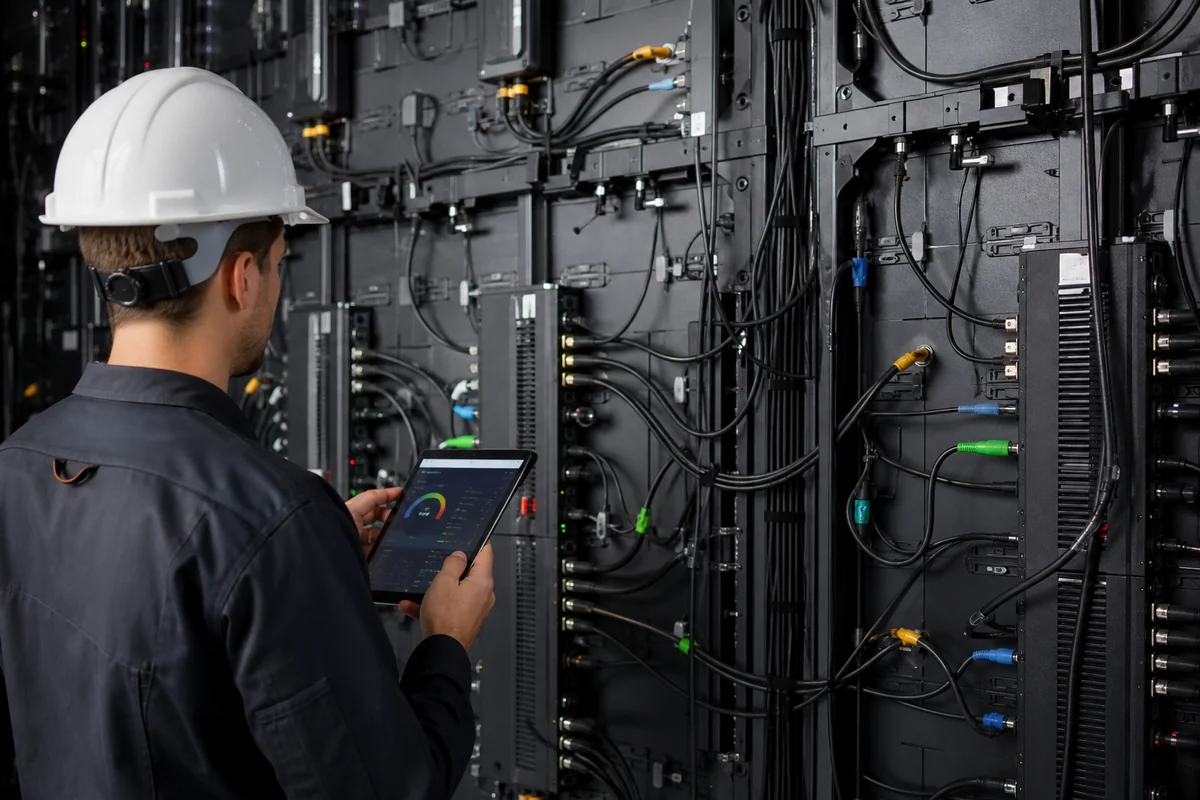
Power planning starts with maximum electrical demand.
If an LED wall has a calculated maximum demand of 20 kW, the project cannot simply connect the entire load to one arbitrary circuit.
The electrical contractor needs to determine:
- Available supply voltage
- Circuit capacity
- Distribution arrangement
- Protection devices
- Cable sizing
- Grounding requirements
- Local electrical code requirements
Use maximum power for infrastructure planning rather than average operating power.
Average power helps estimate operating costs, while maximum power protects the project from undersized electrical infrastructure.
LED Wall Signal and Data Cabling
Large LED walls require a signal architecture that matches the display resolution and controller capacity.
The pixel count calculated earlier becomes important here.
For example, a P1.5 wall can contain substantially more pixels than a P4.8 wall of the same physical size. That difference can affect signal distribution and processing requirements.
The design should therefore consider:
- Total pixel count
- Controller capacity
- Receiving-card capacity
- Data cable routes
- Redundancy requirements
- Signal distance
- Input sources
Factory Perspective: We normally map the receiving-card configuration during system design instead of treating the cabinet count as the only signal parameter. A technically correct screen size can still create a poor system design if the controller and receiving-card architecture do not match the total pixel load.
LED Wall Heat Dissipation
LED displays convert electrical energy into both light and heat.
Heat management becomes more important as brightness and operating load increase.
A cabinet design should provide an appropriate path for heat to leave the electronics. Outdoor installations also face changing ambient temperatures, while enclosed indoor installations may have limited airflow.
Poor thermal conditions can accelerate component stress.
Buyers should ask how the manufacturer manages heat rather than asking only for the maximum brightness specification.
Front Maintenance vs Rear Maintenance
Maintenance access affects both the cabinet design and the building requirements.
Front-maintenance LED displays allow technicians to remove modules from the viewing side. Rear-maintenance designs require access behind the display.
| Maintenance Type | Advantage | Limitation |
|---|---|---|
| Front Maintenance | Useful in tight spaces | Requires suitable front-access modules |
| Rear Maintenance | Convenient for accessible structures | Needs rear service space |
| Hybrid | Flexible maintenance | More complex configuration |
A display installed directly against a wall may require front maintenance.
A freestanding outdoor structure may allow rear access.
The maintenance method should be decided before installation, not after the structure has been completed.
Outdoor Weather Protection
Outdoor LED walls need protection against environmental exposure.
Buyers should examine the manufacturer’s stated ingress protection rating and understand what that rating applies to.
For example, IP ratings are defined under the IEC 60529 standard for degrees of protection provided by enclosures.
IEC 60529 — Degrees of protection provided by enclosures
However, an IP rating does not replace complete outdoor engineering.
The project may also need to consider:
- Drainage
- Cable entry points
- Condensation
- Corrosion
- UV exposure
- Temperature variation
- Wind loading
Do not treat an IP rating as a guarantee that every installation condition is protected. The cabinet, connectors, cable routing, structure, and installation method all matter.
Transportation and Packaging Requirements
Cabinet quantity also affects logistics.
A 72-cabinet LED wall requires packaging for cabinets, modules, spare parts, controllers, cables, and installation accessories.
The shipping calculation should consider:
- Package dimensions
- Gross weight
- Number of packages
- Shipping method
- Destination
- Handling requirements
A cabinet configuration that looks inexpensive at the factory may become less attractive after shipping if it requires excessive packaging volume.
Factory Perspective: Packaging design should protect the cabinet without creating unnecessary shipping volume. For export projects, we also consider how technicians will identify cabinets, modules, and spare parts after delivery. Clear labeling can reduce installation errors when hundreds of components arrive on site.
LED Wall Calculator vs Professional LED Display Configuration
Online LED wall calculators provide preliminary estimates, while professional configuration adds engineering validation for hardware, installation, electrical load, content, and maintenance.
A calculator works best during the early planning stage. A professional manufacturer becomes more valuable when the project moves toward quotation, engineering, production, and installation.
| Online Calculator | Professional Configuration |
|---|---|
| Estimates dimensions | Confirms physical cabinet layout |
| Estimates resolution | Validates controller capacity |
| Estimates cabinet quantity | Designs module and cabinet arrangement |
| Estimates power | Reviews electrical architecture |
| Estimates cost | Builds project-specific BOM |
| Limited installation data | Reviews site requirements |
| Generic assumptions | Application-specific recommendations |
When an Online Calculator Is Enough
An online calculator is useful when you need a preliminary answer.
For example, you may want to know:
- How many square meters do I need?
- What resolution will P2.5 produce?
- How many cabinets might I need?
- What is the approximate maximum power?
- What pixel pitch should I investigate?
At this stage, calculations help you define the project before contacting suppliers.
A calculator is especially useful for preparing a clear RFQ.
When You Need a Professional LED Manufacturer
You should involve a manufacturer when the project has significant technical or installation constraints.
Examples include:
- Large LED walls
- Outdoor installations
- Fine-pitch displays
- Camera-facing applications
- Custom dimensions
- Complex mounting structures
- Multiple signal sources
- Tight power limitations
- Strict maintenance requirements
At this point, a simple calculator cannot evaluate every variable.
The manufacturer should convert your project requirements into a buildable configuration rather than simply accept every calculated number.
What Information to Send an LED Manufacturer
A better RFQ produces a better quotation.
Before contacting a supplier, prepare the following information.
Conclusion
An LED Wall Calculator provides a practical starting point for estimating screen dimensions, pixel resolution, cabinet quantity, power consumption, aspect ratio, and preliminary cost. However, the calculator cannot replace engineering validation. Cabinet dimensions, driver architecture, controller capacity, thermal management, electrical infrastructure, and maintenance requirements can all change the final configuration.
For B2B buyers, the best next step is to turn your calculation into a structured RFQ. Next week, confirm your exact wall dimensions, minimum viewing distance, application, installation environment, and electrical conditions. Then use those inputs to compare suppliers on complete specifications rather than price per square meter alone. When the project involves custom dimensions or demanding operating conditions, ask the manufacturer to validate the design before production.
If you want to move from a preliminary calculation to a buildable LED wall specification, NSELED can help review the cabinet layout, pixel pitch, power requirements, control system, maintenance method, and project-specific customization together. You can contact the NSELED team through nseledcloud.com for a project-focused configuration and quotation rather than a generic product price.