


Introduction
High Dynamic Range (HDR) helps LED displays reproduce more detail across bright highlights and dark scenes.
Many buyers, however, treat HDR as a processor feature or a logo on a specification sheet. That approach can produce an LED wall that accepts HDR signals but still loses shadow detail, clips highlights, or shows uneven grayscale.
This guide explains how HDR works across the entire LED display chain. You will learn which specifications matter, how to test real HDR performance, and when HDR actually deserves your budget.
What Is High Dynamic Range (HDR)?
High Dynamic Range (HDR) is a display technology that expands the range of brightness and image information compared with Standard Dynamic Range (SDR). On an LED display, HDR can preserve more detail in bright highlights and dark areas when the complete system supports the required signal and reproduction range.

The key point is that HDR does not simply mean “brighter.” A display needs controlled dark levels, sufficient grayscale steps, accurate color reproduction, and suitable processing. If one part of the chain limits the signal, the LED wall cannot reproduce all the information contained in the HDR source.
What Does Dynamic Range Mean in a Display?
Dynamic range describes the difference between the darkest and brightest image information that a display can reproduce with useful detail. A wider range gives the processor and LED modules more room to reproduce subtle transitions.
For buyers, this distinction matters because two LED walls can show the same HDR source but produce different results. One may retain texture in a dark jacket and detail in a bright window. Another may turn the jacket into a nearly black block while clipping the window into white.
How Does HDR Improve Image Quality?
HDR improves image quality by giving the display more image information to reproduce across luminance and color levels. HDR content commonly uses greater tonal precision than traditional 8-bit SDR workflows, although the final result still depends on the complete processing chain.
HDR works best when the display can preserve the source information instead of merely accepting the HDR signal.
What Is the Difference Between HDR and SDR?
SDR uses a narrower brightness range and typically relies on less tonal information. HDR expands the available range and can preserve more highlight and shadow detail.
| Feature | SDR | HDR |
|---|---|---|
| Dynamic Range | Narrower | Wider |
| Highlight Detail | More limited | More preserved |
| Shadow Detail | More limited | More preserved |
| Typical Bit Depth | 8-bit | 10-bit or higher workflows |
| Color Capability | Standard | Potentially wider |
Why Does HDR Matter for LED Displays?
HDR matters most when the content actually contains a wide range of luminance and color information. It can improve premium video walls, virtual production stages, broadcast environments, and high-end entertainment displays.
For basic text signage, however, HDR may add little practical value. Buyers should match the capability to the content instead of paying for a specification that the application cannot use.
Factory Perspective: At the manufacturing stage, we look beyond the HDR label. Driver IC behavior, module consistency, optical characteristics, calibration, and thermal stability all influence whether HDR information survives on the finished cabinet.
How Does HDR Work on an LED Display?
HDR reproduction depends on the entire signal chain, from the HDR source and video processor to receiving cards, driver ICs, LED modules, and final calibration. A weakness at any major stage can reduce the visible benefit of HDR.
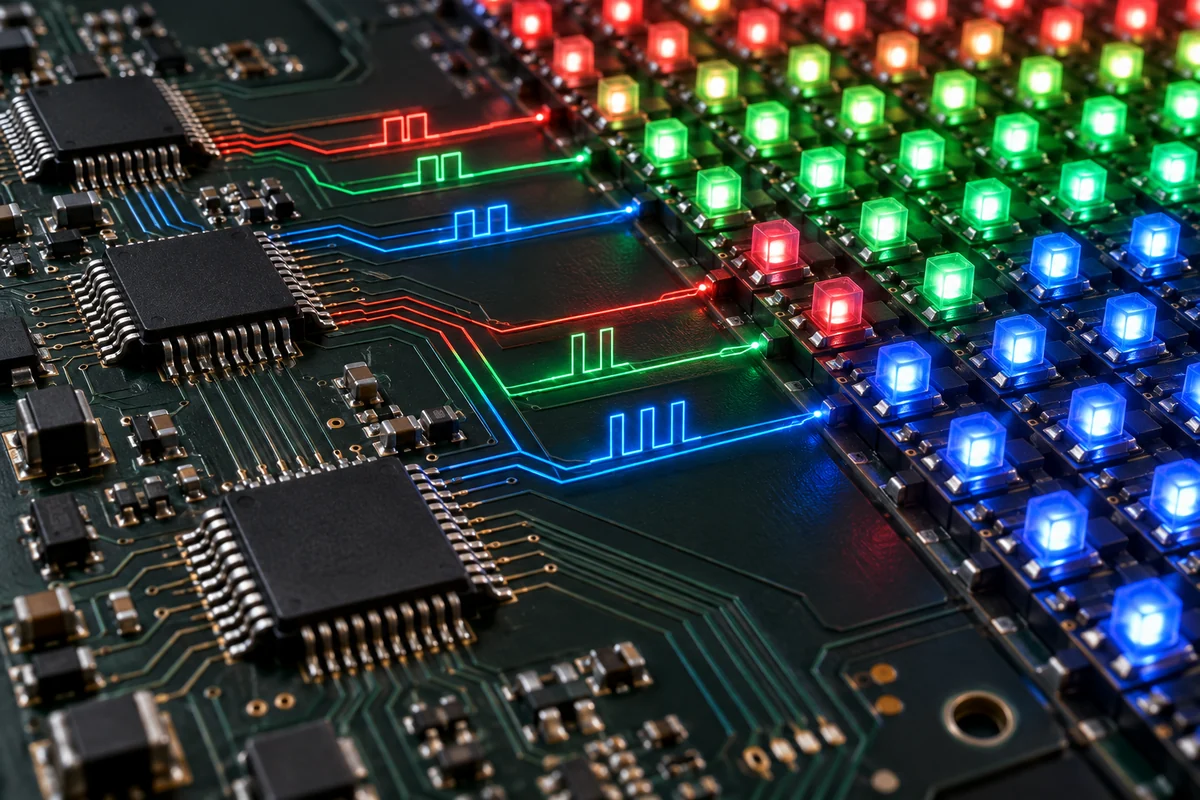
A typical workflow looks like this:
HDR Content → Playback System → Video Processor → Sending/Receiving System → Driver IC → LED Modules → Calibrated Display
This chain explains why a buyer should avoid evaluating HDR from processor compatibility alone. The processor can decode an HDR format correctly, yet the LED wall may still produce inaccurate grayscale or inconsistent brightness.
How Does HDR Content Reach an LED Video Wall?
The source first generates or stores HDR image information. The playback and processing equipment then passes that information toward the LED display system.
The video processor manages resolution, color processing, scaling, signal conversion, and HDR-related operations. The receiving system distributes processed information to individual cabinets or modules.
What Role Does the Video Processor Play in HDR?
The video processor determines how the incoming HDR signal enters the LED display workflow. It must support the relevant signal formats and maintain appropriate bit-depth and color information throughout processing.
A processor specification should therefore be evaluated together with the LED panel and receiving system.
A processor that supports HDR does not automatically make a display an HDR-performance system.
How Do Receiving Cards Affect HDR Signal Processing?
Receiving cards distribute processed image data to LED modules. Their capabilities can affect grayscale reproduction, refresh behavior, data handling, and overall image consistency.
For a large installation, the buyer should verify that the receiving architecture supports the processor and cabinet configuration rather than checking each component separately.
How Do Driver ICs Affect HDR Reproduction?
Driver ICs control the electrical behavior of LED pixels. Their grayscale control and current management directly influence how smoothly the display reproduces different brightness levels.
This becomes especially important in dark HDR scenes. Small differences in low-gray control can become visible when the content contains subtle shadow transitions.
Why Does LED Display Calibration Matter for HDR?
Factory calibration aligns brightness and color behavior across modules and cabinets. Without consistent calibration, an HDR wall can show visible differences between areas even when every cabinet uses the same nominal specification.
For large B2B projects, cabinet-to-cabinet consistency often matters more than adding another headline specification.
Factory Perspective: During mass production, calibration must address manufacturing variation rather than one laboratory sample. LED binning, module assembly, driver behavior, and optical differences can create visible variation if the factory does not control them systematically.
HDR vs. SDR: What Is the Difference?
HDR provides a wider range of brightness and image information than SDR, which allows compatible displays to preserve more detail in highlights and shadows.

The practical difference becomes easiest to see with demanding content. A night scene with bright lights, reflective surfaces, and dark backgrounds can expose the limitations of an SDR workflow quickly.
| Feature | SDR | HDR |
|---|---|---|
| Dynamic Range | Narrower | Wider |
| Highlight Detail | More limited | More preserved |
| Shadow Detail | More limited | More preserved |
| Typical Bit Depth | Commonly 8-bit | Commonly 10-bit or higher |
| Image Information | Lower | Higher |
How Does HDR Look Different From SDR?
HDR can produce stronger separation between bright and dark areas while retaining more detail within both regions. The result should look more natural rather than simply brighter.
For an LED video wall, the difference depends heavily on native contrast, low-gray behavior, processing, and calibration.
Does HDR Always Mean Higher Brightness?
No. HDR does not mean that buyers should simply choose the highest possible brightness.
Excessive brightness can increase power consumption and thermal load while providing little benefit in a controlled indoor environment. The display needs enough luminance for its application, but it also needs controlled black reproduction and stable grayscale.
Why Does HDR Reveal More Detail in Bright and Dark Scenes?
HDR content contains more information across the luminance range. A capable display can reproduce more of that information instead of compressing it into a narrower range.
However, the LED wall cannot recover information that its hardware and calibration cannot reproduce.
Can an SDR Source Become True HDR?
An SDR source can undergo processing that changes its appearance, but processing an SDR signal does not automatically create original HDR image information.
A buyer should distinguish between HDR conversion, tone mapping, and native HDR content when evaluating demonstrations.
Factory Perspective: We recommend that buyers test identical HDR content across sample cabinets rather than judging HDR from a static specification sheet. Real scenes expose low-gray, brightness uniformity, and color inconsistencies much faster than a simple product datasheet.
Which HDR Standards Are Used in LED Displays?
HDR10, HDR10+, Dolby Vision, and HLG represent different approaches to HDR signaling and content delivery, but an LED display does not need every format to deliver useful HDR performance. Buyers should select standards according to their content source, processor, playback workflow, and application.

The biggest procurement mistake is to treat HDR format support as a complete HDR specification. A display can support an HDR format at the signal level while its optical and electrical performance limits the visible result.
| HDR Format | Metadata | Typical Application | Key Consideration |
|---|---|---|---|
| HDR10 | Static | Video and consumer content | Broad ecosystem support |
| HDR10+ | Dynamic | Premium video content | Scene-by-scene metadata |
| Dolby Vision | Dynamic | Premium content | Licensing and ecosystem |
| HLG | No traditional HDR metadata | Broadcast and live production | Suitable for live workflows |
What Is HDR10?
HDR10 uses static metadata to describe the HDR content for the display system. It has become one of the most widely recognized HDR formats because many playback and display ecosystems support it.
For LED video walls, buyers should still verify the complete signal path. HDR10 support in the processor does not guarantee accurate HDR10 reproduction at the pixel level.
What Is HDR10+?
HDR10+ uses dynamic metadata, which allows HDR instructions to change according to different scenes or content sections. This approach can provide more flexible tone mapping than static metadata.
However, the benefit depends on the playback chain and display processor. If the LED system cannot maintain accurate luminance and color reproduction, dynamic metadata alone cannot solve the problem.
What Is Dolby Vision?
Dolby Vision is a proprietary HDR ecosystem that uses dynamic metadata and requires compatible equipment and content workflows. It targets demanding visual applications where precise HDR reproduction matters.
B2B buyers should confirm licensing, processor compatibility, content compatibility, and actual LED display support before specifying Dolby Vision.
What Is HLG?
HLG, or Hybrid Log-Gamma, targets broadcast and live production workflows. It avoids relying on traditional static metadata and supports workflows where broadcasters need practical HDR distribution.
This makes HLG particularly relevant to studios, live events, sports production, and broadcast environments.
HDR10 vs. HDR10+: What Is the Difference?
HDR10 uses static metadata, while HDR10+ uses dynamic metadata. The latter can provide more scene-specific control, but the practical value depends on the entire production and playback chain.
The more important procurement question is not “Which HDR logo does the panel have?” but “Which HDR workflow does the project actually use?”
Which HDR Format Is Suitable for an LED Video Wall?
The suitable format depends on the source content and application:
- HDR10: A practical choice for broad HDR compatibility.
- HDR10+: Useful when the content workflow already uses dynamic metadata.
- Dolby Vision: Relevant to premium workflows that specifically require its ecosystem.
- HLG: Strongly relevant to live broadcast and production environments.
Factory Perspective: We recommend that system integrators provide the actual content source, processor model, resolution, frame rate, and target application before finalizing HDR requirements. This approach prevents buyers from paying for unsupported or unnecessary formats.
Which LED Display Specifications Determine Real HDR Performance?
Real HDR performance depends on brightness, native contrast, low-gray reproduction, bit depth, color gamut, driver IC behavior, video processing, and calibration working together. No single specification can define the quality of an HDR LED display.

A useful procurement framework separates signal capability from physical reproduction capability. The first tells you what the system can receive. The second tells you what the viewer can actually see.
| Specification | HDR Impact | What Buyers Should Check |
|---|---|---|
| Brightness | Highlight reproduction | Peak and operating brightness |
| Native Contrast | Dark-to-bright separation | Native contrast specification |
| Low-Gray Performance | Shadow detail | Grayscale behavior at low luminance |
| Bit Depth | Tonal transitions | Processing and signal-chain depth |
| Color Gamut | Color reproduction | Supported color space |
| Driver IC | Grayscale and current control | IC architecture and performance |
| Video Processor | HDR processing | Supported HDR workflow |
| Calibration | Uniformity | Factory calibration process |
How Does Brightness Affect HDR Performance?
Brightness determines how effectively an LED display can reproduce bright image information. However, HDR brightness should match the environment and content instead of maximizing the specification.
An indoor studio wall may need very different operating conditions from an outdoor advertising display. A higher number does not automatically create a better picture.
Why Does Native Contrast Matter for HDR?
Native contrast affects the separation between dark and bright portions of an image. A display with strong brightness but weak dark-level control can produce HDR scenes that look flat.
For this reason, buyers should request native contrast data rather than relying only on a processor’s advertised HDR capability.
Why Is Low-Gray Performance Important for HDR?
Low-gray performance determines how smoothly an LED wall reproduces small brightness changes near dark levels. Poor performance can produce crushed shadows, color shifts, or visible steps between grayscale levels.
This specification deserves special attention when the project uses cinema, broadcast, virtual production, or premium video content.
How Does Bit Depth Affect HDR Image Quality?
Bit depth determines how many digital levels the system can represent for each color channel. More levels can reduce visible quantization and improve tonal transitions.
However, the entire signal chain must support the required precision. A 12-bit component cannot compensate for another stage that reduces the effective information.
How Does Color Gamut Affect HDR?
Color gamut defines the range of colors a display can reproduce. HDR and wide color gamut often work together, but they represent different concepts.
A wide color gamut does not prove that an LED display delivers accurate HDR. Buyers should evaluate color gamut together with brightness, color volume, calibration, and the target content standard.
Why Does Driver IC Performance Matter?
Driver ICs control LED current and grayscale output. Their behavior affects dark-scene smoothness, brightness stability, and pixel-level consistency.
At production scale, component selection also affects thermal behavior. A driver architecture that creates unnecessary electrical losses can increase heat inside the module, which may influence long-term stability.
Why Does Factory Calibration Affect HDR Performance?
Factory calibration reduces visible differences between LED modules and cabinets. It can improve brightness and color uniformity across a large wall.
A buyer should ask whether calibration occurs only at module level or whether the manufacturer also verifies cabinet-level consistency after assembly.
Factory Perspective: At NSELED, we view HDR calibration as a production-control issue rather than a final software adjustment. Component binning, module assembly, cabinet construction, and thermal conditions can all influence the calibration result. A repeatable production process therefore matters when a project requires hundreds of cabinets to look like one continuous image.
Why Do Brightness and Contrast Both Matter for HDR?
HDR needs enough brightness to reproduce highlights and controlled dark levels to preserve shadow detail. Buyers should evaluate brightness and contrast together because either specification can become a limiting factor.
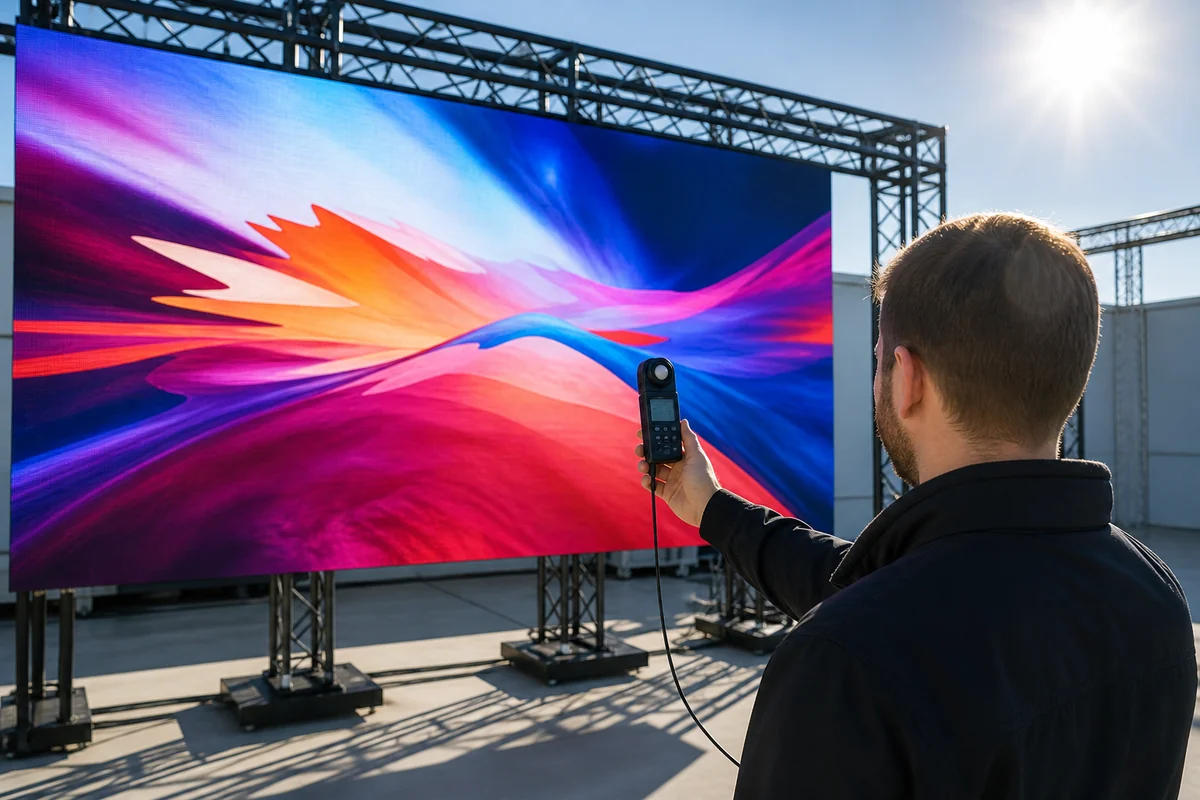
| Display Condition | Potential HDR Result |
|---|---|
| High brightness + poor black level | Washed-out dark scenes |
| Low brightness + good black level | Weak highlights |
| High brightness + good contrast | Strong HDR potential |
| High brightness + poor grayscale | Banding or unstable dark tones |
How Does Brightness Affect HDR Highlights?
Bright HDR objects can contain much more luminance information than surrounding areas. A capable LED wall needs enough output to reproduce those differences without flattening the image.
Yet buyers should distinguish peak brightness from normal operating brightness. A screen that reaches an impressive laboratory value may operate at a substantially different level during continuous commercial use.
Why Does Black Level Matter for HDR?
Black-level control determines how dark portions of an image appear. When the dark floor rises, the display loses separation between neighboring low-luminance tones.
This issue becomes obvious in night scenes, dark studio backgrounds, and cinematic content.
Why Does Higher Brightness Not Always Mean Better HDR?
Higher brightness can create additional thermal and electrical demands. Excessive drive conditions can also reduce the practical advantage of HDR when the viewing environment does not require them.
We do not recommend paying for maximum brightness simply because the specification looks impressive. Buyers should define ambient light, viewing distance, content type, and operating schedule first.
How Should Brightness Be Matched to the Viewing Environment?
Consider these factors before selecting the target brightness:
- Ambient light at the installation site.
- Indoor or outdoor operating conditions.
- Viewing distance and camera requirements.
- Content type and HDR mastering workflow.
- Expected daily operating hours.
A controlled indoor environment often benefits more from contrast and grayscale quality than from extreme luminance.
How Does Thermal Management Affect Long-Term Brightness Stability?
LED displays convert electrical energy into both light and heat. Continuous high-output operation increases thermal demands on LEDs, driver components, power supplies, and cabinet structures.
Thermal design therefore belongs in the HDR discussion. A display that performs well during a short demonstration must also maintain stable optical and electrical behavior during extended operation.
Factory Perspective: During production evaluation, we recommend checking the relationship between brightness, operating current, cabinet temperature, and image uniformity. This gives buyers more useful information than a peak-brightness number alone.
How Do Grayscale and Driver ICs Affect HDR Image Quality?
Low-gray performance determines how smoothly an LED display reproduces subtle dark tones, while driver ICs help control the current and grayscale behavior required to display those transitions.
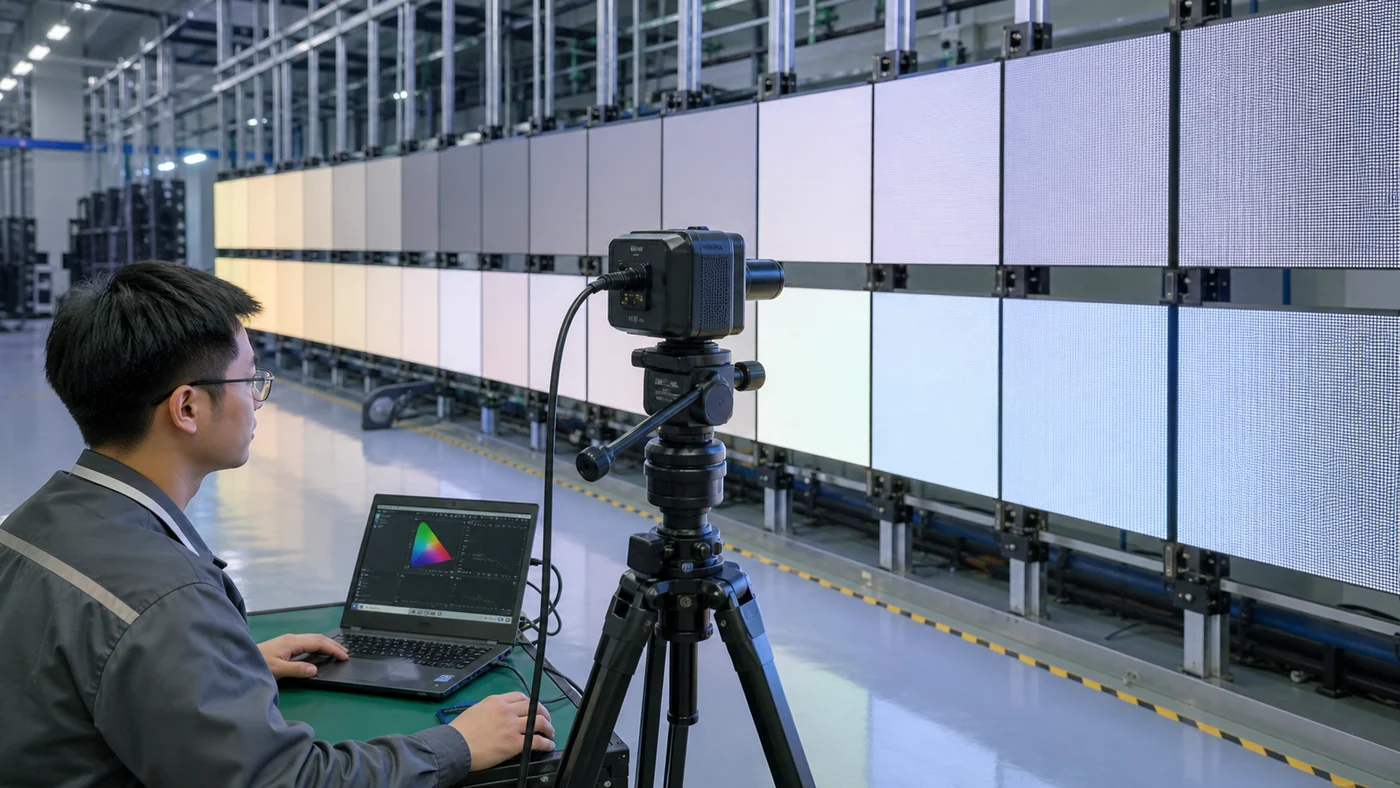
HDR exposes weaknesses that ordinary bright commercial content may hide. A dark blue background, black clothing, or nighttime street scene can contain many subtle luminance differences.
| Performance | HDR Result |
|---|---|
| Strong low-gray performance | Smoother dark gradients |
| Poor low-gray performance | Crushed shadows |
| Stable brightness control | Better tonal transitions |
| Inconsistent module performance | Visible uniformity problems |
What Is Low-Gray Performance?
Low-gray performance describes how accurately a display reproduces small grayscale values near black. Strong performance creates smoother transitions instead of abrupt changes.
Buyers should request actual low-gray demonstrations rather than relying only on a generic grayscale specification.
Why Do Dark HDR Scenes Expose LED Display Weaknesses?
Dark scenes leave little visual margin for error. Small differences in current control, LED characteristics, or calibration can become visible when the image contains subtle shadows.
A bright advertising image may conceal these differences. A cinematic HDR scene often exposes them immediately.
How Do Driver ICs Control Grayscale?
Driver ICs regulate current delivered to LED pixels. Their architecture and control accuracy influence grayscale transitions and brightness consistency.
The factory must also match the driver IC with the LED package, PCB design, power architecture, and control system. Changing one component without validating the complete module can change the final image behavior.
What Causes Grayscale Banding on an LED Display?
Common causes include:
- Insufficient tonal precision.
- Poor low-gray current control.
- Signal processing limitations.
- Incorrect calibration.
- Module-to-module variation.
- Excessive compression or inappropriate tone mapping.
How Does Factory Calibration Improve Low-Gray Performance?
Calibration aligns output among pixels or modules so the display produces a more consistent image. The process becomes especially important when a large LED wall combines many cabinets.
Factory Perspective: We pay particular attention to low-gray consistency because mass production creates more variables than a single prototype. A sample cabinet can look excellent while a poorly controlled production batch can introduce visible cabinet-to-cabinet differences. Buyers should therefore evaluate production samples, not only engineering prototypes.
Does HDR Require 10-Bit or 12-Bit Processing?
HDR does not automatically require 12-bit processing, but 10-bit processing provides substantially more tonal levels than 8-bit and fits many modern HDR workflows. Buyers should evaluate the effective bit depth across the complete signal chain instead of choosing equipment based on one processor specification.

Bit depth determines how many digital levels a system can represent for each color channel. An 8-bit channel provides 256 levels, while 10-bit provides 1,024 and 12-bit provides 4,096. More levels can produce smoother gradients, but the display must preserve that information from source to output.
| Bit Depth | Levels per Channel | HDR Consideration |
|---|---|---|
| 8-bit | 256 | More limited tonal precision |
| 10-bit | 1,024 | Common HDR workflow |
| 12-bit | 4,096 | Higher processing precision |
What Does Bit Depth Mean?
Bit depth describes the number of discrete digital values available to represent brightness or color information. A higher bit depth gives the system more steps between dark and bright values.
For example, a gradient that looks smooth at 10-bit precision may show visible transitions when the same information passes through a lower-precision stage.
Why Does Higher Bit Depth Reduce Banding?
Banding appears when the display cannot reproduce enough intermediate levels between two neighboring tones. Higher bit depth increases the number of available steps and can reduce this effect.
However, higher bit depth only helps when the complete workflow preserves those additional levels. Source content, playback equipment, video processors, sending systems, receiving cards, and display electronics all matter.
Is 12-Bit Processing Better Than 10-Bit for Every LED Display?
No. A 12-bit specification does not automatically justify a higher project budget.
A premium virtual production wall may benefit from a higher-precision processing workflow. A basic retail information display may gain little from the additional processing capacity.
Buyers should first identify the content workflow and camera requirements. Then they can determine whether the additional processing precision creates measurable value.
How Does Processing Bit Depth Affect the Final LED Image?
The final image depends on the weakest relevant stage in the signal path. A processor may handle 12-bit information, but another component may process the signal at lower precision.
That means buyers should ask suppliers to document the signal path rather than simply stating “12-bit HDR supported.”
Why Does the Complete Signal Chain Matter More Than One Bit-Depth Number?
The practical goal is consistent HDR information from source to LED pixel, not the highest number printed on a specification sheet.
A useful RFQ question is:
“Please identify the effective bit depth at the source, processor, receiving system, driver stage, and display output.”
This question forces suppliers to explain how the system actually handles HDR data.
Factory Perspective: We treat bit depth as one part of module and system matching. Driver IC selection, calibration algorithms, LED characteristics, and processor settings can affect the visible result. A higher theoretical precision has limited value if production calibration cannot maintain consistent low-gray output across hundreds of cabinets.
How Are HDR, Wide Color Gamut, and Color Volume Related?
HDR expands brightness information, while wide color gamut expands the range of reproducible colors; color volume evaluates how well a display maintains color performance across different brightness levels.

These concepts often appear together in premium LED display specifications, but they answer different questions. A buyer should understand the distinction before comparing products.
| Technology | Main Function |
|---|---|
| HDR | Expands dynamic brightness range |
| Wide Color Gamut | Expands color range |
| High Bit Depth | Improves tonal transitions |
| Color Volume | Evaluates color reproduction across brightness levels |
What Is the Difference Between HDR and Wide Color Gamut?
HDR primarily concerns dynamic range and luminance information. Wide color gamut concerns the range of colors that a display can reproduce.
A display can have a wide color gamut without delivering strong HDR. Likewise, a display can process HDR content without reproducing the full intended color range.
Buyers should treat HDR and color gamut as complementary specifications, not interchangeable terms.
What Are DCI-P3 and Rec. 2020?
DCI-P3 and Rec. 2020 define color spaces used in professional and consumer imaging workflows. They provide reference points for evaluating color reproduction.
However, buyers should avoid assuming that a screen supporting a named color space reproduces every color in that space equally well at every brightness level.
Why Does Color Gamut Alone Not Define HDR Quality?
HDR scenes contain color information at different luminance levels. A display may reproduce a strong color at moderate brightness but lose saturation or accuracy as luminance changes.
This is why color volume can provide more useful information than a single color-gamut percentage when evaluating demanding HDR applications.
What Is Color Volume?
Color volume describes the range of colors a display can reproduce across its brightness range. It combines color gamut with luminance behavior.
For virtual production, broadcast, and premium content applications, this relationship matters because the display must reproduce color consistently across both darker and brighter image areas.
How Does LED Chip Selection Affect HDR Color Performance?
The LED chip and package influence spectral output, efficiency, brightness, and color characteristics. These factors affect how the finished display reproduces content.
Factory Perspective: LED component selection is not simply a brightness decision. We also consider wavelength consistency and batch behavior because variations between LED components can create color differences after module assembly. Factory calibration can correct part of this variation, but controlled component sourcing reduces the correction burden before calibration begins.
How Does HDR Performance Vary Across LED Display Applications?
The value of HDR changes significantly by application because each environment places different demands on brightness, contrast, grayscale, color accuracy, and camera performance.
A virtual production wall needs a different balance from an outdoor advertising screen. A broadcast studio may prioritize color consistency and camera behavior, while an outdoor screen must handle ambient light and environmental conditions.
| Application | Main HDR Priority |
|---|---|
| Indoor Fine-Pitch LED | Contrast and grayscale |
| Broadcast Studio | Color accuracy and processing |
| Virtual Production | Color, brightness, and camera performance |
| Sports Venue | Brightness and motion |
| Outdoor Advertising | Brightness and environmental stability |
| Control Room | Low-gray detail and uniformity |
HDR for Indoor Fine-Pitch LED Displays
Indoor fine-pitch LED walls can benefit strongly from HDR when viewers sit relatively close and the content contains detailed gradients.
In these environments, contrast, low-gray performance, and color consistency often deserve more attention than extreme brightness.
A dark conference room or studio does not need the same luminance target as a sunlit outdoor installation.
HDR for Outdoor LED Displays
HDR can improve content reproduction, but outdoor applications must first achieve adequate visibility. If ambient light overwhelms the display, theoretical HDR improvements may have limited practical impact.
HDR for Virtual Production LED Walls
Virtual production places unusually demanding requirements on LED displays because cameras capture the wall directly. Brightness, color, refresh behavior, scan architecture, moiré control, grayscale, and color consistency all become important.
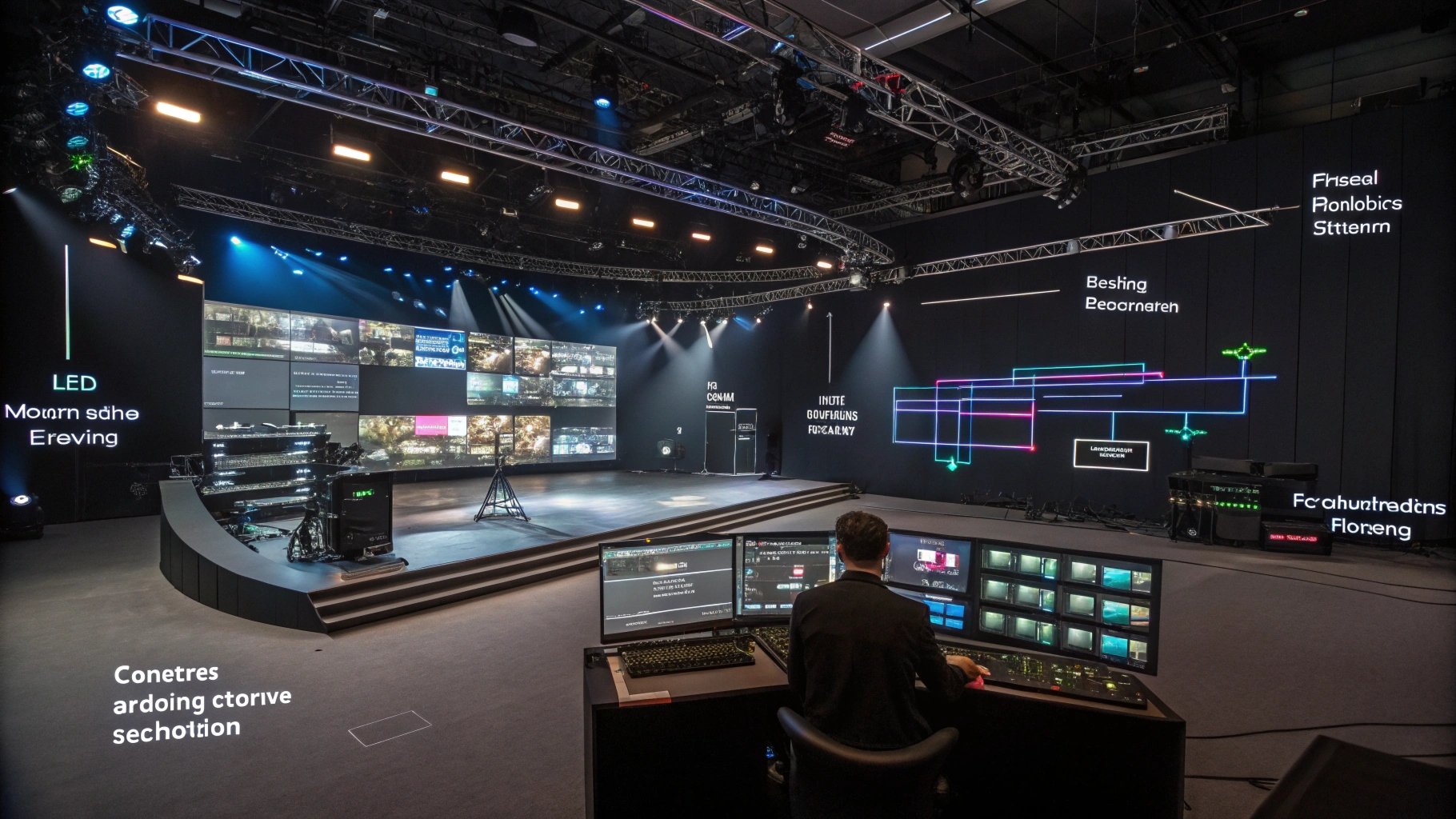
A virtual production buyer should evaluate HDR together with camera testing rather than treating HDR as an isolated feature.
HDR for Broadcast Studio LED Displays
Broadcast environments require controlled and repeatable image reproduction. Color accuracy and grayscale stability can matter more than maximum luminance.
The production team should test the complete camera-to-LED workflow under the intended shooting conditions.
HDR for Sports and Entertainment Venues
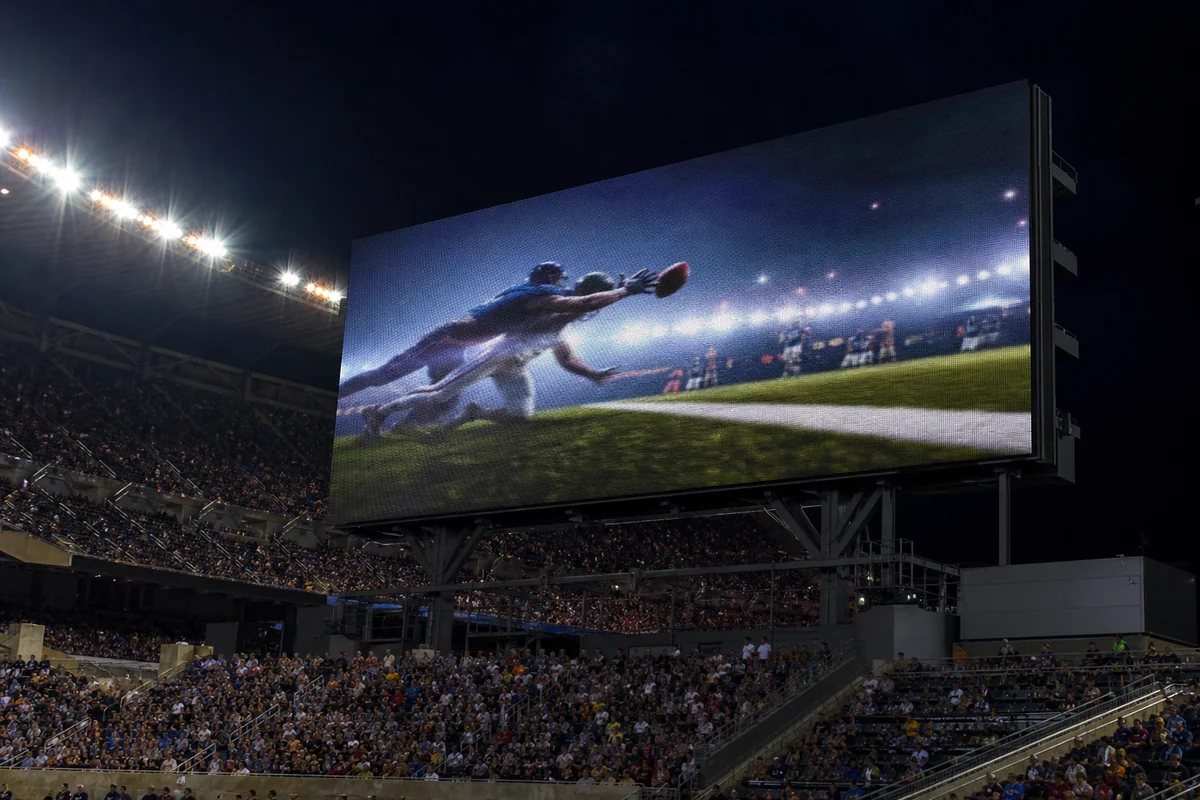
The buyer should therefore balance HDR capability with brightness, refresh performance, viewing distance, and content distribution requirements.
HDR for Control Room LED Video Walls
Control rooms often display maps, dashboards, surveillance feeds, and mixed visual content. Operators need stable grayscale and uniformity because they may view the wall continuously.
HDR can add value when the content source provides meaningful HDR information, but it should not displace more important requirements such as readability, uniformity, redundancy, and viewing comfort.
Factory Perspective: We do not use one HDR configuration for every application. We match LED package, pixel pitch, brightness target, driver architecture, cabinet design, processing, and calibration requirements to the actual environment. This approach can prevent over-specification while protecting the parameters that users will notice every day.
What Is the Difference Between HDR Compatibility and True HDR Performance?
HDR compatibility means that an LED display system can accept or process HDR content, while true HDR performance means that the finished display reproduces the relevant brightness, grayscale, color, contrast, and tonal information accurately.
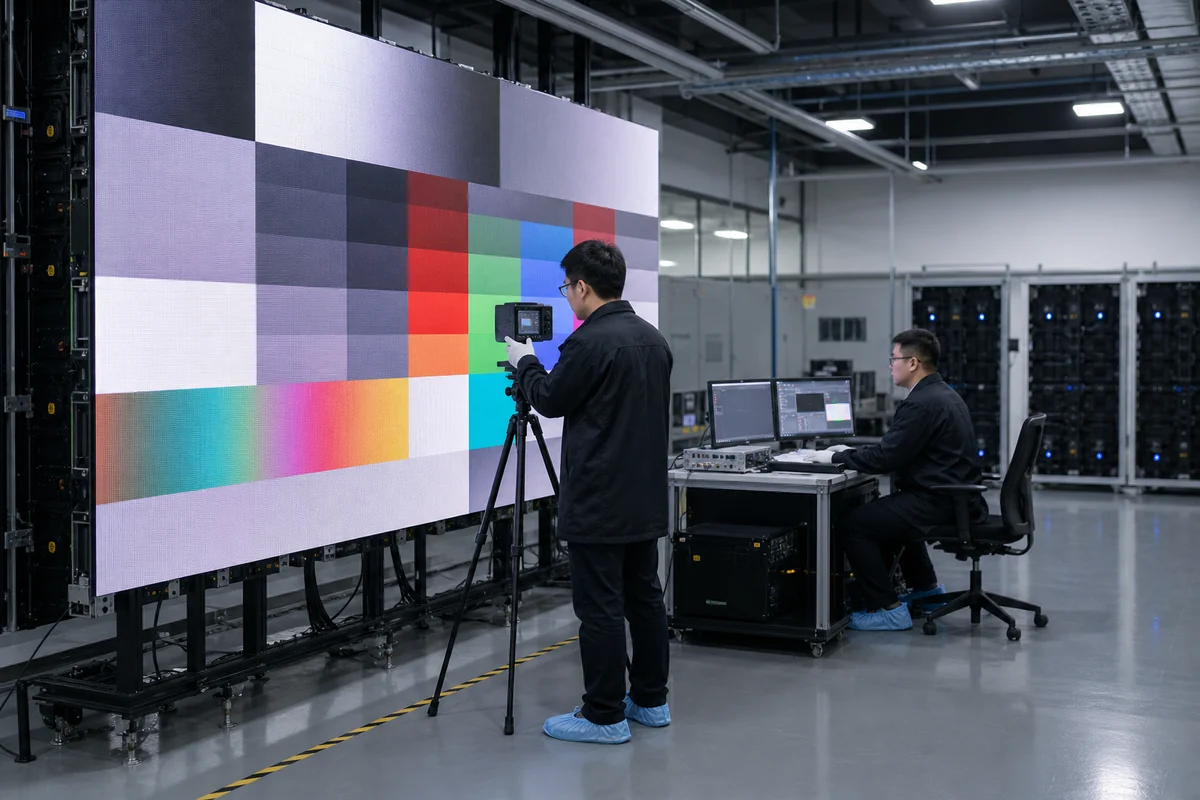
This distinction can significantly change a procurement decision. A supplier may advertise HDR support because its processor accepts an HDR input. That statement does not tell you how the LED modules reproduce the signal.
| HDR Compatibility | True HDR Performance |
|---|---|
| Signal acceptance | Complete signal reproduction |
| Processor support | Complete signal-chain support |
| Format compatibility | Accurate image reproduction |
| Specification-based | Measurement and visual verification |
| May stop at signal input | Extends to calibrated LED output |
What Does HDR Compatibility Actually Mean?
HDR compatibility generally indicates that the system can recognize or process a supported HDR signal format.
The term does not necessarily describe the screen’s peak luminance, native contrast, low-gray quality, color volume, or calibration accuracy.
Why Is an HDR Label Not Enough?
An HDR logo cannot tell you whether the screen preserves shadow detail or produces consistent highlights across a large wall.
Buyers should request test evidence instead of relying on marketing terminology.
Ask suppliers to demonstrate:
- Native HDR content.
- Dark-to-bright gradients.
- Low-gray test patterns.
- Bright highlight scenes.
- Cabinet-to-cabinet uniformity.
- Actual operating brightness.
How Does Calibration Affect Real HDR Performance?
Calibration aligns the output of modules and cabinets. It can reduce visible differences that would otherwise become more noticeable in large uniform areas or dark gradients.
For a multi-cabinet installation, the buyer should verify calibration after cabinet assembly rather than inspecting only an individual module.
Why Should Buyers Evaluate Real HDR Content?
Test patterns reveal technical weaknesses, but real content reveals whether those weaknesses affect actual viewing.
A good evaluation should include dark scenes, skin tones, bright highlights, gradients, saturated colors, and mixed-brightness scenes.
What Should an LED Manufacturer Demonstrate During an HDR Test?
The manufacturer should demonstrate the display under the same conditions that matter to the project. The buyer should record the processor settings, brightness level, source format, and cabinet configuration.
Factory Perspective: We recommend testing at the intended operating condition rather than using maximum brightness for every demonstration. A screen should show stable image quality at the level the customer will actually use. This approach gives the buyer a much more useful picture of long-term project performance.
How Should You Evaluate an HDR LED Display Before Buying?
You should evaluate an HDR LED display as a complete imaging system, not as a collection of isolated specifications. Your RFQ should cover HDR format support, brightness, native contrast, low-gray performance, bit depth, color gamut, processing, calibration, and the conditions used for testing.
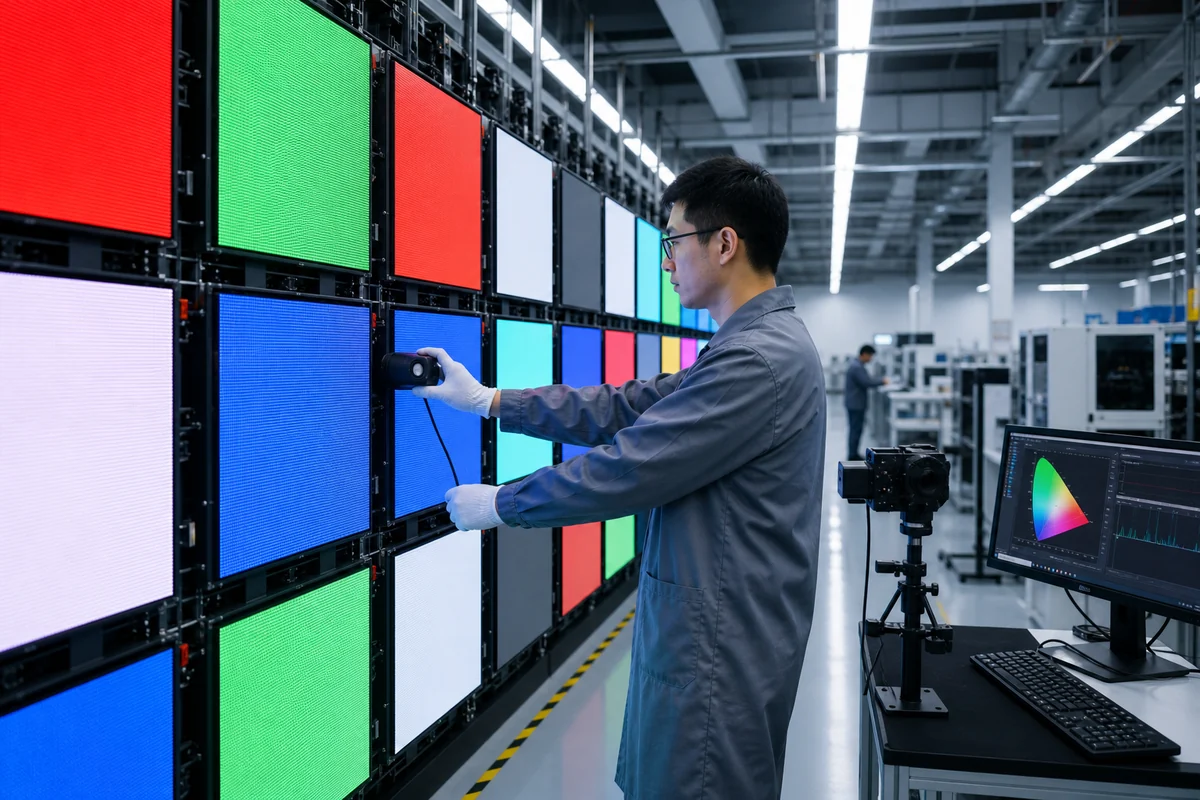
A useful procurement process starts before you compare supplier quotations. First, define the content and environment. Then identify the technical requirements. Finally, verify the manufacturer’s claims with a sample cabinet or controlled demonstration.
Which HDR Specifications Should Be Included in an RFQ?
Your RFQ should give suppliers enough information to recommend a suitable configuration. At minimum, provide:
| Parameter | What You Should Specify |
|---|---|
| Application | Broadcast, VP, retail, sports, control room, etc. |
| Pixel Pitch | Based on viewing distance and content detail |
| Brightness | Required operating range |
| HDR Format | HDR10, HDR10+, Dolby Vision, HLG, or workflow-specific |
| Processing | Required signal resolution and bit depth |
| Refresh Rate | Based on camera and content requirements |
| Color Requirement | Target color space or accuracy |
| Installation | Indoor/outdoor and operating environment |
Do not ask only for “the best HDR LED display.” That wording encourages suppliers to quote their most expensive configuration rather than the configuration that best fits your project.
What HDR Tests Should Buyers Request From Manufacturers?
Ask the supplier to demonstrate several types of content instead of one promotional video:
- Dark scenes to evaluate shadow detail.
- Bright scenes to check highlight clipping.
- Grayscale gradients to identify banding.
- Skin tones to evaluate color reproduction.
- Saturated colors to evaluate gamut and color consistency.
- Mixed-brightness scenes to evaluate overall HDR balance.
You should also record the operating brightness and processor settings during the demonstration. Otherwise, you cannot make a meaningful comparison between suppliers.
Should Buyers Request an HDR Sample Cabinet?
Yes, a sample cabinet becomes especially valuable for large or technically demanding projects.
A sample allows you to inspect the actual LED package, pixel pitch, cabinet construction, brightness behavior, grayscale, viewing angle, and image quality before committing to mass production.
For projects with hundreds of cabinets, however, one sample cannot prove production consistency by itself. You should also request production-batch verification.
How Should HDR Performance Be Verified Before Mass Production?
Use a documented acceptance procedure. Compare the approved sample with production cabinets under the same source, processor settings, brightness, and test content.
You can define acceptance criteria for:
- Brightness uniformity.
- Color consistency.
- Low-gray performance.
- Pixel and module defects.
- Cabinet-to-cabinet image matching.
- Signal compatibility.
- Mechanical and thermal behavior.
This process shifts the purchase decision from “Does the sample look good?” to “Can the factory reproduce this result at scale?”
What Questions Should Buyers Ask an LED Display Manufacturer?
Ask direct engineering questions:
- Which HDR formats does the complete system support?
- What bit depth does the signal chain maintain?
- What brightness level did you use during the demonstration?
- How does the display perform in low-gray conditions?
- How do you calibrate modules and cabinets?
- How do you control consistency during mass production?
- What test records will you provide before shipment?
Factory Perspective: At NSELED, we recommend defining acceptance criteria before production begins. This approach reduces disputes because the supplier and buyer agree on measurable requirements before the factory starts mass production.
Conclusion
High Dynamic Range (HDR) should be evaluated as a complete LED display system, not as a single processor feature or marketing label. Brightness, native contrast, low-gray performance, bit depth, color gamut, driver ICs, signal processing, and factory calibration must work together. A display that accepts HDR content but cannot reproduce its brightness and grayscale information accurately will not deliver the visual improvement buyers expect.
As a B2B buyer, you can take three practical actions next week: define your actual HDR content and viewing environment, add five core parameters—pixel pitch and viewing distance, operating brightness, HDR format, processing and refresh requirements, and application environment—to your RFQ, and request an HDR sample test before mass production. You should also compare suppliers using identical content and operating conditions instead of comparing isolated numbers.
NSELED can help you turn those requirements into a project-specific display configuration. Our value is not simply supplying an HDR-compatible LED screen, but helping you match LED components, driver ICs, cabinet design, processing, calibration, thermal management, and production consistency to your application. Contact NSELED to develop an HDR LED display solution based on measurable project requirements rather than unnecessary specifications.